Customizing Canard
-
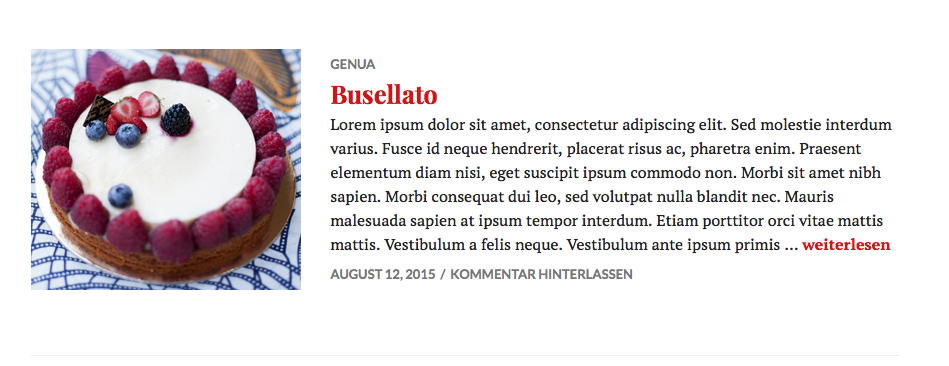
1. Am I able to adjust the padding between posts on the homepage of the Canard template. I feel its a bit too spaced out and would like to reduce the space between the posts under the featured posts.
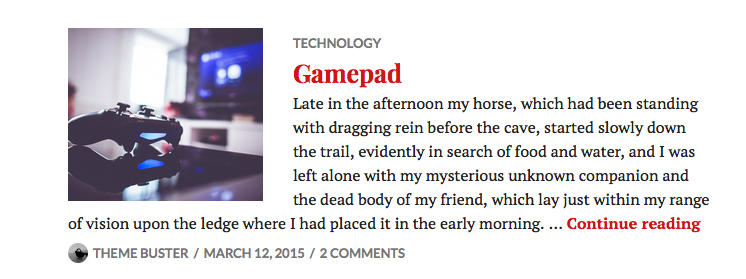
2. Can I remove the tags from appearing above the post title?
3. On the posts page on desktop views, can I bump the post info (author, likes, shares, tags) to show up below the post (as is the case on mobile and tablet views) rather than it showing up on the top, next to the beginning of the post?
4. Can I edit the font and size of the main menu on its own?
Thank you!!
The blog I need help with is: (visible only to logged in users)
-
Hi, there,
1. Am I able to adjust the padding between posts on the homepage of the Canard template. I feel its a bit too spaced out and would like to reduce the space between the posts under the featured posts.
There are two things creating that space between posts, top padding and bottom margin. Add the following to your custom CSS and adjust as desired.
body:not(.single) .content-area .format-gallery.has-post-thumbnail, body:not(.single) .content-area .format-image.has-post-thumbnail {
    padding-top: 90px;
}
.archive .hentry, .blog .hentry, .search .hentry {
    margin-bottom: 60px;
}
2. Can I remove the tags from appearing above the post title?
This will remove the tags.
.entry-header .entry-meta {
    display: none;
}
3. On the posts page on desktop views, can I bump the post info (author, likes, shares, tags) to show up below the post (as is the case on mobile and tablet views) rather than it showing up on the top, next to the beginning of the post?
Hi, on the single post pages, such as Snapper Brownies, I see all the sharing and author info and such at the bottom of your posts. It appears like it is already doing what you want it to to.
-
4. Can I edit the font and size of the main menu on its own?
You can use the following to set you change color and size on the menu.
.nav-menu a {
    font-size: 100%;
    color: #cc0000;
}
As far as the font itself, what are you wanting to change it to? There are only a handful of fonts that are installed on all computers, and we can’t set a font at Appearance > Customize > Fonts for the menu only. If you let me know what you are wanting to do, I can see what I can do to make that happen.
-
@Thesacredpath, Thank you so much! All of that was very helpful.
For (3) I took a screenshot of my desktop screen to show you how it appears for me. As I mentioned, on the iPad and phone it comes up below the post like I want, but for the desktop version it appears like this: {rtf1ansiansicpg1252
{fonttbl}
{colortbl;red255green255blue255;}
}As for the menu fonts (4) I was just wondering if there was a code to insert a different font family from the customizer options. What I’m looking for is probably more related to wanting the overall look of the menu bar to change, like possible removing the line below it and spacing the menu items a bit more. Changing the color and size helped a lot though, thank you!
I really appreciate your time and he’ll with all of this.
-
-
Hi, I had to widen my browser window to see what you were talking about. You can give the following a try which widens the content to 100% and pushes the post metadata and sharing stuff to the bottom below the posts.
@media screen and (min-width: 1380px) {
	.entry-footer {
		width: 100%;
	}
	.entry-content {
		width: 100% !important;
	}
}
I worked off of this page on your site: http://alasusu.com/2015/06/29/fifis-steamed-salmon/ .
-
@Thesacredpath, perfect! Thanks again :). So I adjusted the width of the entry to 75% because 100% felt too wide. I like the way it looks, but now the metadata and sharing buttons are not aligned with the entry at the bottom when its in full width view, can that be adjusted? I tried playing around with the .entry-footer percentage but it did not move anything. The code I have entered is:
@media screen and (min-width: 1380px) {
.entry-footer {
width: 50%;
}
.entry-content {
width: 75% !important;
}
}Thanks so much!
-
We can do that. Make both 75% wide and add a float: right; to the .entry-footer section so it looks like this.
@media screen and (min-width: 1380px) { .entry-footer { width: 75%; float: right; } .entry-content { width: 75% !important; } } -
Wow! Thanks! As you can tell, I’m new to all the CSS stuff, but its so cool to see how it all works. Appreciate your help :)
-
-
Hi,
I have just changed to Canard theme :labellestradgard.wordpress.com. But I can´t see the name of the Pages that is supposed to be at the top.
How can I make them visible at the top?
Thanks! -
Hi, how can i do to see the Bold text style in the home page post?
Because if u open the post, you can see the bold font, but in home page nothing.Thanks
-
@marialabelle2014, I’m seeing the navigation at the top of your site right now, so did you get this solved to your satisfaction?
-
@gerardopandolficom, I see you have asked this question in a different thread at: https://en.forums.wordpress.com/topic/canard-theme-bold-font-not-appear-on-the-home-posts?replies=2#post-2436852 . Can you continue in that thread since it is a different topic than discussed in this thread. Many thanks in advance.
-
Hi,
I have a problem with the posts displayed on the home page. The don´t line up next to the featured images, but appear slightly under the image. How can I change this, so that it looks like in the Canard demo page?
Thank you!!!
-
Hi @chaosforthefly, this is what I see on your site: https://cldup.com/HKoL-6L-ep.png
And this is what I see on the demo site: https://cldup.com/yVoh6V_6DX.png
They look substantially the same to me. One thing I would suggest is to widen and narrow your browser window to see what happens to those posts as you do so. Canard is a responsive design that adapts to all screen sizes from a large desktop monitor down to a phone, so the design and layout will change for different devices to keep the content as readable as possible on whatever screen it is viewed on.
-
Hi @thesacredpath,
I’ve copied the CSS above that you supplied to @sfascha above, although I’m not able to replicate @sfascha’s modification eg: the date, sharing icons etc appear to the below left of the post, rather than beneath it – and the first line (above the post date) clashes with photos, if it’s the last item in the post. In addition, posts appear to be squashed, with photos appearing too close together (per my most recent post).
Can you assist? -
@matthewwinnett, I added the following to your site and the post footer elements are then the same width as your content and works well on all screen/window widths.
First thing to do is to remove this from your custom CSS
.entry-content {
	width: 75% !important;
}
then add this
@media screen and (min-width: 1380px) { .entry-footer { width: 75%; float: right; } .entry-content { width: 75% !important; } } -
Thank you very much for your help @thesacredpath.
I applied your fix [using 80% instead of 75%] and I thought it had resolved the issue, although my post content still appears to be squashed.
Further, is it possible to align the ‘Related’ content, ‘Comments’ and ‘Leave your comment below’ with the posts too?
Are you able to take another look and assist?
-
For the related section and the comments, let’s replace what you have with the following and see what you think.
@media screen and (min-width: 1380px){
	.entry-footer{
		width:100%;
		float:right;
	}
	.entry-content{
		width:80% !important;
	}
	div#jp-relatedposts, .single .entry-content {
		width: 80%;
	}
	.comments-area {
		width: 87%;
	}
}
On the squished content, part of this thread was about narrowing the content area, so that is why the 75% number. If you don’t want to narrow the content, you can use the following instead.
@media screen and (min-width: 1380px){
	.entry-footer{
		width:80%;
		float:right;
	}

	.entry-content, .entry-footer {
		width:100% !important;
	}
	div#jp-relatedposts, .single .entry-content {
		width: 100%;
	}
	.comments-area {
		width: 100%;
	}
}


- The topic ‘Customizing Canard’ is closed to new replies.
 WordPress.com Forums