

delete account and refund money
-
I deleted blogs because I wanted to start over. I have a premium account and want to simply make my url the domain I purchased from godly. (welovehou.com).
This has become a nightmare and I can’t create a site and link it to my premium upgrade. I can’t see my url domain welovehou.com with it trying to point to a blog I already deleted.
please help me start a new blog site and have the url domain link to and read as: welovehou.com
I then can begin my customization and blog entry!!!
The blog I need help with is: (visible only to logged in users)
-
-
Hi there,
You can create a new site by going to WordPress.com and clicking on My Sites at the top of the page. Once you are there, click on Add New WordPress as seen here:

Follow the instructions from there and once the new site is created, please provide me the link and I can transfer the Premium and domain mapping upgrades to that site.
Let me know if you have any questions with this!
-
thank you. i then need to make the domain welovehou.com and not have the .wordpress.com at the end
-
Hi there,
It has been transferred as seen here:
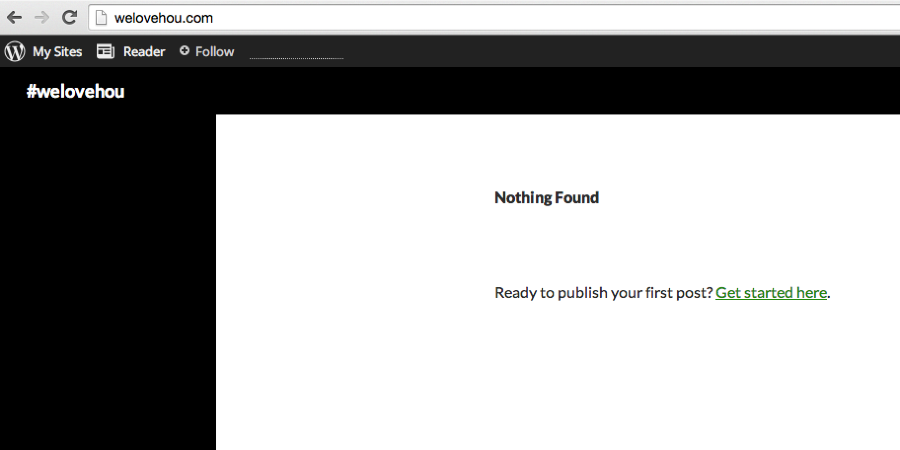
If that is not what you see, can you please try clearing out your cache and cookies using the guide below?
Cheers!
-
welovehou.com is still pointing to “https://stevebeznerdotme.wordpress.com”
please help me move that domain to the welovehoustonwordpressblog
-
welovehou.com is still pointing to “https://stevebeznerdotme.wordpress.com”
No it is not. It has been moved. As I mentioned above, if you what you are seeing is not like my screenshot, your cache has not cleared. Use the instructions I provided you above to clear your cache.


- The topic ‘delete account and refund money’ is closed to new replies.


 WordPress.com Forums