

DId I install the wrong "follow" widget?
-
Hi Everyone!
A reader recently notified me that the “follow” widget on both of my blogs, pagesandstories and wordsabout food are taking them to a subscriptions page where it appears that they are being asked to subscribe to WordPress. I tried it on another computer and they were correct. I was directed to a subscriptions page that asked for my pin. When I checked for support online, I arrived at this link which shows what things should look like when the “follow” widget is clicked.
http://en.support.wordpress.com/widgets/follow-blog-widget/
The page that is coming up for my readers looks nothing like what is shown in the above posted link. Have I done something wrong or somehow installed the wrong widget? For some reason, the widget works fine on my own computer, but of course I was logged in and when I clicked the widget I ended up following myself! :) Let me know and thanks so much! Laura
The blog I need help with is: (visible only to logged in users)
-
Hi Laura!
Sorry it can be a bit confusing. So, if your readers are using an email address that is linked to a WordPress.com account they will be asked to log in. When you were logged in and clicked on follow, it was automatically set up without an email address because it’s linked to your WP.com account.
If you put an email that is not linked to a WordPress.com account, the reader will be able to follow via just email. They will get an email to confirm their subscription. They will not have to provide a pin or log into any account.
Let me know if you have any questions with this!
-
Hi!
Sorry, still confused! :) These readers are not linked to WordPress in any way. They have in the past, attempted to follow by email, but they are not on my followers list and have never received any post notifications via email. There is the possibility that they clicked the follow button and failed to confirm the follow up email, but it still seems weird that they would receive a request to input a pin, don’t you think? Let me know what you thoughts, and thanks again for you help and support. :) Have a great day! Laura
-
Hi Laura,
It seemed like they may have entered their emails, but not confirmed. Unfortunately, there’s nothing that we can do about that. We let the followers control this as you can imagine. As for a pin – I’ve never heard of this. Can you ask these readers for a screenshot of this pin? Please upload this to your Media > Library page and I’d be happy to take a further look.
Thank you!
-
Got it! :) I totally understand regarding the “confirmation” emails. The pin screen has not shown up again, but I uploaded to my media print screens of what is coming up. The top image is the first one that shows up and requests an email. Once the email is entered, the second screen at the bottom appears. This screen looks like a request to open an account with WordPress. Let me know what you think. I tried this process on my husband’s laptop as well, he is not a follower :(, and the same screens came up. Thanks, Grace! You’ve been great!
Laura
-
Yes that looks correct. It’s just an option but you don’t have to open an account.
So, I tried this using my forwarding email (it’s not linked to a WordPress.com account) and I was able to follow your blog via email. First I entered by email address and this is what came up:
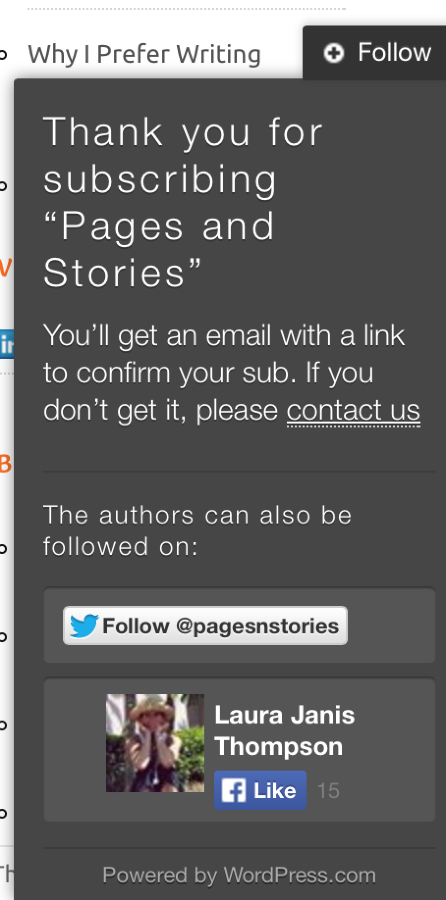
Then I checked my email and got this:
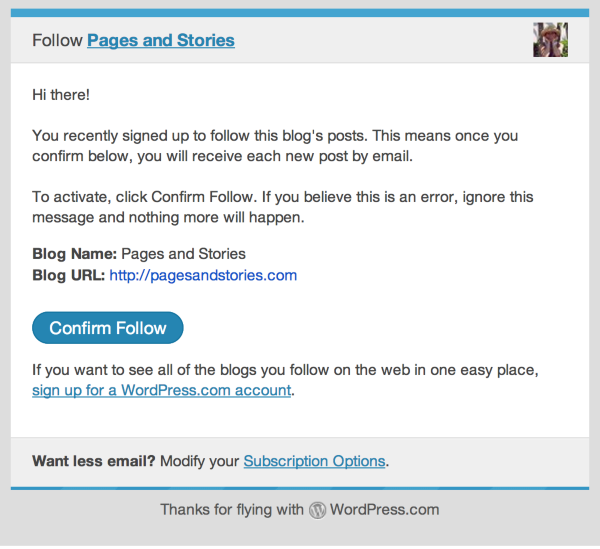
After I confirmed I was taken to this:
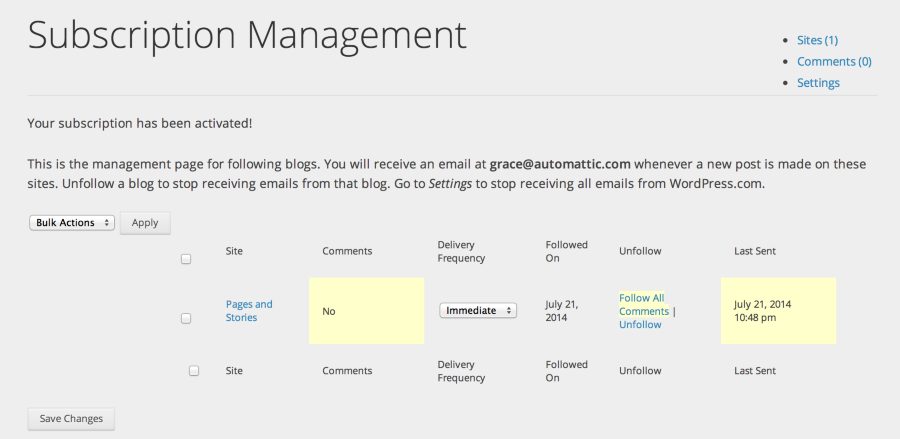
Can you provide me the email addresses that are trying to follow your blog? I’d be happy to take a further look.
-
Hi Grace!
I wasn’t able to duplicate those same issues again, so who knows? Everything seems to be working okay now. I noticed on the print screens that I posted in my media library that the subscriber seemed to have used an invalid email address that prompted that particular WordPress screen. I will have him try again. Thanks for all of your help! :)
Laura
-


- The topic ‘DId I install the wrong "follow" widget?’ is closed to new replies.
 WordPress.com Forums