disable mobile version on dyad
-
Is there any way to disable the mobile version on Dyad?
I already tried going to appearance > mobile > disable. But its already disabled and has a comment about the theme allowing mobile site.
The blog I need help with is: (visible only to logged in users)
-
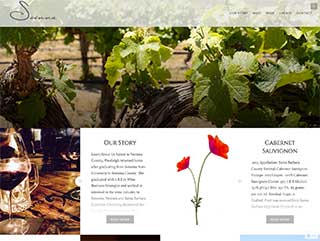
Hi, Dyad is a responsive width theme, which means it adjusts for the screen/window it is being viewed on. The Mobile theme, at Appearance > Mobile is a different thing which is for use on themes that are fixed width so that mobile users can easily see and read your content. To remove this behavior, and turn it back into a fixed width theme, is generally quite complex.
I’ll offer a few things to consider. First, this would be what your site would generally look like to someone visiting your site on a phone, if it were fixed width: https://cldup.com/IHucyraO3G.jpg . For someone on a phone to read anything, they would have to zoom in and then pan around. Secondly, the search engines give preferential and higher ranking in search results for sites that have a responsive design for tablet and mobile users. Fixed width sites to not rank as well. Also, consider that day be day the number of people viewing things on the web from phones and/or tablets grows, and the number of computer views declines.
As I said, this is a complex thing to do, and in general outside the scope of support that we provide here in the CSS forum. If you wish to proceed with this, I would suggest contacting a designer to see what it would cost. Here is a good place to start on that.
-
Thank you. That sounds far to complicated… I’ll just keep the mobile site…
:)I have another question. I have changed my blog picture/icon to an “S” a 4 days ago. But it hasn’t changed yet. Is there something I can do?
-
I’m seeing your S, but because it is so close to the grey of my browser tags, it virtually disappears. Try making it a different color, such as red and see how that does.
-
Hi-
Im sorry I wasn’t clear. I can see the “S” near my name. But I don’t see an update on the web address. -
I’m seeing the S on the web address in Firefox and Chrome. Safari, no, but then again with the latest version of Safari, I don’t see favicons on any site. It is just that it is too close to the color of the tabs in FF and Chrome to show up.
Log out of WordPress, clear your browser cache and cookies and then try again. I would also suggest trying in Firefox or Chrome, if you have one of them installed, to see the icon. Again though, the icon is so close to the color of my tabs that I see only hints of it.


- The topic ‘disable mobile version on dyad’ is closed to new replies.
 WordPress.com Forums