

DNS CNAME for … needs to point to …
-
I recently bought a subdomain for this blog and then, accidentally, cancelled it and asked for a refund.
Now, whenever I try to buy it again, a warning shows up at the final stage of the payment. This is the what it says:
“DNS CNAME for colibri.lianemusic.com needs to point to albumcolibri.wordpress.com.”Could you guys please help?
Thanks in advance
The blog I need help with is: (visible only to logged in users)
-
Hi @lianesilva,
Right now you have your cname pointed to lianemusic.com. Technically that works, but it would be better to point to albumcolibri.wordpress.com .
That said, are you planning on keeping lianemusic.com as your main domain? And did you need colibri.lianemusic.com to point to this same site? Please let me know; there may be better options for you.
-
Ah, and this would explain what I was seeing as I was working on your other thread.
I can see you have purchased the mapping upgrade and I’ve made sure it’s active.
But let’s do talk about what you’re after here. Right now, anything.lianemusic.com will redirect back to lianemusic.com unless you specify otherwise. So you may not need that extra domain mapping if you intend to keep lianemusic.com as the main domain. If you’ll let me know what you have in mind, we’ll sort things out.
-
Hi, supernovia!
Thank you very much for replying!
Actually, my intention is to have “colibri.lianemusic.com” pointing to “albumcolibri.wordpress.com”. It is meant to be a separate website from lianemusic.com, but I’d still like it to have the “.lianemusic.com” bit in its URL.
-
I think I figured out what the problem is. Could you please transfer the “colibri.lianemusic.com” mapped domain from my lianemusic.com blog to my albumcolibri.wordpress.com?
Doing that would allow me to point the mapped domain to the right blog, which is albumcolibri.wordpress.com -
Done. You’ll just need to update the cname now so it points to the correct site. Use albumcolibri.wordpress.com .
Once you’ve made that update, wait about 4-6 hours for your computer to forget the old settings, then it should work for you. I’m headed offline for the night, but if you’ll let me know when you’ve made that update to the cname, I’ll double check it when I’m online again. Cheers!
-
Thank you supernovia!
I made the change yesterday, and it’s been more than 4-6 hours, but colibri.lianemusic.com is still pointing to lianemusic.com… :
-
It’s working here for me now, @lianesilva :
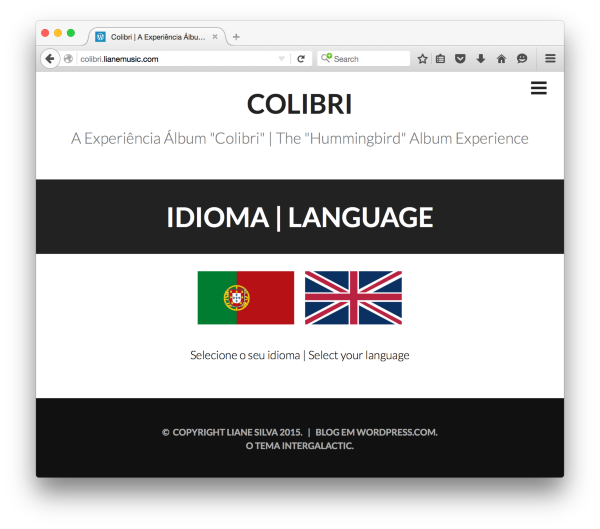
You might try closing your browser or restarting the computer to see if that helps.
-
Hi supernovia!
Yes, it is working now! I just forgot to clear the browsing history. But I’ve cleared it and now it’s working perfectly fine!
Thank you so much for your help! :)
-


- The topic ‘DNS CNAME for … needs to point to …’ is closed to new replies.
 WordPress.com Forums