

DNS Records
-
I edited my A DNS record and changed my name servers so that my domain purchased from wordpress.com would point to my new hosting with GoDaddy – but it’s not working. My NS DNS record still points to wordpress.com and I do not have the option to update it. How can I fix this?
The blog I need help with is: (visible only to logged in users)
-
Hi there! You actually didn’t need that A Record in order to point your WordPress.com-registered domain to GoDaddy. I removed it, and your domain now points to GoDaddy.
The A record I removed is: 23.229.192.66 — in case you need it in the future.
Here is our document about transferring your domain over to GoDaddy, if you prefer to have all the components of your website on one server:
http://en.support.wordpress.com/domains/change-name-servers/Please let me know if you have additional questions! Thanks so much.
-
Hello Robyn, I apologize, but I don’t see a change – once my domain points to GoDaddy I should see their default splash page, as I haven’t built my new site yet. All I currently see is a page that says my domain is parked on wordpress.com. I see that you removed the CNAME DNS record I had put in – however the A record is still there. Also, my domain did not point to GoDaddy before I changed the DNS A record to point to my new site’s IP address, so I am confused why changing it back would fix the issue? Thanks very much for your help!
-
*What I mean is that the A record in my DNS records still points to my GoDaddy IP address (which is what GoDaddy support says it needs to do in order to work.) Very confusing! Thank you!
-
This is quite strange! I didn’t remove a CNAME record, only the A record. I see that it is back as well. We’ll get to the bottom of this. Could you please tell me how you got your name servers and A/CNAME records? What was the missing CNAME record?
To retrieve your name server settings, did you go through this link on GoDaddy?:
http://support.godaddy.com/help/article/664/setting-nameservers-for-your-domain-names
You’ll want to use the directions under the section, “Setting Nameservers for a Domain Name Registered Elsewhere and Using Off-site DNS.”
I see that the name servers you’ve added at WordPress.com are not the ones I see on GoDaddy’s instructions. Did you receive those elsewhere?Thanks again for the additional clarification. We’ll have your site mapped asap. Thank you!
-
Hello! My name servers were given to me by GoDaddy customer service over the phone – they are the ones they gave me when I called them about getting my domain to point to my hosting. The A/CName records were only altered to reflect the IP address of my hosting (the CNAME record had just a (*) in the first field and “chefmelissagellert.com” in the second field, I don’t even know that I need that record, but I was hoping that specifying it might improve the situation. Thank you for these directions, I am running out the door right now but I will try to follow those directions as soon as I can and will let you know if the situation is resolved as a result! :)
-
Melissa, Great. When you get a chance, check in and let me know how things are going for you with your DNS. A heads up — any changes that you make to DNS settings can take up to 72-hours to appear online. So, don’t be concerned if you do not see your changes immediately. Thanks much !
-
Hello again Robyn! I’ve been on and off the phone with GoDaddy several times today; they say that unfortunately the support article you provided about the nameservers I should be using is outdated, and they assure me that the nameservers I have listed currently are correct for my hosting IP Address. However, they did get me one step closer to a resolution by narrowing down what the problem is – if you go to a public DNS lookup service like whatsmydns.net and input my URL, chefmelissagellert.com, you’ll see that publicly all 13 worldwide root servers still display the wordpress ip address for my URL, 50.63.202.81 – so it seems that although my wordpress.com settings internally show my A record as updated to my proper IP address, these changes have not taken affect publicly. I know these things can take time, however I updated my A record on Friday so I feel a significant amount of time has passed already. Is there any way you can look into this issue further on your end? I’m at a loss for what to do. Thank you!!
-
Also, just so you know what’s been done on GoDaddy’s end, they have tried both a domain reconciliation (twice) as well as a zone refresh on this domain, neither of which have had any effect. Should the internet process these changes somehow in the next 24 hours, I will let you know but in the meantime I’d appreciate any other avenues you can try to get the worldwide root servers to see my proper IP address (the one listed in my A record.) Thank you!
-
Hi Melissa, I deleted your name server records and added a CNAME record. Now, when I go to http://chefmelissagellert.com/ I see this:
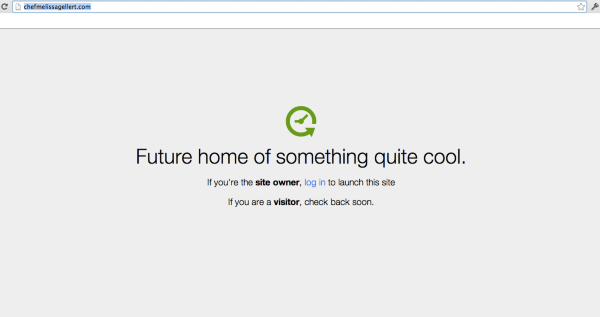
I know this isn’t exactly how GoDaddy asked you to adjust your DNS here at WordPress.com/, but you are up and running properly now.
Could you let me know what you’re seeing on your end? If things don’t appear correctly initially, clear your cookies and cache on your browser:
Looking forward to hearing from you. Thanks so much! -
Hi Robyn! Thank you, whatsmydns.net does now show my proper IP address for the :) However the nameservers defaulted back to WordPress, so I had to change them again back to GoDaddy’s nameservers so that I can access my hosting. Hopefully once that change propogates I’ll be in business! I’ll let you know as soon as I see whether this change fixes the site. Thanks so much for your help I am very grateful!
-
-
-
Hi again Robyn….I hate to say this, but there’s another problem :( I can’t access my site again, and WhatsmyDNS.net once again shows an A record for my domain pointing to WordPress.com name servers. I have no idea why this would be, because my name servers listed in my domain (that I can see on wordpress.com) are the correct ones. My DNS was still showing an A record also, even though you had deleted it before, so I deleted it again and added the CNAME record that you had tried to put in before. So frustrating. Can you see anything on your end that may have gone wrong? Thank you!!
-
* Just to clarify, the A record that I deleted was one that pointed to my proper IP address. I have no idea what could be telling the domain to point back to wordpress.com name servers. :(
-
Melissa, Because of the way our domains are set up, and the way we work with GoDaddy, the name servers have to point to us. The only record you do need is the A Record. I had deleted it, but added it back in during one of the edits. I should have explained that more clearly when I said, “I know this isn’t exactly how GoDaddy asked you to adjust your DNS here at WordPress.com/, but you are up and running properly now.”
You would have to change the name servers with a non-WordPress.com domain provider, but not us. It is ok for your name servers to show up as pointing to WordPress.com. If you change that, it will ‘break’ the mapping.
I saw that you changed them back to:
ns17.domaincontrol.com 216.69.185.9
ns18.domaincontrol.com 208.109.255.9I adjusted them back to WordPress.com name servers. As I just changed them back, it could take 72-hours to propagate, but everything will work smoothly going forward.
When you visit your site and click Log In, you should be taken to your GoDaddy cPanel. That’s when you know all the correct changes have take effect.
You can leave that be, and everything will work fine.
I think you and I were both going in and ‘editing’ your settings, and overwriting the other’s work. Too many cooks were spoiling the soup, and I’m sorry for the confusion! Please let me know if you have any other questions at all and I can help. Otherwise, you can trust your mapping, and focus on building a beautiful website.
Many thanks.
-
Hi, Robyn! This doesn’t seem to be the solution I need. I am building my site in a subdirectory so it isn’t live until complete – chefmelissagellert/wordpress.com, which I can only access through my URL, not through my CPanel. The only time I’ve ever been able to access this subdirectory is in the brief window of time after I changed my name servers to point to my Godaddy, a change which propagated in a matter of minutes when my name servers truly pointed to my Godaddy IP address (that was right before I last wrote in thinking the issue was fixed. I know that changing the name servers to reflect my IP address propagated that quickly by checking whatsmydns.net and seeing the change in the NS) I have not edited anything since you changed the name servers back, but the website will not load at all now, and as I stated before I cannot work on my site within the WordPress software unless I can access chefmelissagellert.com/wordpress – which I seemingly cannot do when the name servers are set to WordPress. I won’t change anything so we can avoid the confusion of both of us making edits, but I will need something to change so I can work on my site, or I will be buying another domain, from GoDaddy, to use as the primary domain on my hosting until the 60 days since purchase has passed and I can transfer my .com to GoDaddy permanently. Thanks very much for all of your assistance in any case.
-
Hi again,
This totally sheds light on the problem. I didn’t realize you were trying to map chefmelissagellert.com/wordpress. WordPress.com does not allow for mapping to subdirectories.
We can map to subdomains (ie. blog.chefmelissagellert.com), but not to the setup you currently have.
As you mentioned, the 60-day lock is still in place because of internet rules created by ICANN, so I can’t release that for transfer.
If you don’t want to purchase a new domain in the meantime, you can ask GoDaddy if they can create a CNAME record that will allow for a non-public area for you to build your site. (again, ie: blog.chefmelissagellert.com)Then, I can map your WordPress.com domain to your GoDaddy subdomain. This is quite simple on our end.
Or…perhaps less attractive an option, we can “break” the mapping in the same way you were able when you changed your name servers. My warning about this is that it’s clearly not as reliable, and other viewers may not be able to see the “holding” splash page.
You could ask ask GoDaddy if there is an alternate way to log into your cPanel that doesn’t require entry through your subdirectory. Or, perhaps know that we cannot map to subdirectories, GoDaddy can offer a temporary solution that won’t require you to register a brand new domain name.
Let me know what you decide, and if I can offer any information to GoDaddy to help. Thank you.


- The topic ‘DNS Records’ is closed to new replies.


 WordPress.com Forums