

Domain Mapping
-
Hi! I have the domain, http://www.artformsforphotographers.com through Volusion for my online store. I am trying to link my WordPress blog to the store. I thought I followed both the directions from WP and Volusion for mapping and linking, and it worked yesterday but today does not work. I cannot tell if the issue is on this side or the Volusion side.
I was so proud of myself yesterday when I thought I was successful! Can you please let me know if everything looks good on the WP end?
Thanks SO much,
SarahThe blog I need help with is: (visible only to logged in users)
-
WordPress.com does not accept domain transfers but mapping an existing domain is possible.
Domain mapping of an existing domain URL that you already own and purchased elsewhere is not done free of charge. You will have to renew the domain name purchase where you made it and the domain mapping purchase here every year.
Mapping an existing domain costs $13. annually. In order to map to a domain one must have an underlying .wordpress.com subdomain blog to map from and it does not matter what that underlying .wordpress.com URL is. It does not have to match the domain URL. If you have registered a .wordpress.com blog you log in as Admin under the exact same username account that registered the blog and purchase a domain name by purchasing an annually renewable domain mapping upgrade for the blog.
If you own that domain then see here for mapping an existing domain that you already own http://en.support.wordpress.com/domains/map-existing-domain/
Dashboard > Store > My Upgrades is where you do the primary blog set up knowing it can take between 24 – 72 hours for domain name propagation to take place throughout the internet. You can view the DNS changes here > http://www.whatsmydns.net/ What’s important during that stage is to be patient.
All that changes when you are domain mapping is the URL and nothing else. The content stays exactly where it is. Payment methods are found at http://en.support.wordpress.com/payment/
If you succeed at purchasing the domain mapping upgrade it will be reflected at these two spots:
Dashboard > Store > My Upgrades
http://en.support.wordpress.com/my-upgrades/Dashboard > Store > Billing History
-
Thanks. I did the mapping. Twice actually. Once for http://www.artformsforphotographers.com and once for http://www.blog.artformsforphotographers.com. I currently have the latter set as the primary domain.
-
Please click this link https://en.support.wordpress.com/domain-helper/
Then enter your URL and click the Validate the domain link.
Next read and act on the results that you find displayed there please. -
Can you please try clearing out your browser’s cache?
I believe you were successful!
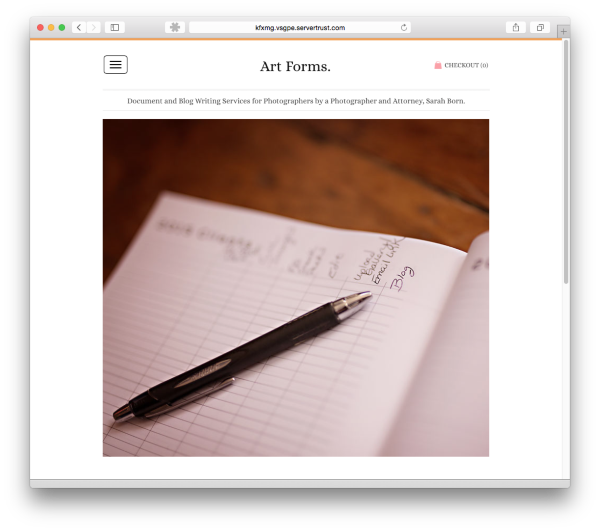
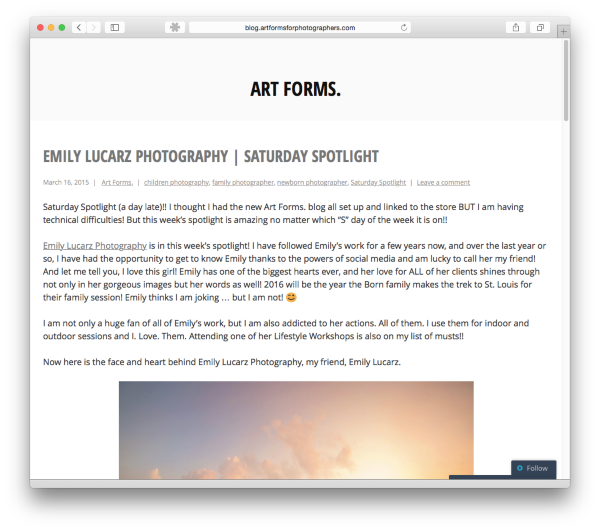
Your main domain, artformsforphotographers.com, is pointing to a site hosted elsewhere, while blog.artformsforphotographers.com is pointing towards your WordPress.com site.
If I’ve misunderstood the issue, or if you have any other questions, please let me know :-)


- The topic ‘Domain Mapping’ is closed to new replies.
 WordPress.com Forums