

Domain Mapping to blog.danielsjewelers.com
-
I purchased the add on for redirecting our blog into blog.danielsjewelers.com, back in November 26, 2014.
Our IT guy finally had a chance to modify the domain’s setting, so it would be pointing out to blog.danielsjewelers.com around 12PST today – 1/29/15
It said it needed couple hours. I just went to the link again but still have not been able to.
Please advice from your end that it has been taking in place.
Thank you,
HenryThe blog I need help with is: (visible only to logged in users)
-
Hi Henry,
I see that you didn’t update your primary domain to blog.danielsjewelers.com on your Store > My Domains page. I was able to change this for you and I am able to see this now here:
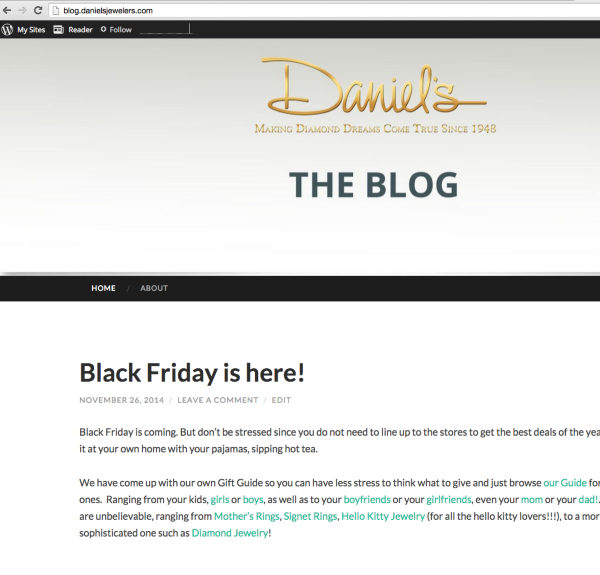
If that is not what you see, can you please try clearing out your cache and cookies using the guide below?
-
Hi Grace,
I was able to view it from my phone but when I try to go to the desktop browser again, I was still having problem looking into it. Can you give me an insight of what’s going on?
I have cleared my cache and cookies as well.
Thank you,
Henry -
If it’s showing on your mobile phone but not on your desktop browser it’s the cache. Can you try a different browser – like Google Chrome? If it works there, completely clear your Firefox cache from the beginning, and then restart your browser.
-
I did try Google Chrome and completely delete the history but still not working. I am going to try at home and see if maybe some firewall in our office.
Do you think that is a possibility?
-
Maybe, let me know. I have Chrome and it’s working on mine, so it might have something to do with your browser. Try a different computer and see if you can see it. But, rest assured it should be only dependent to that computer and setup.


- The topic ‘Domain Mapping to blog.danielsjewelers.com’ is closed to new replies.
 WordPress.com Forums