

edit contents page?
-
I want to add another title to the ‘contents’ page which is one of the pages listed on my home page but the dashboard has changed and now it doesnt show this page – it says I only have 2 pages which is wrong.
The blog I need help with is: (visible only to logged in users)
-
HI there,
I see that you recently created post – not a page. Would that be it? Can you please provide me the title of the page you are referring to?
Thank you!
-
yes I did put up a new post and now I want to add its title ( The Trainer) to the contents page which shows on my home page and lists the titles of all the blogs. BUT I have tried everything for the last 2 hours and I cant get into that page to add this title. The new format is very bad and difficult to understand and now I cant edit this blog easily
-
the ‘contents’ might be described as ‘categories’ . Can I edit ‘categories’ still with this new system?
its listed with 2000 words ; 5000 words; 10000 words; contents -
Hi there,
I’m not quite sure what you mean. When I go to your 5000 words Category Page I am able to see your post, The Trainer, as seen here:
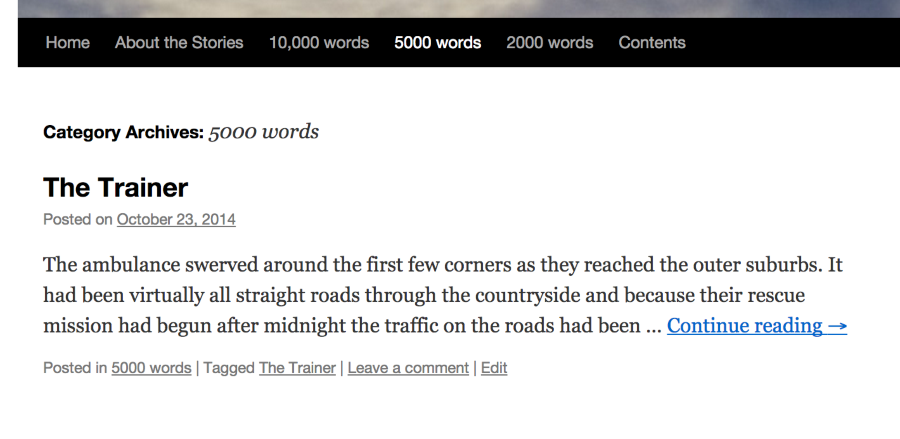
If that’s not what you mean, please let me know!
-
I want to adjust and edit the 'contents' page of my site. I used to be able to do this but the new format does not give me access to the contents page
-
I’m not quite sure what you mean. Contents is a Category Page so you shouldn’t be able to edit it. All the posts within the category Contents will show up on that page.
If you want a separate page titled, Contents, then you can create one by going to Pages > Add new in your Dashboard.
Cheers!
-
originally each time I made a new story I had to actually type its title into the contents category. The stories go into the word count category automatically but the content page I had to edit. now the new layout of the dashboard I cant find anything anymore!
-
Are you talking about the description of the Category: Contents? It looks like you added it here:
If that’s not it, please let me know!


- The topic ‘edit contents page?’ is closed to new replies.
 WordPress.com Forums