

Edit post not going back to original syntax(markdown)
-
Edit post with markdown not going back to original text.
I am post with full markdown syntax. my page look like i want, but when i want to edit it, i dont get my orignal markdown. its change to html syntax.
this is my page https://mdmunir.wordpress.com/2014/08/30/partisipasi-dalam-pengembangan-sangkilbiz/The blog I need help with is: (visible only to logged in users)
-
Hi there,
I’m sorry to hear about this. I wasn’t able to reproduce this. For example here’s is the Text Editor after I clicked on Edit of this post:
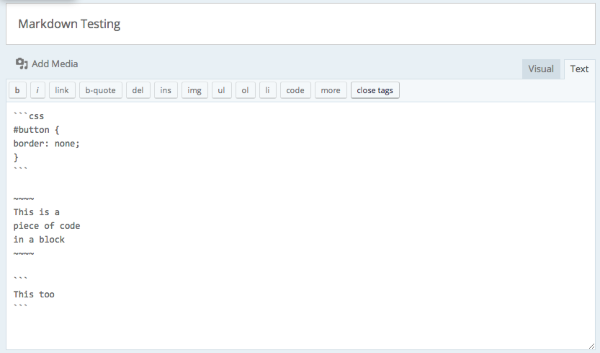
I looked through your revisions and wasn’t able to see the change. Would it be possible to show me a screencast of the change? You can upload that to your Media > Library page and I’d be happy to take a further look.
Thank you!
-
My other page is OK. Only this page that trouble. when i look to revision history, only one revision that has markdown syntax. But still i cannot revert to that revision. when i click
restore this revision, its just add revision history but no back to that revision. intext editorstill showed as html tag.
sory for rip english. -
That is very strange!
I’ve gone through and manually pulled the only revision on file which is in markdown. You can find it saved as a txt file right here:
I hope this helps!
-


- The topic ‘Edit post not going back to original syntax(markdown)’ is closed to new replies.


 WordPress.com Forums