

edit subscription title
-
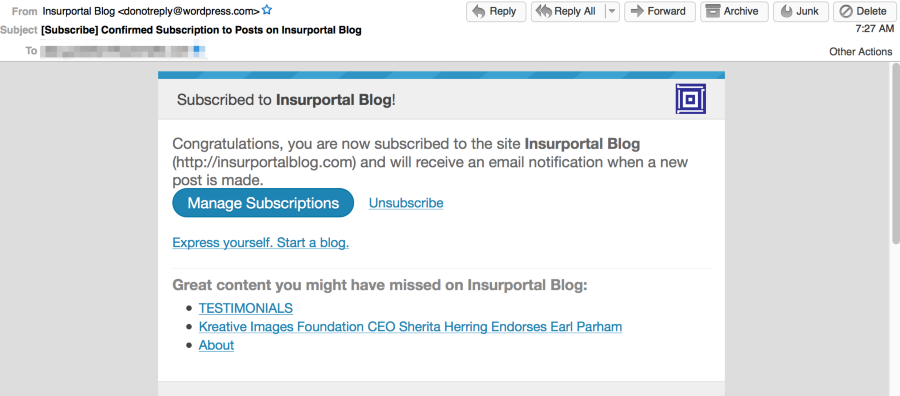
When someone joins blog post they need to confirm receiving post. Once customer approves he/she gets a [Subscribe] Confirm subscription post…. You click on email. It shows
‘Subscribe to !’ How do you change ‘!’ to Insurportal Blog. Can not find how to edit subscription links.
The blog I need help with is: (visible only to logged in users)
-
I believe this is an error on our end. I tested out your site and a few others and it seems like all emails going out currently say ‘Subscribed to !’ when it should be ‘Subscribed to [blog’s title here]’
I’ll get this reported to our developers, and thanks for letting us know. :)
-
This issue is now resolved. These emails still aren’t customizable, but your site title appropriately appears instead of ‘!”


- The topic ‘edit subscription title’ is closed to new replies.
 WordPress.com Forums