

embed a twitter image
-
Hi everyone!
First of all, I know how to embed a twitter code in my articles but I’m experiencing problems lately because I can’t see the image anymore!
I’ve changed theme, I had Suburbia and everything was perfect! I’m doing everything correctly but when I post the article I can read just the words of a twitter status but cannot see the image!
No problem at all with Instagram instead!
Is it a Pictorico problem? Can anyone help me?the blog is http://bastilleitalia.wordpress.com/
The blog I need help with is: (visible only to logged in users)
-
I’ll tag this thread for a Themes Staff follow-up. Please subscribe to the thread so you are notified when they respond and please be patient while waiting.
-
Hi there, could you provide links to one or two specific posts where the Twitter embed isn’t working so I can have a look? Thanks.
-
Hi there, it looks like you’ve manually coded in the tweet, instead of using the quick-embed method described here:
http://en.support.wordpress.com/twitter/twitter-embeds/Instead of using all this code:
<blockquote class="twitter-tweet" lang="it"><a href="https://twitter.com/bastilledan">@bastilledan</a> and the crew checking out the International Space Station mock-up <a href="https://twitter.com/NASA">@NASA</a> <a href="https://twitter.com/NASA_Johnson">@NASA_Johnson</a> <a href="https://twitter.com/search?q=%23visitjsc&src=hash">#visitjsc</a> <a href="http://t.co/HQ7l5PQzSZ">pic.twitter.com/HQ7l5PQzSZ</a>

— Jared D (@dauminator3) <a href="https://twitter.com/dauminator3/statuses/458733766781849600">22 Aprile 2014</a></blockquote>
…could you try just pasting in the status URL on its own line?
https://twitter.com/dauminator3/statuses/458733766781849600I just tried that on a test site running Pictorico and this is what it looks like:
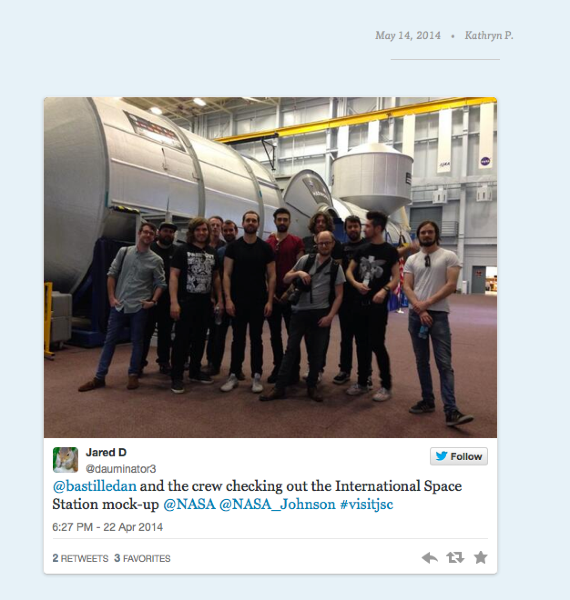
Let me know how it goes.
-
Thank you so much, it works perfectly!
Thank you so much for your help!
-


- The topic ‘embed a twitter image’ is closed to new replies.
 WordPress.com Forums