

embedded google sheet
-
i am trying to embed a sheet to my page so that i only need to update one document. The window created when i paste the embed code is smaller than i would like. i really want the full table to appear.
The blog I need help with is: (visible only to logged in users)
-
Have you been using this support guide https://en.support.wordpress.com/google-plus-embeds/?
I see the full table here https://mossleyfantasyhockey.wordpress.com/league-table/
I don’t believe there is any way to make that embed larger, however, I will type modlook into the sidebar tags on this thread for Staff help. How do I get a Moderator/Staff reply for my question? https://en.support.wordpress.com/getting-help-in-the-forums/#how-do-i-get-a-moderatorstaff-reply-for-my-question
-
Hi there,
Is this for the page https://mossleyfantasyhockey.wordpress.com/player-list/ ?
I think I’m seeing the full chart, here’s what I see:
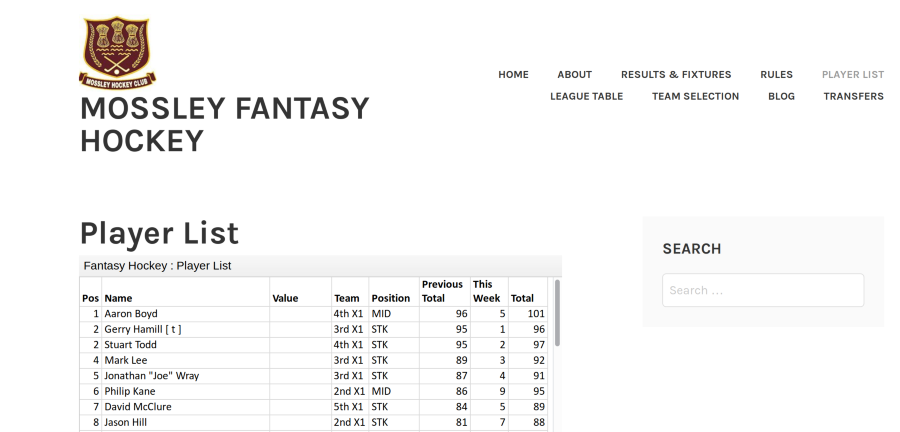
If not, could you link to the page you’re having trouble with?
The one suggestion I would make is in addition to the embed you may want to provide a direct link to the document allowing the visitor to open it in a new tab/window.
-
i am having trouble with both of those pages.
while the full table is available it is not in the format i would like. i would rather visitors did not have to scroll a box within the page. if possible i want to increase the size of the embed frame to the size of the original table.
-
i managed to find a guide that helped to adjust the frame size.
i added height and with directions within the embed code and it seemed to work
[googleapps domain="docs" dir="spreadsheets/d/e/2PACX-1vTaswxv3CFchwFNoBIojiKPAtHwQrFR1iANq8lQaF0GDfp4dgIsrQZkpIoXXY_0uPH3LSnuH_aDWQsh/pubhtml" query="gid=1589633662&single=true&widget=true&headers=false" width="400" height="1600" /]
-


- The topic ‘embedded google sheet’ is closed to new replies.


 WordPress.com Forums