

embedded images to featured image
-
Hi there,
I was wondering if there is a quick and cheerful way to change the images I embedded into all my posts (currently there is only one image per post) into the featured image for the post, so that they can appear in grid format on the portfolio page.
Thanks
The blog I need help with is: (visible only to logged in users)
-
-
So I went through and uploaded a feature image for each post. I set each post format as gallery. Under the posts page attributes I selected ‘portfolio’ (I am using Skylark theme). Yet my posts are still not showing in a grid format.
How do I get them to appear in a grid?
Thanks for your help!
-
Hey there!
If you would like the grid to appear in the same way it does on the Skylark demo, you can take a look at this link:
https://wordpress.com/themes/skylark/Scroll down the page and you’ll see instructions entitled, “Showcase page template” and “Post formats and Portfolio page template.”
Those will walk you through the process. Should you get stuck along the way, please let me know and I can help more.
That should do the trick! If I can help in any other way, please drop me a line. Cheers :)
-
Hey thanks for your speedy response. I worked my way through those instructions, but am not sure where I went wrong….?
The only thing I was confused about was if I needed to give each post a category so that it would appear in grid format, however I assumed it was unnecessary as I want the posts to appear individually and it says that it can display up to 24 posts in the grid format. -
Hey there!
I can totally help more with this! The only thing I need to know if if you’re trying to create the grid on your homepage, as seen here:
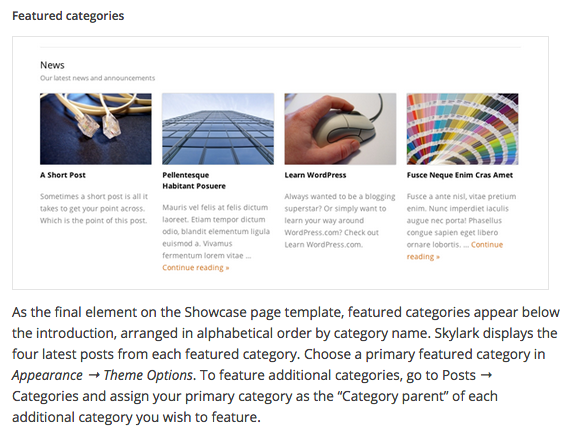
Or, are you trying to create a separate grid/portfolio page, as seen here:
https://cloudup.com/ifEuv4l5yoHLet me know and I can give you the rest of the steps! Thanks :)
-
-
Hey there!
Take a look at this:
https://thewordsandworkofchelseachapman.wordpress.com/wp-admin/post.php?post=209&action=edit&message=10I created that page as a draft for you. All you have to do is name the page “Portfolio” for it to work properly.
If you want to call your portfolio page something else, you can…but then, you have to add the portfolio shortcode to your page:
https://thewordsandworkofchelseachapman.wordpress.com/wp-admin/post.php?post=211&action=edit&message=10For more information about how to configure your portfolio shortcode:
https://en.support.wordpress.com/portfolios/portfolio-shortcode/Feel free to use/delete/edit either of those draft pages I linked above.
I hope this helps! If you have any other concerns, drop me a note. Thanks much!
-
YOU ARE AMAZING!!! Thank you!! I have spent more than a week trying to do that and now voila!
Thanks again :)
-


- The topic ‘embedded images to featured image’ is closed to new replies.
 WordPress.com Forums