

Embedding You tube video
-
I tried embedding a You Tube video into my post editor, but after trying it many times it doesn’t work. How do I solve this problem? I followed all your instructions in the Help/Support section but nothing is working.
The blog I need help with is: (visible only to logged in users)
-
Hey there! I am happy to help with this. I took a look at a few of your posts and couldn’t find the one with the YouTube embed. Could you send me a link to the post where you want your YouTube video embedded? Also, please send a link to your YouTube video.
Out of curiosity, did you know in addition to embedding, you can also open up your Post in the editor, and click on the Text tab above your content window. You will see a lot of code in that window. You can paste your YouTube URL directly into that content window under the Text tab, and click Update on your Post. Just make sure you include the http:// in the YouTube URL.
While it doesn’t give you as many player options as embedding, you might find that it works quite well for you.
Let me know if you have any other questions. Cheers!
-
Thanks for your help. I followed your advice in going to the text tab and pasting the URL address there and it worked without any problems. I really appreciate your help. I think that I forgot about how to do it because I hadn’t done it for so long.
-
-
I’m still having problems with the embedding of the video. I tried this time with another video, but it didn’t work after trying it many times. Then I was able to embed the code into the text section of the Post/Editor by clicking directly on the You tube video.
But why when I tried it the way how you told me to do it the last time, but it didn’t work this time? I don’t understand it. I’m not seeing the actual video appearing after I copy and paste it in the Text section of the Post/Editor. But at least I got the link to the video so readers can click on it.
In the past I was able to copy and paste the link in the “Visual section” of the Post/editor page and press Update and it will work. But not even the first option from your “Help section” on the wordpress.com website works for me now.
-
-
Hi there!
I took a look at your latest post and think I see the issue. Please open “United 3 Roma 2” in your editor. Make sure you have the Text tab selected.
Notice that your YouTube URL is surrounded by <p> and </p> brackets? Delete those. Then save your changes.
That should do the trick. Let me know how it works out!
Thanks much. -
You said the actual internet address or URL for the video is surrounded by <p> and </p> brackets. Where is that? I don’t see what you’re talking about.
I clicked on Edit in the “United 3 Roma 2” post, and I went to “Text”, but all I see in the URL is this: https://www.youtube.com/watch?v=q63AbifNETU at the top of the page.Please tell me exactly what you’re referring to and where to find it.
Thanks.
-
Hi there,
It looks like the embedded video is actually working correctly when I visit your site as shown here:
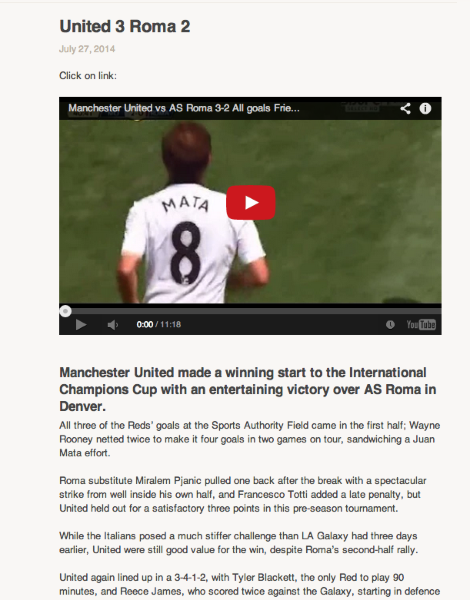
Can you let me know if this is now working on your side as well?


- The topic ‘Embedding You tube video’ is closed to new replies.
 WordPress.com Forums