Error on Jetpack WordPress.com Stats
-
Hi,
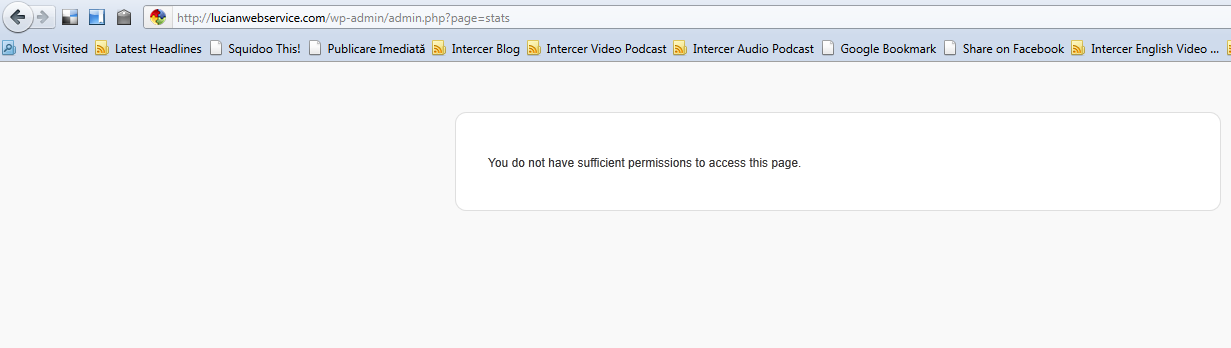
After I installed and connected Jetpack to my WordPress.com for lucianwebservice.com I get this error on the stats page:
http://lucianwebservice.com/wp-admin/admin.php?page=jetpack
You do not have sufficient permissions to access this page.I reinstalled it and it does the same. The previous WordPress stats plugin is removed from the website.
I got Jetpack installed ok on my other websites.
Please advice,
Thanks,
Lucian
Blog url: http://lucianwebservice.com -
Howdy Lucian,
I’m sorry to hear that you’re having that problem. Can you try uninstalling and reinstalling Jetpack? Also, can you log into your WordPress.com account before trying to connect Jetpack?
Please let us know the outcome!
-
Thanks for the reply!
I deactivated and deleted Jetpack. I deleted the old folder for WordPress stats plugin. I logged in into my WordPress account.
I also checked the wp-options table and deleted 2 remaining keys of the WordPress plugin (stats_cache and stats_options)
Then I reinstalled Jetpack, activated it and connected it to WordPress.com . Unfortunatelly same result.
You do not have sufficient permissions to access this page.
What else should I try? May be a conflict with other plugin?
Thanks,
Lucian
-
Are you currently logged in to your site as an admin user? Do you have any trouble accessing other Dashboard pages?
-
Yes, I’m logged in as an admin. I don’t have issues with the dashboard or any other plugins.
When I first installed Jetpack (I had WordPress stats installed and I upgraded it), I noticed that the message about getting Jetpack did not show up at the top of the Dashboard (as it did on my other websites). I think someshow it did not upgrade properly. Then I reinstalled Jetpack from scratch.
Then, even Jetpack it’s installed and connected to WordPress.com, I can’t see the Stats tab under Dashboard -> Jetpack -> Site Stats.
When I go to Jetpack – WordPress.com Stats it shows as active, but when you click on the link to see the stats it says “You do not have sufficient permissions to access this page.”
See these screenshots:
http://lucianwebservice.com/wp-content/uploads/2011/08/jetpack-stats-01.png
http://lucianwebservice.com/wp-content/uploads/2011/08/jetpack-stats-02.pngThanks,
Lucian
-
Can you please try temporarily deactivating all other plugins to rule-out a plugin conflict?
-
I deactivated all plugins and Jetpack works. Then I reactivated each plugin one by one and I found the issue: it is because of Shorten2Ping plugin ( http://wordpress.org/extend/plugins/shorten2ping/ )
With Shorten2Ping deactivated now I have Jetpack stats working fine.
Probably I’ll have to give up on Shorten2Ping so I can have Jetpack working. Is there another work around this plugin conflict?
Thank you for helping me debug this!
Lucian
-
There’s probably a conflict between it and the wp.me shortlinks provided by Jetpack.
I noticed that the plugin also lists itself as only compatible up to WordPress version 3.0.5.
I recommend contacting the plugin’s developer about this.
-
Thanks. I sent an email to Shorten2Ping creator.
I had another question about how to take over WordPress.com stats as one of my blog changed its address (from http://intercer.net/blog to http://intercer.net/ )
It seems my question did not show up in forum. I tried to search for “stats take over” or “blog address changed” but I can’t find an answer and I’m not able to submit this question again as a new post. Please advice!
-
If you sent it as a private request, it’s probably in out support ticket queue awaiting an answer via email.
Basically, stats are linked to the specific site URL, so if that changed you’ll have to start over, and they unfortunately cannot be combined.
-
-
Good news from Shorten2Ping author Samuel Aguilera (he just replied to my above email):
“I just uploaded to WordPress.org repositories Shorten2Ping 1.4.8 fixing the issue with Jetpack Stats. In a few minutes you’ll be able to upgrade to this new version.”
Shorten2Ping download page is here:
http://wordpress.org/extend/plugins/shorten2ping/That was quick!
Thanks Samuel & Thanks Jetpack!
-
A short report — I installed Shorten2Ping 1.4.8 and the conflict is solved now. Jetpack works fine with the new version of Shorten2Ping activated.
-
I noticed something else: I have report visibility set to show stats just for “Administrator”.
I created and tested with an author and editor user. I found that Jetpack stats show for Author and Editor role with these roles NOT checked into the WP stats configuration.
It’s working fine for Contributor user (stats do not show when not checked) I did my tests on http://intercer.net
Is this a bug?
-
Hi there,
Thanks for alerting us to this issue! I was able to reproduce this problem on my own WordPress.org site. I’ve alerted our team to this issue and they’re taking a closer look at it now.


- The topic ‘Error on Jetpack WordPress.com Stats’ is closed to new replies.
 WordPress.com Forums