

Eventbrite account not syncing correctly
-
I chose the EventBrite theme under the templates and have connected my theater’s Eventbrite events with the web site that we are trying to make on WordPress. The event dates and times are correct on Eventbrite but not on our WordPress site. We have the play “Treasure Island” running March 7th at 7 pm, March 8th at 7 pm, and March 9th at 3:30 pm. What shows up on our WP site right now is 4 plays on Sunday, March 9th at 3:30 pm! Help! How do I fix this?
The blog I need help with is: (visible only to logged in users)
-
Hi there,
After looking into your account, I found that you currently did not connect your Eventbrite account. Did you disable it because of the error?
Currently, Eventbrite is aware that there is an issue with the WordPress.com connection. They are working on a fix and will get back to us once it is!
I’m sorry about the inconvenience. I’ll let you know as soon as we hear back!
Cheers!
-
Yes, I deactivated the EventBrite account since it had a lot of errors. I deleted that event and tried to enter it again, but got the same error where events showed up in 4’s on some dates and not at all on other dates where we needed them to show up. So decided to scratch it. We do have an online ticket broker that I can link with, so am doing that for now. When will the EventBrite issue get resolved? Is it on their end? That seems like such a good fit for our theater’s web site needs; to be able to consolidate all of that into one package.
Also, while I have you I have another question: How can I make a larger photo gallery, such as on a dedicated tab. The small photo gallery in the sidebar widget doesn’t do the photos from our awesome stage productions enough justice. We’d also like to have some video clips for shows where we own the copyrights to be able to do that.
-
I’m not sure when there will be a fix, but once Eventbrite gets back to us we’ll let you know.
As for the photo gallery, you can add a photo gallery to any page or post and that will be much bigger. It will look something like this:
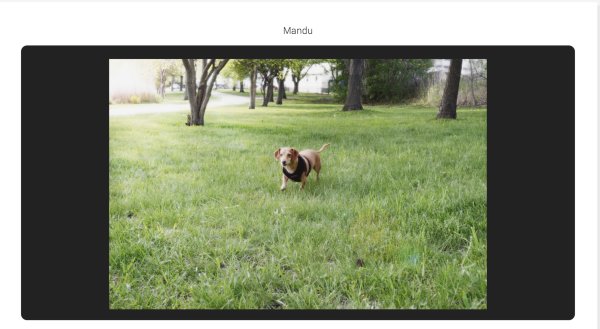
You can add a photo gallery to any page/post by clicking on Add Media when you are writing up the page/post. You can find more information about that here:
http://en.support.wordpress.com/images/gallery/
You can also add videos via VideoPress. Since you have the upgrade, you can add it via the Add Media button as well! Check the link for more information!
Happy Blogging!
-
This problem with repeating events all showing the same date has been fixed. You may need to disconnect and re-connect to Eventbrite (in the widget’s settings) for the changes to take effect.
Thanks for your patience!


- The topic ‘Eventbrite account not syncing correctly’ is closed to new replies.
 WordPress.com Forums