

Exported my page to wordpress.org, with bluehost
-
Although Bluehost says they can see my page on wordpress.org, my site is still pointing to wordpress.com.
(youcanglow.me)
The blog I need help with is: (visible only to logged in users)
-
Hi Karensa,
It looks like it’s just your cache as I’m seeing your Bluehost site when I go to your domain:
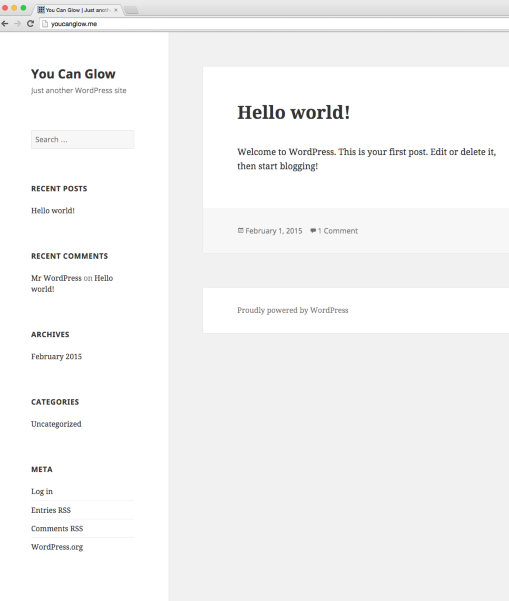
Try clearing out your cache and cookies using the guide below:
-
Ok, it looks like my site is now pointing to bluehost, which is great (I think). But…now I’m not sure what I need to do with the wordpress.com account-do I cancel it? I don’t want to lose my website name, which was the same on wordpress.com as it is now on wordpress.org. I also don’t think I was supposed to pay $33 for the domain name, since I’m already paying Bluehost?
-
But…now I’m not sure what I need to do with the wordpress.com account-do I cancel it?
You can just set it to private if you want by going to Settings > Reading under Site Visibility.
I also don’t think I was supposed to pay $33 for the domain name, since I’m already paying Bluehost?
Please note that your domain is still registered through us and just hosting with Bluehost. So you would need to keep the registration renewed yearly with us in addition to your new host. After 60 days from the date of registration you can transfer out your domain elsewhere (there is a lock placed on newly registered domains as per ICANN rules). When that time comes, the guide below explains how to transfer the domain name to another registrar, including how to access the authorization (EPP) code:
This means that if you cancel the domain registration with us, your site will go down as you need this for your site to remain up.


- The topic ‘Exported my page to wordpress.org, with bluehost’ is closed to new replies.


 WordPress.com Forums