

Facebook link/share
-
My facebook shares seem to be a touch weird,
My old and somewhat unused blog is being credited as the poster/author of my current blog on facebook, I have checked all the settings, and done the various clearing of caches etc and it still seems to be doing the same thing. any ideas of how to fix it?The blog I need help with is: (visible only to logged in users)
-
anyone with any idea? I have seen there are Publicize issues currently is this related ?
-
Hi there. If I click the sharing button on your posts or manually add your blog’s link to Facebook it posts normally and links back to your blog you linked in this thread.
Was your old blog connected to Publicize? It could be Facebook still recognises that connection. Go to Settings ->Sharing and disconnect Facebook. Next go to your Facebook profile’s settings. Look for Apps, and remove WordPress from Facebook. Clear your Facebook cache by inserting your blog’s URL here: http://developers.facebook.com/tools/debug Come back to WordPress and reconnect Facebook under Publicize.
-
The old blog was never linked to anything.
do you see “that english” guy as author or dumbfunnytees
I did the debug last night and just now and still have it . it does say
“Extraneous Property Objects of this type do not allow properties named ‘article:author’.
Parser Mismatched Metadata The parser’s result for this metadata did not match the input metadata. Likely, this was caused by the data being ordered in an unexpected way, multiple values being given for a property only expecting a single value, or property values for a given property being mismatched. Here are the input properties that were not seen in the parsed result: ‘article:author'” -
It did not show any author (I’ve never seen an author name displayed on Facebook from a blog share). I merely showed the post title, a short excerpt, and the blog URL http://englishmaninlinkoping.wordpress.com/ See here: http://snag.gy/T1I5y.jpg
-
-
Did you do the Facebook debug with the old blog’s address, or the new? Do it with both, and then clear your browser cache as well and see if that helps.
By the way, the link you posted for your screenshot is riddled with malware. My antivirus software went haywire when I clicked on it. You might want to check your own computer as well if you’ve been using that site.
-
I only did the debug with the new site I will give that a whirl.
Strange avast was happy and fine with it.
-
That is strange as I also use Avast. It seems like one of the ads embedded in that website is the culprit.
-
-
Well, I’m stumped. I’ll tag this for staff, in case there’s something we missed, but I have an idea the issue might be on Facebook’s side. Thanks for your patience thus far. Please be patient some more while waiting for staff to respond.
-
-
@m1ndy9876-
Hi there!
Thank you all for your help! Can you try sharing a test post now on Facebook? Please let me know if it still says dumbfunnytees.
It should say englishmaninlinkoping.wordpress.com now. Unfortunately, it won’t affect previous shares, but from here on out it should be correct.
If it’s not, please let me know and I’d be happy to take a further look!
-
-
How strange! I just shared one of your posts and saw that the author had been updated as seen here:
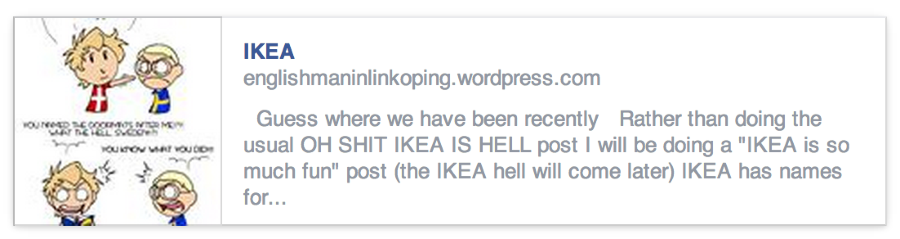
I’m so sorry, but can you walk me through the steps of what causes the old author to appear? I’m unable to reproduce this, so it’s a bit difficult to troubleshoot.
Thank you!
-
So I make the post, generally in the admin/dashboard format as I spend a few days writing (surprisingly) so will come from a draft.
go to the publish box on the left and I normally edit the Publicize to facebook box and make some comments and send off to facebook. simple as that really.
I dont know how else to explain it other than making a video sorry .
-
I see – so this is only happening via Publicize. I have reported this to our team. I will let you know once I hear back.
Thank you for your help!
-
-
-
Hi Tom,
Our developer just got back and said that this error wouldn’t be coming from our end so we wouldn’t be able to fix this. Can you please contact Facebook’s support team and see what they say?
Thank you!


- The topic ‘Facebook link/share’ is closed to new replies.
 WordPress.com Forums
