

Facebook share Button doesn't show thumbnail image
-
When I share my blog posts on Facebook via the Jetpack share button on my site – no image shows up at all. When I just post the link to Facebook the correct featured image shows up fine. How do I fix this?
The blog I need help with is: (visible only to logged in users)
-
Howdy!
Just checked out your site and I always seemed to get images when using your sharing buttons:
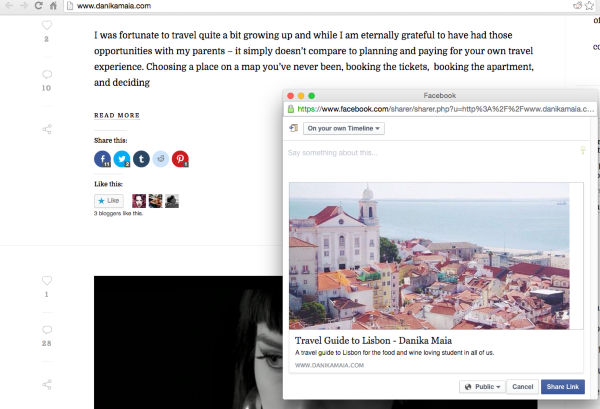
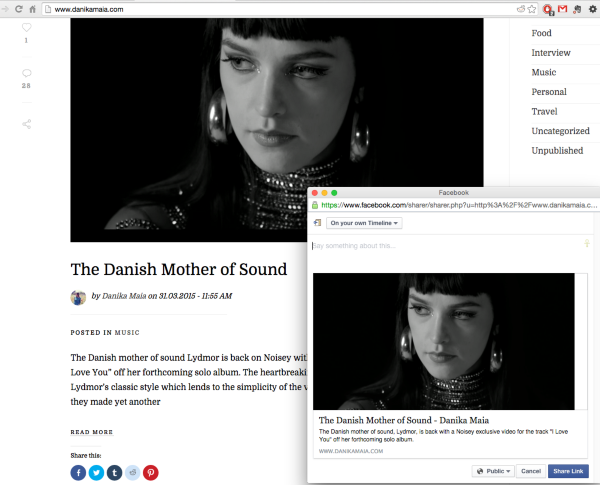
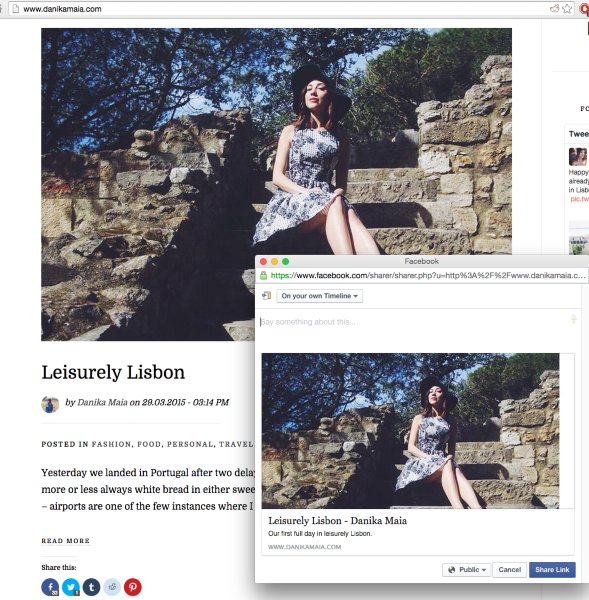
Since the URL has been shared on Facebook several times now, will you try out the sharing button and see if a preview image comes up for you now? It could be possible that no preview image shows up in the sharing button when the URL has not been shared yet.
If that’s the case it’s an issue I can test out and bring this to our Jetpack developers. :)
-Alex G.
-
So you’re right, it does show in the preview image when you type up the text for the post but then when I click post and it goes on my timeline there’s suddenly no image? I just tried it again and this is the case. So strange!
-
Ah, okay! I see what you mean. I pushed it all the way onto my testing account’s timeline and see the same thing.
I’ve brought this to our developers to see if they know what could be happening.
While I wait for them to take a look, do you have any other plugins activated that might affect site privacy or sharing?
-
I’m not sure, are there any in particular that might? I have only the pretty basic ones, Yoast, instafeed, jetpack, pin it overlay, askimet, zilla likes, etc. If you know of any others that might be the culprit let me know! Thank you!!
-
Looking at this with the developer is that all your posts are currently generating two meta attributes for og:image. For example:
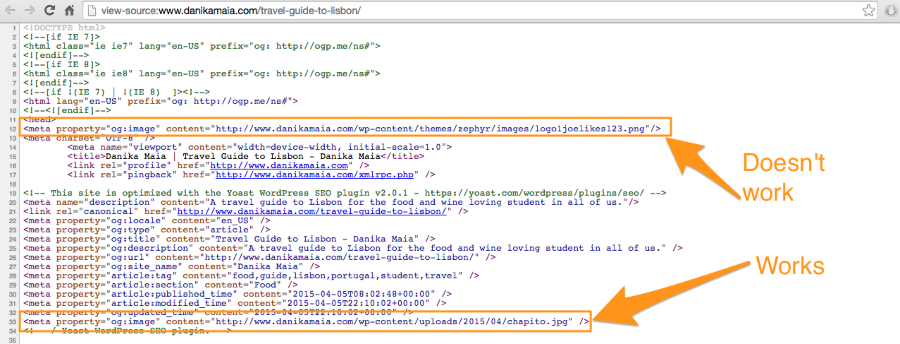
When the Jetpack sharing button opens up the preview window, it looks at the og:image created by Yoast, and the image URL works correctly.
The share on the timeline is looking at the og:image that’s not marked, and that image URL leads to a 404 error page, so that’s why the timeline share shows no image.
To fix this, we need to figure out what plugin is adding that non-functioning og:image attribute.
Jetpack normally does create an og:image attribute, but once you activate Yoast, we account for that and have Jetpack stop creating it.
I’d recommend disabling your other comments one-by-one. After disabling one, refresh your site’s cache and check your post’s source for that additional og:image attribute. Once it’s missing, that plugin is the one causing the problem. :)
-
Hmmm ok that first image that doesn’t work is my “logo” image that is supposed to come up only when I post the main site danikamaia.com. Can I do something about that so it doesn’t grab it for every blog post?
-
Oh, since the image is a site logo, I think the culprit is your theme, not a plugin.
Your page’s source makes it look like your theme is named Zephyr, but multiple theme developers make a zephyr theme. Can you give me the link to where you purchased it, so I can check for documentation on this?
-
Sure thing it’s a MOJO Marketplace theme here is the link. https://www.mojomarketplace.com/item/zephyr-a-beautiful-wordpress-blog-theme?
-
So I don’t see any documentation on their site. I’d recommend you make a post on their “support forum” tab of that page, asking them how to have Zephyr stop setting og:image attributes.
They’ll know their theme better than me guessing, haha.
In the meantime, let’s see what we can find out together. Go into your /wp-content/themes/zephyr/functions.php file, and open that up in a text editor. Use Cmd+F to search for ‘og:image’.
Does that phrase appear in the file?
-
-
Aha! But I just found it in header.php it says this
<head>
<meta property=”og:image” content=”<?php echo get_template_directory_uri(); ?>/images/logo1joelikes123.png”/> -
Nice investigating! :)
I’d recommend ‘commenting-out‘ that code, so it’s still available if you want to use it later, but it will stop being added to your pages.
So it currently looks like this…
<meta property="og:image" content="<?php echo get_template_directory_uri(); ?>/images/logo1joelikes123.png"/>Change it to this…
<!-- <meta property="og:image" content="<?php echo get_template_directory_uri(); ?>/images/logo1joelikes123.png"/> --> -
Ok I did that and updated the file but it seems like after an immediate check it didn’t work. Maybe I need to wait a bit? Can you try?
-
Well, we know the theme is generating that line, and that line is the only thing interfering with the og:image property. Since commenting-out is getting the job done, next steps is to look into removing it — but I do not recommend doing that without first hearing back from the theme developer.
Without owning the theme myself, I don’t know if there will be other ramifications on your site from removing that line of code.
Have they responded to you on that support forum yet?
-
No I haven’t heard back yet – but it’s so weird that it only happens when you share directly from the blog post using the fb share button and not when I paste the link directly to my status. Isn’t it something with Jetpack then?
-
Hi Danika,
So I tried something out. I tried running your posts through the Facebook Object debugger, to make sure Facebook was grabbing the most recent version of your pages:
https://developers.facebook.com/tools/debug/og/object/
While the share would continue failing, once I “fetch new scrape information” for your post, it worked fine on the timeline:
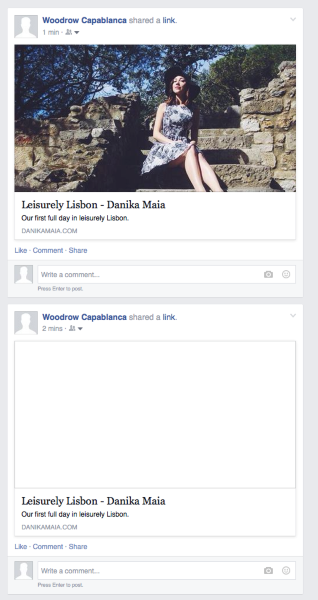
So think our commenting out of that line actually fixed the issue. But whenever someone shares one of your posts before we did that… they’re going to get a blank share. Unless each of your posts get added to that Facebook debugger tool one by one.
-Alex G.
-
So everyone who wants to post the article from my blog to their timeline would have to put it through this facebook object debugger first? Or it’s fixed now by commenting out that part? Sorry for my confusion haha it’s late in Copenhagen.
Thank you so so so much by the way for all of your detailed help! It’s really top notch.


- The topic ‘Facebook share Button doesn't show thumbnail image’ is closed to new replies.
 WordPress.com Forums