

Facebook shares don't have the author name
-
My facebook share at this link does not give the “by” part of the share even though my user profile and gravatar have my name entered. What should be done to fix it?
The blog I need help with is: (visible only to logged in users)
-
Hey there,
Please confirm that your settings are correct here:
https://wordpress.com/meYou should have filled in a Public Display Name and saved it.
Once that is complete, you can force Facebook to update its cache for your post/page by entering the link to the specific blog post you’re sharing into their Debug tool on this page:
http://developers.facebook.com/tools/debug
After pasting your link into the box on that page, click the “Debug” button. Then, click the “Fetch new scrape information” button. You may need to click the “Fetch new scrape information” button twice. Then try sharing your post/page on Facebook again.
Give that a try, and let me know how it works for you. Thanks!
-
-
Hi Abhinav,
Let’s try one more edit. In your profile’s contact information you have this deleted site listed as your website:
http://experiment4848.wordpress.comIn a very roundabout way, I think Facebook is accidentally trying to call information from that site when you use Publicize. Because it’s deleted, a blank space is there.
Please edit your profile here:
Scroll down to the “Contact Info” portion, and you’ll see the website field. Please add in a functioning web address, like https://throwninthedeep.wordpress.com/
Let me know if that helps on your next Publicize attempt.
Best,
-Alex G.
-
Hi,
so I tried it, but now a new problem appeared. I reached the contact info section and it does have the website section set as the dead site, so I change it and click “Update Profile”. The next page to load is and it does not have all the fields as the previous url page. (the latter link includes headings like Photos (Add photo through Gravatar), Links, Verified External Services which your recommended url did not contain. It does not contain Proofreading options as your url did. So the two pages are similar, yet dissimilar.Also, it did look like my edit was saved but when i revisit , the website field still displays http://experiment4848.wordpress.com. Also, I tried editing directly on gravatar, but the Website tab there has the same ones as “links” had on .
I’m wondering if the problem is with my handling of matter or some bug is found!
-
Weird, where’d all the urls in my above comment go?
Hi,
so I tried it, but now a new problem appeared. I reached the contact info section and it does have the website section set as the dead site, so I change it and click “Update Profile”. The next page to load is https://throwninthedeep.wordpress.com/wp-admin/users.php?page=grofiles-editor and it does not have all the fields as the previous url page. The latter link includes headings like Photos (Add photo through Gravatar), Links, Verified External Services which your recommended url did not contain. It does not contain Proofreading options as your url did. So the two pages are similar, yet dissimilar.Also, it did look like my edit was saved but when i revisit https://throwninthedeep.wordpress.com/wp-admin/user-edit.php?user_id=53967759&wp_http_referer=%2Fwp-admin%2Fusers.php , the website field still displays http://experiment4848.wordpress.com. Also, I tried editing directly on gravatar, but the Website tab there has the same ones as “links” had on https://throwninthedeep.wordpress.com/wp-admin/users.php?page=grofiles-editor.
I’m wondering if the problem is with my handling of matter or some bug is found!
-
Hi Abhinav,
Since those URLs are behaving erratically, please attempt the same change here instead:
https://wordpress.com/me/account
The ‘Web Address’ field on that page is for http://experiment4848.wordpress.com , adjust that to another web address that leads to a live site, then click “Save Account Settings.”
Let me know if those changes save, and if so, if the next facebook post has an appropriate by line.
-Alex G.
-
Hi Abhinav,
I see you were able to make that edit. Your Facebook post has a different format now – did you still use Publicize or did you share it manually?
-Alex G.
-
Hello.
That was a manual share. I see when I enter a short excerpt for a post, that excerpt gets published instead so no problem. Only when I haven’t set an excerpt for a post does the “by” come. (Also occasionally, WP ends up publicizing instead by uploading an image with my post content in caption, so that opens up in theatre mode. https://www.facebook.com/photo.php?fbid=10204421834889108&set=a.10204411624513855.1073741834.1328212241&type=1&theater but I guess that’s a different forum topic)So Ya! I managed the edits… but look at this recent result via Publicize: https://www.facebook.com/abhinav4848/posts/10204433873150057:0
:(
-
The photo being added to Facebook with the text in caption is an expected behavior when using Gallery or Image post formats, but it looks like that post is in standard format so not sure how it knew to send the image through to Facebook. Was it in another post format when it was originally published?
Unfortunate that edit didn’t fix the byline issue in Publicize. Let me talk this through with our developers and see if we can’t find another explanation.
-
Hi Abhinav,
Good news. Looks like Facebook had just cached that Author result. Since your edits were successful we ran your page through Facebook’s Object Debugger and the result is nice now.
Let me know if your next publicize gets the same error or not.
-Alex G.
-
Hi Alex, I am having an issue with author name that you suggested this same solution of debugging for on another query today that has exactly the same problem as mine, but this query blocks anyone else commenting on. However the debugging solution does not work and I wonder if it’s related to this one here.
The problem is the name Praveen Patel comes up as author on my posts. Debugging got rid of it, but a few hours later the name Preveen Patel is back. Another member has replied to me when I asked the same question as the blog you answered and said he doesn’t think the solution works either. Could you please help me as I can’t comment on the relevant thread you are helping. The blog you are helping is http://www.thelowryblog.wordpress.com
My website is http://www.thecreativitycauldrom.com -
Can you please provide a link to a Facebook post where the ‘Praveen Patel’ appears?
Also let me know if the post you provide was pushed to Facebook over Publicize, or manually shared.
-
Hello. Thank you for your reply. The page is, https://www.facebook.com/thecreativitycauldron?ref=hl
However, I can only see the name when I’m operating as the Creativity Cauldron. If I look at the craetivity cauldron FB page from to my personal page it doesn’t appear, so not sure you” be able to see it.
I added it manually to FB
-
You’re correct that I’m not able see ‘praveen patel’ anywhere:
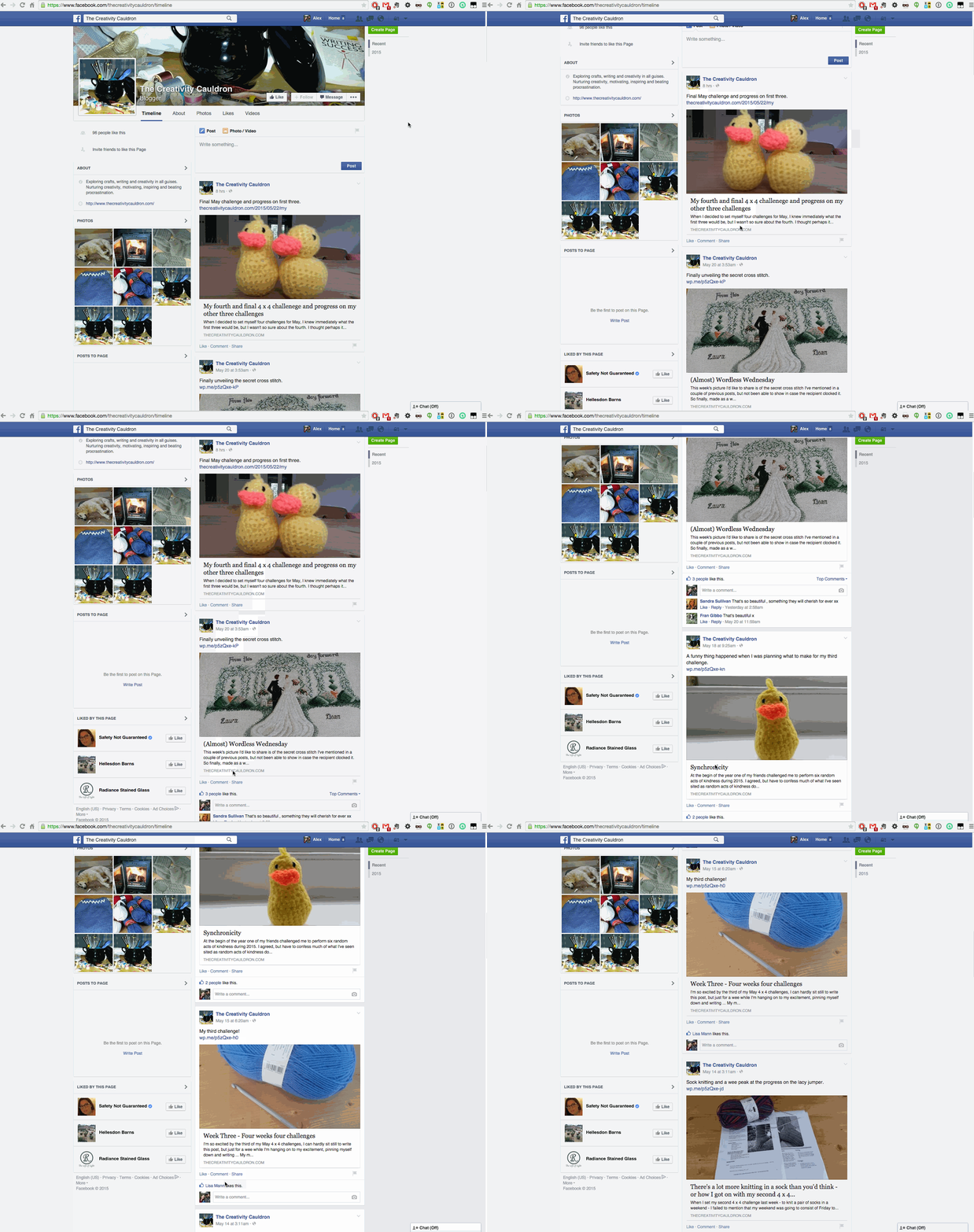
I do not think your issue is the same issue Abhinav was having, how you viewed Facebook did not change his situation. It also sounds like you’re seeing the same problem whether you share it manually or use publicize – his only occurred via publicize.
Please take a screenshot of how you see your problem on facebook, since other readers apparently cannot see it. When you have the image, upload it to your media library on your site and I can take a look.
-
Thank You Mr. Alex. That was very helpful of you. I’ll let you you know how my next post goes.
-
I’ve the same problem when publicize to Facebook – the name ‘praveen patel’ appears when I put the link


- The topic ‘Facebook shares don't have the author name’ is closed to new replies.
 WordPress.com Forums