

featured content left sidebar and second author
-
I am looking to create a “featured content” sidebar on the left! as shown on the Opti demo. I have tagged my posts with a “featured” tag and set the “featured tag” to the word “featured” but the sidebar does not appear.
I am also trying to add a second author to one of my blog posts but can only select my own byline from a drop down list. Is there a way to enter a second author’s name?
The blog I need help with is: (visible only to logged in users)
-
HI David,
I see that you purchased the Premium Theme: Opti. Since you purchased this, you can receive direct support from the theme authors!
You can ask them specific questions here:
http://premium-themes.forums.wordpress.com/forum/opti
However, it looks like you were able to set this up? I found that your Featured Content is being viewed in the Featured Content Space as seen here:
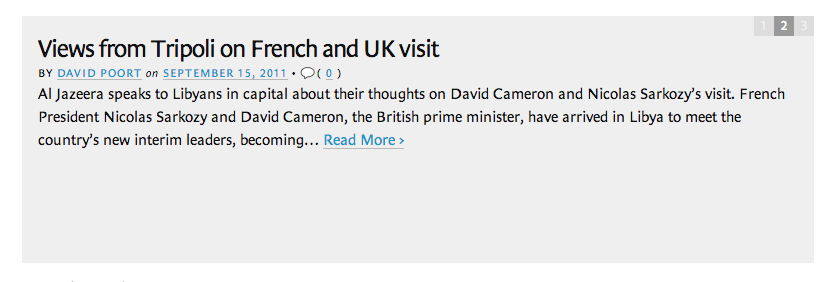
You can add a user through this guide below:
http://en.support.wordpress.com/user-roles/#adding-users-to-your-site
Feel free to reach out if you have any questions!
-
Hi there,
I have a question regarding an old WordPress blog of mine that died after my domain subscription expired some years ago.
It used to live at http://www.davidpoort.net (http://dawhois.com/site/davidpoort.net.html).
Would it be possible to somehow access the blog posts via WordPress, or did it all die along with its domain?
Best,
David
-
Hi David,
Do you have the address that it was mapped to? The one with “.wordpress.com” at the end of it? Every domain is mapped to a WordPress.com site. So, if you still have that I can check if it’s still there.
THanks!


- The topic ‘featured content left sidebar and second author’ is closed to new replies.


 WordPress.com Forums