

Featured image displaying with poor resolution
-
When I upload an image from my media library to be a featured image it appears at a lower resolution than it does if I include exactly the same image within the body of the post. This is irritating as the key image looks fuzzy, whilst images within the post are crisp and clear. This can be clearly seen if I upload an identical image for the featured image and at the start of a new post. The images I am using are very high resolution so it is not because of the image size. I am guessing it must be something to do with the way the theme I am using (Axon) is set up? Please can you help.
The blog I need help with is: (visible only to logged in users)
-
Hi there,
For some reason I’m not seeing this issue. For example, I was looking into this post:
And the featured image looks very nice on my display (MacBook Pro Retina Display). Here’s a screenshot:
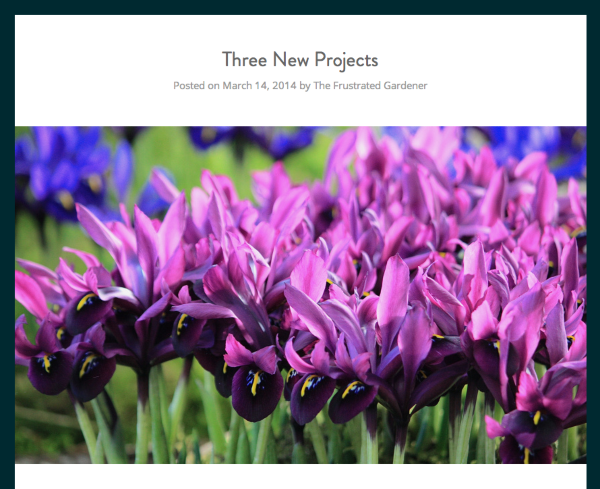
Since you purchased a Premium Theme, you are able to receive direct support from the theme authors. Please go here to speak with one of the theme authors:
http://premium-themes.forums.wordpress.com/forum/axon
Also, please check our their support page as well:
-
Hello. I am using exactly the same laptop, but there is still a very considerable difference in quality between an image uploaded to the featured image and one uploaded in the body of the post. The image in the screenshot is much clearer than that in actuality. I’ll see if the theme authors are able to shed any light on this.
Thank you.


- The topic ‘Featured image displaying with poor resolution’ is closed to new replies.
 WordPress.com Forums