

featured image won’t show
-
Hello,
I am trying to set a featured image on my page using the altofocus theme. It uploads and everything but when i preview my blog it doesn’t show up. How can i fix this?
The blog I need help with is: (visible only to logged in users)
-
Hi @joeyroo95,
After you activate the Autofocus theme, click on “Customizer” in your site dashboard.
In the customizer settings drop down look for 2 options – “Homepage settings” and “Featured page”
In the home page settings, select the option “home page displays your latest posts”
In the Featured page option select the tag of the posts you want to feature. Press Publish to activate the changes.
Here is the official support document of the theme you mentioned.
Try to implement the changes and add to the comments regarding your progress.
Regards
Deb -
Hello,
Thanks. But it’s not a post that i want to feature, it is a featured image on a post. It simply doesn’t show up when i preview it.
-
Hi again,
Check the screen record of the theme setting adjustment here
Select the latest post and edit it. Delete the current featured image, and then re-upload it or upload a new one. Hit publish.
Clear your browser cache and check again.
Hope that works.
Regards
Deb -
-
Hi @
You are welcome.
I tried the same method with a page also, and it worked. Here
If it is not working out for you, you can tag a moderator your question thread and one of the resident staffs will reply to your query. If you are on a paid WordPress.com plan then you can contact the support directly via email and live chat.
Regards
Deb -
Hello,
That’s not what I am trying to do.
Like on a post, in the settings where it has the option to add a featured image (which, as I understand, is supposed to be displayed above your post when you click on it), I add the image. I click publish, but when I click on the post, there is no image above the text, where the featured image is supposed to display. I’m not trying to get anything to display on the homepage i’m just trying to get my featured image to display on the post where I’ve added it.
-
All right.
I just tried exactly what you mentioned in the previous reply. Have a look.
It worked for me. I am not sure why it is not working for you.
Just as a final revision, have you checked this option in settings? (Here)
The above setting controls what you want to achieve.
Regards
Deb -
Once you apply the above setting, clear your browser cache. (or else you will keep seeing a cached old version)
It should work for you now. Do update your progress here.
Regards
Deb -
Hi there,
Yes I followed all of the instructions above. Still nothing. Very frustrating.
-
Hi there,
The screen video I shared is the setting to display the features on the top when your read a single post. (For AltoFocus theme that you are using)
It working for my demo site using the AltoFocus theme.
As, it’s still not working for you, I am adding modlook to this thread. A WordPress.com support staff would reply with additional inputs.
Regards
Deb -
Hi there,
I can see your featured image showing fine on your post at https://justpaintedfire.wordpress.com/2018/11/18/welcome/:
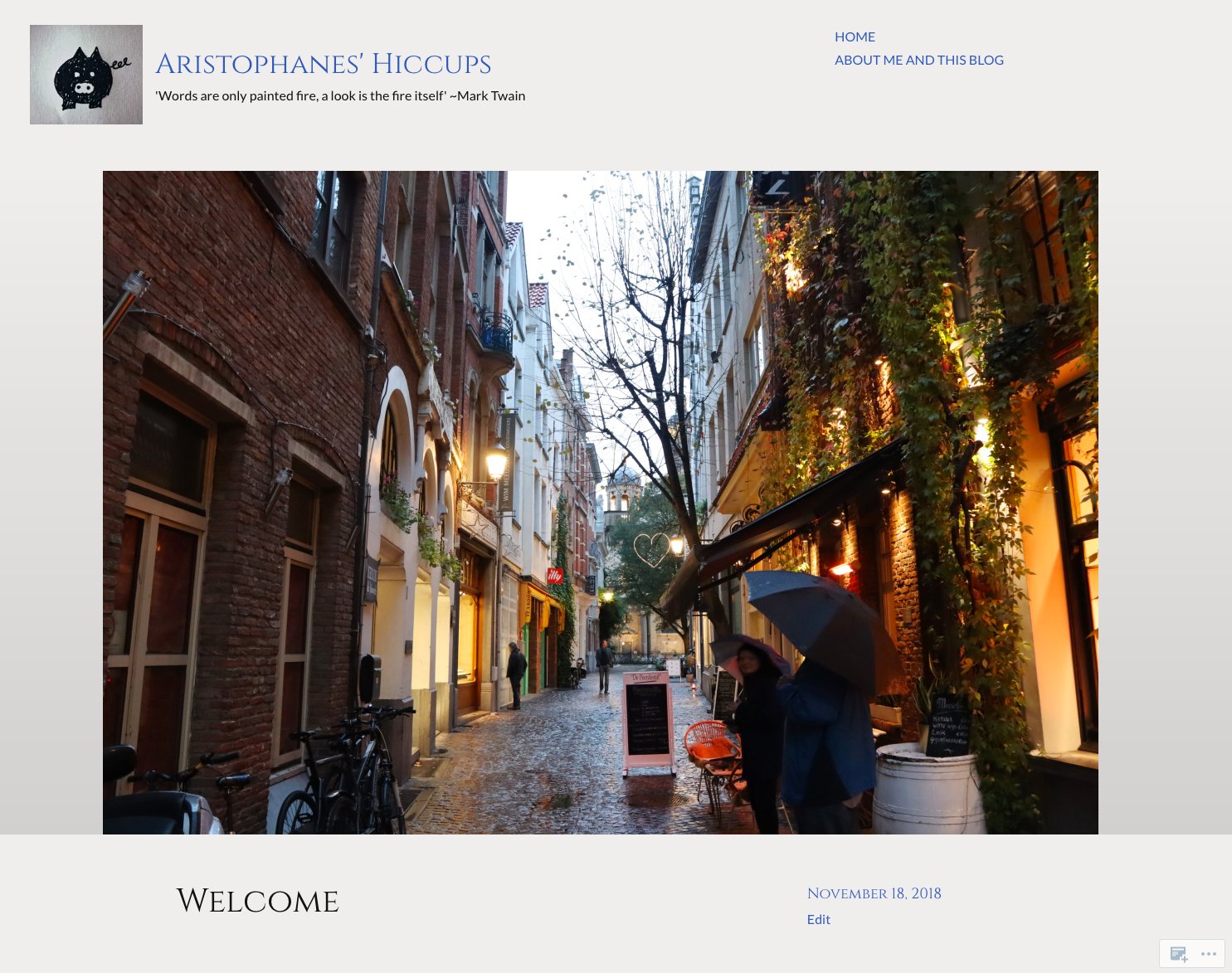
Where exactly are you looking that you are expecting the featured image and not seeing it? Can you please take a screen shot and upload it to your media library at My Site ->Media ->Add?


- The topic ‘featured image won’t show’ is closed to new replies.
 WordPress.com Forums