FINDING OLD POSTS
-
Until recently the search facility has been very effective in finding old posts on my blog, with a keyword or part of the title being sufficient to find what I want. Now, however carefully I identify what I am looking for, nothing is ever found. Please reinstate the wonderful search engine.
The blog I need help with is: (visible only to logged in users)
-
Are you referring to omnisearch?
http://en.support.wordpress.com/omnisearch/The WordPress.com search engine indexes post, pages, and comments content (body text). Unless entered as text in those contents, blog name, post titles, and post/comment author names are not indexed. http://en.support.wordpress.com/wordpresscom-search/
For Topics (Tags page) searches see http://en.support.wordpress.com/topics/ This is the syntax http://en/wordpress.com/tags/canada
See here http://wordpress.com/#!/read/topics/For Google searches use this format and replace “keyword” with whatever word you wish:
keyword site:wordpress.com/Example search string
Queen Victoria site:wordpress.com
results > http://tinyurl.com/csaobsx -
When and why did the old perfectly efficient system change? It is my old posts I want to find. I can find blogs, and stuff on Wikipedia: no problem!
-
Are you referring to the search widget that you can install here > Appearance > Widgets
http://en.support.wordpress.com/widgets/search-widget/ -
Even Google is having great difficulty finding our old posts, alas. I think there IS something going wrong with our archives, and I think it will take considerable digging to sort it out. I have a post that is four years old at MOST, contains an absolutely unique image, and I spent a couple of hours looking for it yesterday and couldn’t find it. Something is up.
-
I’m wondering if the posts that we’re having difficulty finding date from back when the tags we used on our blogs linked to the Global Tag Pages instead of the Local ones. When that changed, it’s possible that the tags and categories we used on previous posts just simply don’t connect to anything anymore, which would drastically affect their SEO.
-
Where are you searching for your posts? I
Are you searching in the search bar in your blog’s Dashboard, in a search bar on a blog, or in a search engine such as Google?
If you are referring to Google, there were some issues that came up this week with Google’s crawling of our sites, but that should be resolved now.
-
I have used the built in search widget AND Google. And the media library search. Search by title, search by category, search by keywords.
-
I use the search bar in the header of my blog – the one with the magnifying glass. My blog dates from April 2010, so it’s not that ancient!
-
@ vivinfrance, To confirm, you are referring to the magnifying glass in the black admin bar above your blog?
It looks like your site content is appearing in the search, but there may have been a bit of a delay with some of the post content being updated.
@raincoaster, we were having an issue with Google crawling some of our sites, but that should be resolved, and content should again be updated in their databases.
-
jackie, affirmative to the magnifying glass in the black admin bar, but Negative to my content appearing in the search. If I can remember vaguely when I posted, I can find it by using archives, but that’s as near as I can get. As I lost a lot of my poems due to a computer crash, it seems they are gone for ever, as I certainly don’t have the energy or the eyesight to trawl back through three and a half years of posts.
-
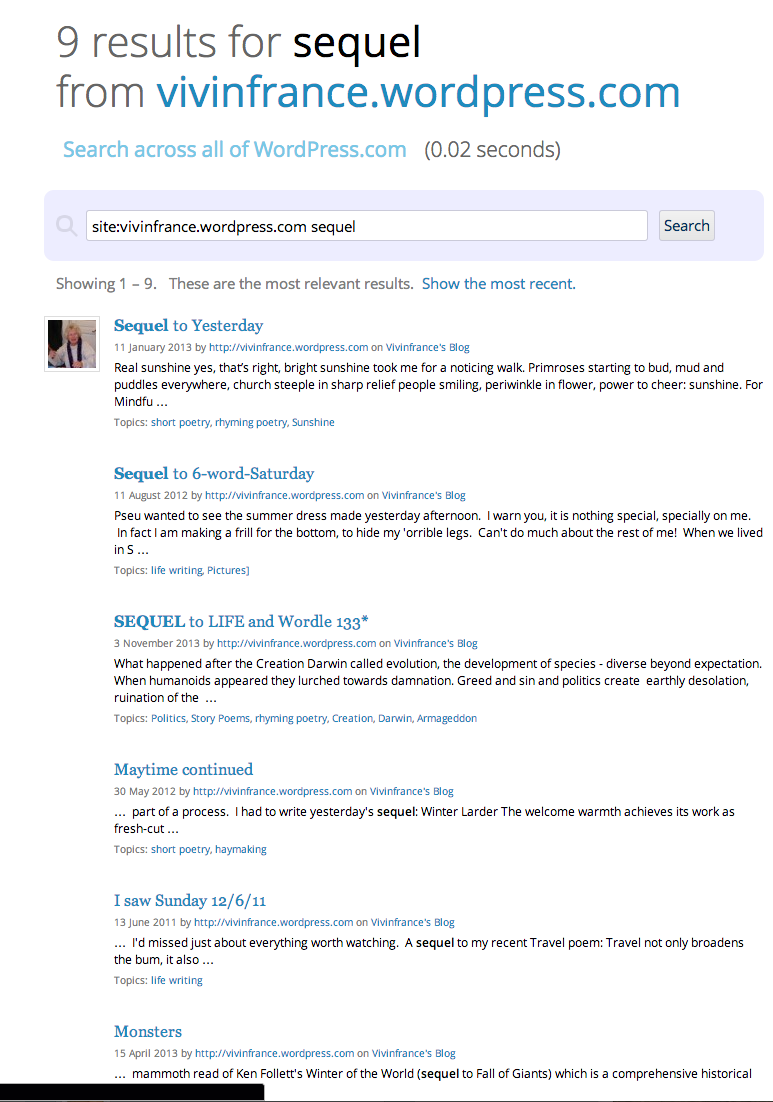
The posts do appear in the search for me, so they are being indexed:
https://i.cloudup.com/INCtHKDCLl.pngPlease try clearing your browser cache to see if that helps them show up for you:
You can also go to your Dashboard under Posts > All posts and use the Search posts option (the one in the actual Dashboard window above your list of posts, rather than the admin bar) to find posts.
-
Thank you very much for your help. I will try the Dashboard option in the morning, but I don’t know how to “clear browser cache”!
-
-
I did that, and it took me an age to discover where to find Google Chrome settings. It’s now busy clearing cache and cookies, and has been for some time, so that may well be what has been causing the problem! Thank you very much for helping this technincompoop!
-
You’re very welcome.
Chrome should clear your cache pretty quickly, so hopefully that’s all resolved now.


- The topic ‘FINDING OLD POSTS’ is closed to new replies.
 WordPress.com Forums