

Footnotes
-
I have tried using all suggested methods on adding footnote jumpers on Ryu theme. It is not working. Kindly help.
The blog I need help with is: (visible only to logged in users)
-
We have documentation on how use page jumps, also known as anchor tags, here:
http://en.support.wordpress.com/splitting-content/page-jumps/If you are following those instructions and it’s not working, please post a link to the post or page where you are using them, and I will be happy to take a look.
-
Thanks Jackiedana. Ive tried those instructions. here is the link
http://bimboamole.org/. password is [redacted]I posted the article as passworded because of the footnote problem. Can you help me. It is meant to be public by this night!
-
It looks like you are linking the footnotes to a Dropbox file rather than an internal link elsewhere in your WordPress.com post.
For example, link #3 goes to:
http://bimboamole.org/Users/Dadon/Dropbox/Write%20ups/Becoming%2040.docx#_ftn3
which is not a valid URL.
If you want to link to another site, you can use the link button in your editor window to create an HTML link directly to another site. You do not need to use the Page Jumps option. -
Okay, I’ll try to work at it now again. But honestly I do not understand. If not because the graphics will be lost, I would simply have linked to a dropbox file. But it doesnt show the graphics.
I’ll give it a try again. Thanks Jk, u’ve been great. Thanks for responding to me. -
The issue is the link you’re using for the footnote link. Do you want to direct them to a page within your WordPress.com blog, or to another spot on the same post, or do you want to direct them elsewhere?
-
No, I simply want to direct them to the same page, like when you make a citation! For instance you write something on the main page (up) and then give a footnote underneath the page.
That’s all I’ve been struggling with. Technology is driving me crazy :) -
I’ll appreciate if you teach me how to go about it, I guess I have problem getting things easily from instruction!
For now, I am beginning to remove the footnotes on this particular post. But I’ll still need your lesson on footnoting for other posts, because I like having references for what I write
Thanks JK -
Making page jumps is a bit complicated. You are basically making internal links within a page.
The document I linked before, http://en.support.wordpress.com/splitting-content/page-jumps/, explains the process, but it can still be a little confusing. My recommendation would be to create a new page or post (without all of your other content, which just makes things harder to see) and play with it without all of your other content until you get the logic of the internal linking.
-
-
Meanwhile, do you know how I could remove the white patch under a picture? I mean I want the picture to have the usual background of the post rather than the silly white patch/colour
thanks -
Could you link me to an example of what you mean by “white patch”? I’m not seeing it on your blog.
One thing that comes to mind is that you could be seeing the box that’s created for a caption, and if there’s no text in the caption, it could show up as an empty white outline around an image.
-
It’s right on this new post I just made. Underneath those colourful numbers, you’ll notice a white patch/background, as different from the general pink background. So I was wondering how to level that out and make it all pink background
-
I’m not seeing any white under images on your blog. This is how it appears to me in Chrome, Firefox and Safari:
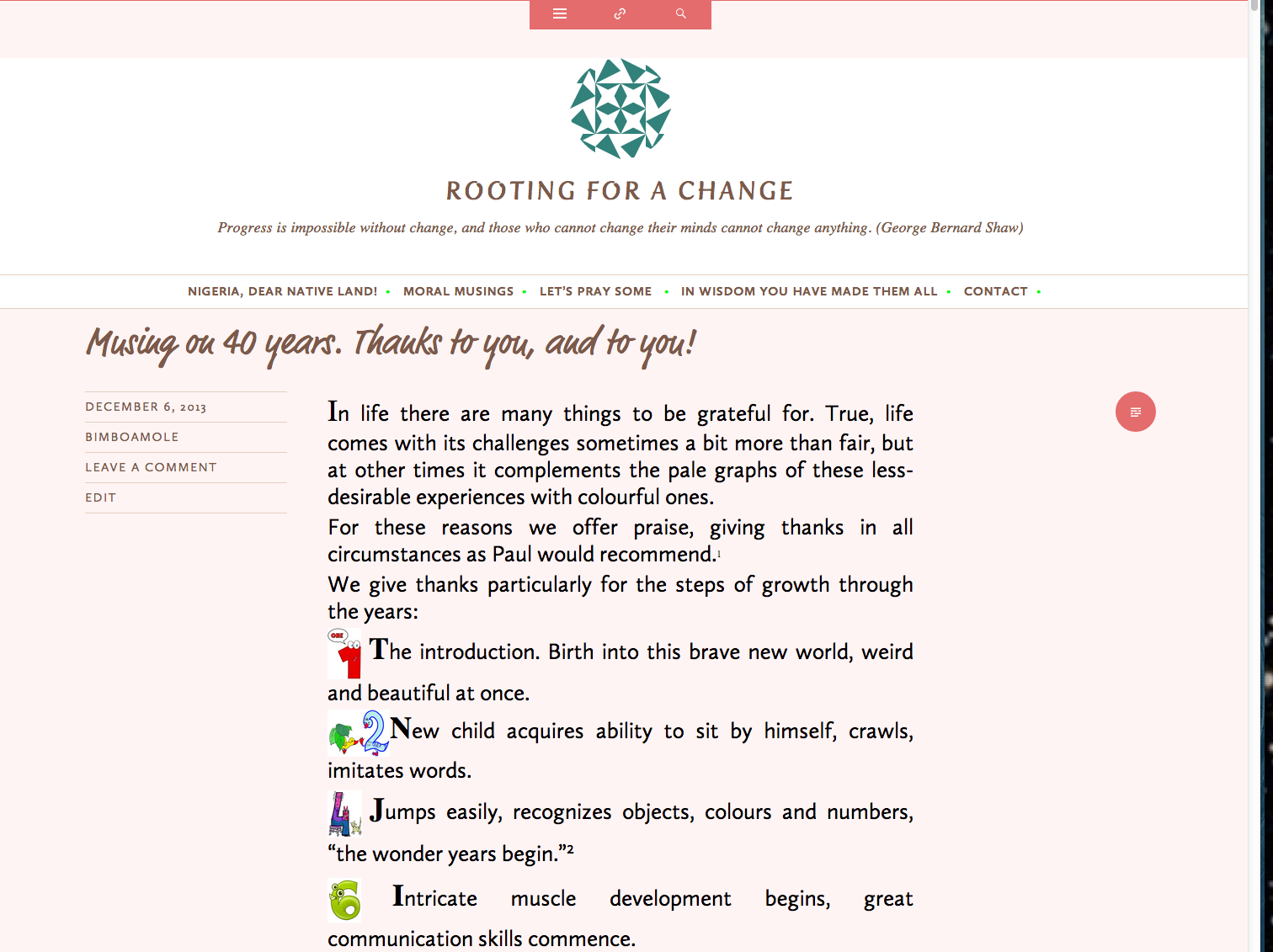
One thing I do notice in the HTML of your post is a lot of extra code. Are you cutting and pasting your blog posts from Microsoft Word or another word processor first? If so, you may wish to use our Paste as Word (or plain text) option:
-
Interesting. It did not show the white patch in the page you sent. I hope that is how it appears in other pcs! You are right. thanks.
As for the footnote thing, is there a way I can make a post without making it visible or published to the public? that way I can try a new word publication to make you see what I have been going through. I just tried the pasting through word or plain text and its still not working.
night. -
You can create a post and set it to private (rather than password protected) and it will appear only to those who are signed-in users on your blog (and to staff at WordPress.com).
-
oh that’s fine. Cool. Here it is then. I simply pasted from Word with the WordPress Word clipboard. I never linked it to my dropbox, merely opened the document (which is saved in dropbox), copied from Word, and paste through the WordPress W clipboard. I am therefore suprised it is giving codes in dropbox.
My expectation was that if one pastes with the WordPress W clipboard, it would automatically assign the footnotes already given in the Word document.
In any case hopefull you can use this example to guide me through.
Thanks JK -
WordPress.com does not automatically convert MS Word footnotes into anchor tags/page jumps. You’d need to do that manually.
I’m not exactly sure what you’re doing with Dropbox, but again, the way you are inserting your text, your links are broken, as they are starting out with a WordPress.com URL and then listing a path to Dropbox.
Links like “/Users/owner/Dropbox/1%20wordpress/smiling%20at%20death,%20test.docx#_edn2” will have the base URL for your blog automatically added to the front, so they would be converted to http://bimboamole.wordpress.com/Users/owner/Dropbox/1%20wordpress/smiling%20at%20death,%20test.docx#_edn2 – which doesn’t exist.
You will need to recreate those links manually by using the link button and inserting the full path to the correct location.


- The topic ‘Footnotes’ is closed to new replies.
 WordPress.com Forums