Forever Slider
-
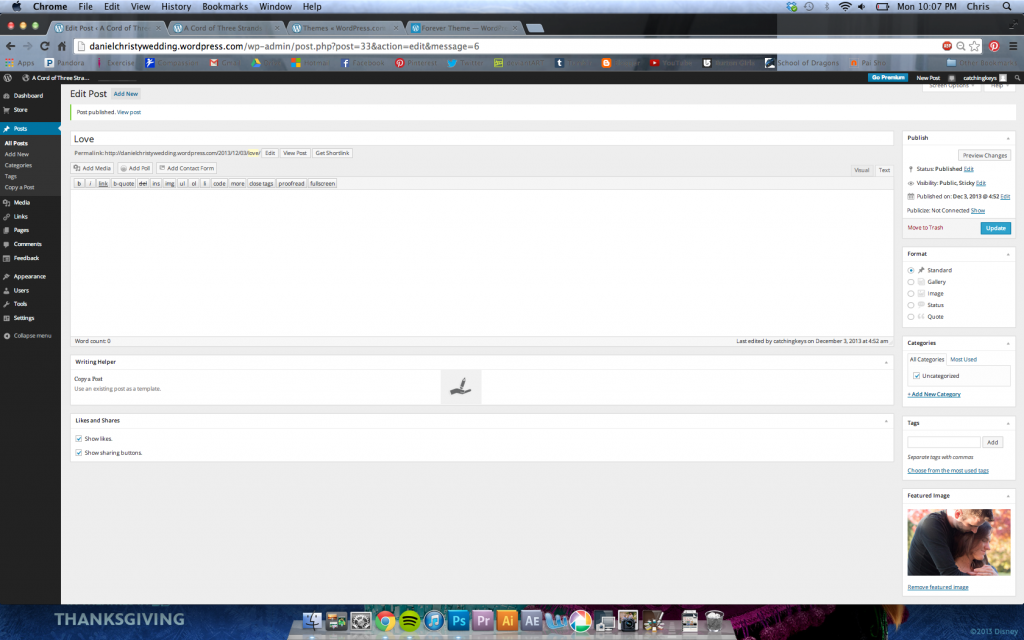
Ok I know I’m supposed to set a sticky post and set a featured image that is over 888px wide which is what I did but I don’t see any slider at all. What am I doing wrong????
Here’s a screen shot – http://i746.photobucket.com/albums/xx104/JcKage/ScreenShot2013-12-02at100729PM.png
My image is 1000 px wide
The blog I need help with is: (visible only to logged in users)
-
The slider shows up on the front page of the site only after you’ve published your post. You haven’t published anything.
-
More precisely, the slider shows on the posts page.
You’ve published two posts, but you’ve set the blog front to display a static page instead of your posts, without setting another page as your posts page.
If you want the slider on your homepage, you go to Settings > Reading and revert to “Front page displays” > “Your latest posts”.
If you want the About page on your homepage, you publish a new page in Pages > Add New (titling it Posts or Blog or whatever you like), then you go to Settings > Reading and set that page as your posts page. -
-
Ahhhhh ok thank you so much! Now is there a way to get rid of the search bar, Archives, and Meta stuff on the side there?


- The topic ‘Forever Slider’ is closed to new replies.
 WordPress.com Forums