

"Forever" theme Featured Image
-
Can I enlarge my featured image on my blog? I’m using the “forever” theme. I have been trying to figure it out since I started the blog a couple weeks ago. HELP! http://www.bourbonandblueberries.com
The blog I need help with is: (visible only to logged in users)
-
Hi Cristina!
Currently, your featured images are filling the entire content width as shown here:
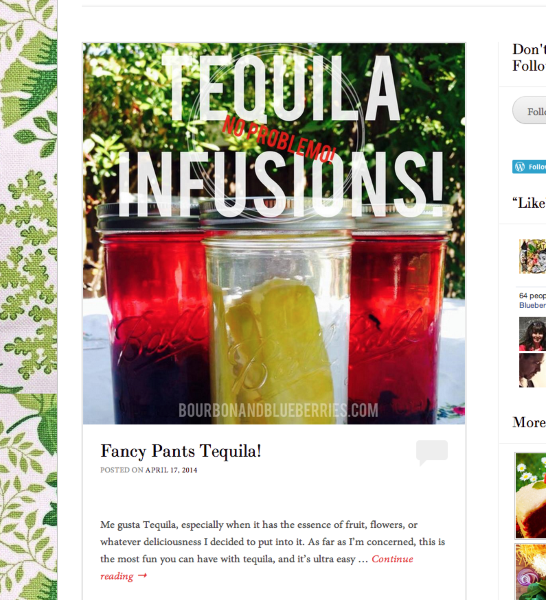
With the sidebar in place, it’s hard to expand the image without overlapping the widgets or creating an issue with how your theme displays on mobile devices. Are you looking to get rid of your sidebar and expand the content to display full-width?
-
Hi! Thanks! What I figured out was that if I set my post as an “image” instead of a “standard” post, the picture becomes larger! Problem solved! Thank you!
Any idea how to stretch a background image?
-
Great to hear regarding the image! As for the background image, I’m assuming you want to stretch your current image as opposed to what it is doing now, which is tiling the image to fill the background. Currently, the only way to do this would be to enlarge the image in a separate image editor, and then, upload the new enlarged image. There isn’t a way to “stretch” the image from the WordPress.com background settings.
-
That great!! I was hoping I could do this but wasn’t sure. Obviously I have no idea what in doing. Thank you so much!! All the other info I read on it made it way more complicated. Thank u!! :)
-


- The topic ‘"Forever" theme Featured Image’ is closed to new replies.
 WordPress.com Forums