

front page
-
I can’t set my home-front page/domain name properly, I follow the instructions on the help but it doesn’t work…
The blog I need help with is: (visible only to logged in users)
-
Hi there!
Can you tell me what you would like to see as your Front Page?
It looks like the domain unimiss.org is currently mapped to your site and functioning correctly. Domain changes usually take several hours to fully take effect (and theoretically can take up to 72 hours). I’d recommend checking back in a few more hours. Can you also try clearing your browser’s cache and cookies? Instructions can be found here:
Let me know if your domain is not working for you still and I’ll look into it!
-
Hi… It’s not the domain… It’s the front page- home page which doesn’t set up with the domain name as home page, if you see “start here ” has the Home page and United Mission page, I need the front page be as the front page of the Academica theme, United Mission title and not Home. This I can’t set it up as from the instructions on the Help on Front Page… I’m explaining right? TX…
-
Hi… It’s not the domain… It’s the front page- home page which doesn’t set up with the domain name as home page, if you see “start here ” has the Home page and United Mission page, I need the front page be as the front page of the Academica theme, United Mission title and not Home. This I can’t set it up as from the instructions on the Help on Front Page… I’m explaining right? TX…
-
If I’m understanding correctly, you want your Front Page to say ‘United Mission’ and not ‘Home.’ You can change this by changing the title of the page ‘Home’ at Pages in your dashboard.
Does that help?
-
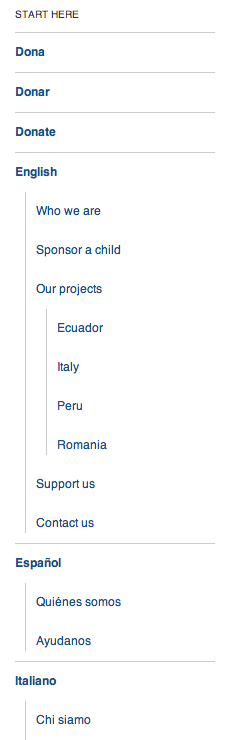
If you see, the Welcome Academica page and the Home page are the same, in the Menu bar there is the only the Home button and in the Start here only Welcome to Academica, it doesn’t show Home in the left sidebar Start here neither appears the Menu front page… How can I make it work that way? TX!
-
I’m still not quite sure what you want to do.
Are you having trouble with this navigation menu across the top of your site:

Or this sidebar menu along the left side of your site:


- The topic ‘front page’ is closed to new replies.
 WordPress.com Forums