

Gateway Theme – Changing Font Colour in Header
-
I’ve selected a photo with a lot of white light and want to change the text from white to a darker colour – black, blue or grey. Where do I change the default colour for header text? Thanks.
The blog I need help with is: (visible only to logged in users)
-
There isn’t a standalone option for changing the Site Title and tagline colour, but in the Customizer’s Colors & Backgrounds panel, you could choose one of the four featured colour palettes that comes with a dark colour for the header text. Then, change the background colour to your desired blue shade by clicking the background rectangle:
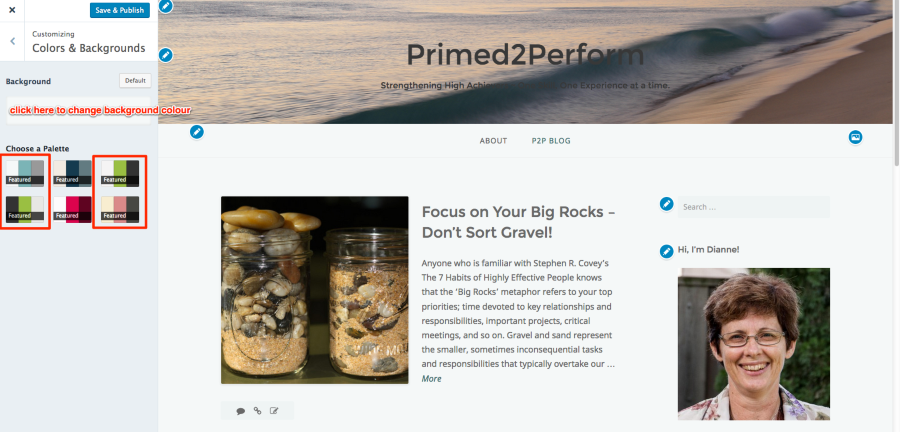
Keep in mind that the dark colour may also be difficult to read against parts of your image. It might be best to find a more evenly-toned image, whether it’s dark or light.
Let me know how it goes.


- The topic ‘Gateway Theme – Changing Font Colour in Header’ is closed to new replies.
 WordPress.com Forums