Help, button text invisible in Affinity
-
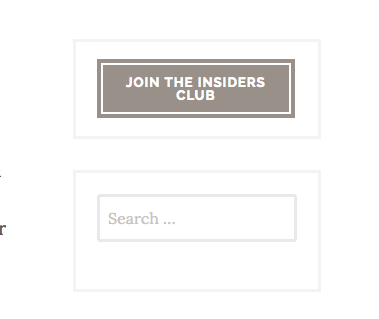
I’ve just switched to the Affinity theme and though my call to action button appears in the sidebar on select pages, the text on it is invisible until I mouseover it. Can someone tell me how to correct this?
The blog I need help with is: (visible only to logged in users)
-
Hi there, can you give me a link to a page where the button is? I’m not finding anything invisible in your sidebar on your about, blog or contact page.
-
-
If you are talking about the follow me on Amazon button, the problem is in the inline style CSS you have added to that link code. Open that widget and take out the space between the # and the color code for the background color declaration. and save. That is the only issue I can find in any of your text widgets.
If I’m missing it, can you point me directly to where it is?
-
Thank you, but I’m talking about the colored rectangle at the very top of the sidebar. The text on the button is Join the Insiders Club, but it’s only visible if you move the cursor to it.
-
Hmmm, I’m seeing that button just fine in Firefox, Chrome and Safari on my Mac. Here is a screenshot: https://cldup.com/5ZVthYEw1D.png.
Can you try clearing your browser cache and then refresh the page?
-
I cleared my cache with no result. I too can see that button’s text fine on Edge and Firefox but not on Chrome (all running Windows.) However, the WordPress generated “Subscribe” button on the Follow Blog: Email Subscription widget appears as it should on all three browsers.
So then I fired up my old laptop and voilà, the top button appears just fine! It’s apparently a problem with the cache on my current computer not clearing completely in Chrome.
Thank you so much for working through this “problem” with me. :-)
-
You are welcome, and let me know if you still have problems with this and we can try some tweaks to the CSS.


- The topic ‘Help, button text invisible in Affinity’ is closed to new replies.
 WordPress.com Forums