Help for creating drop-down menus
-
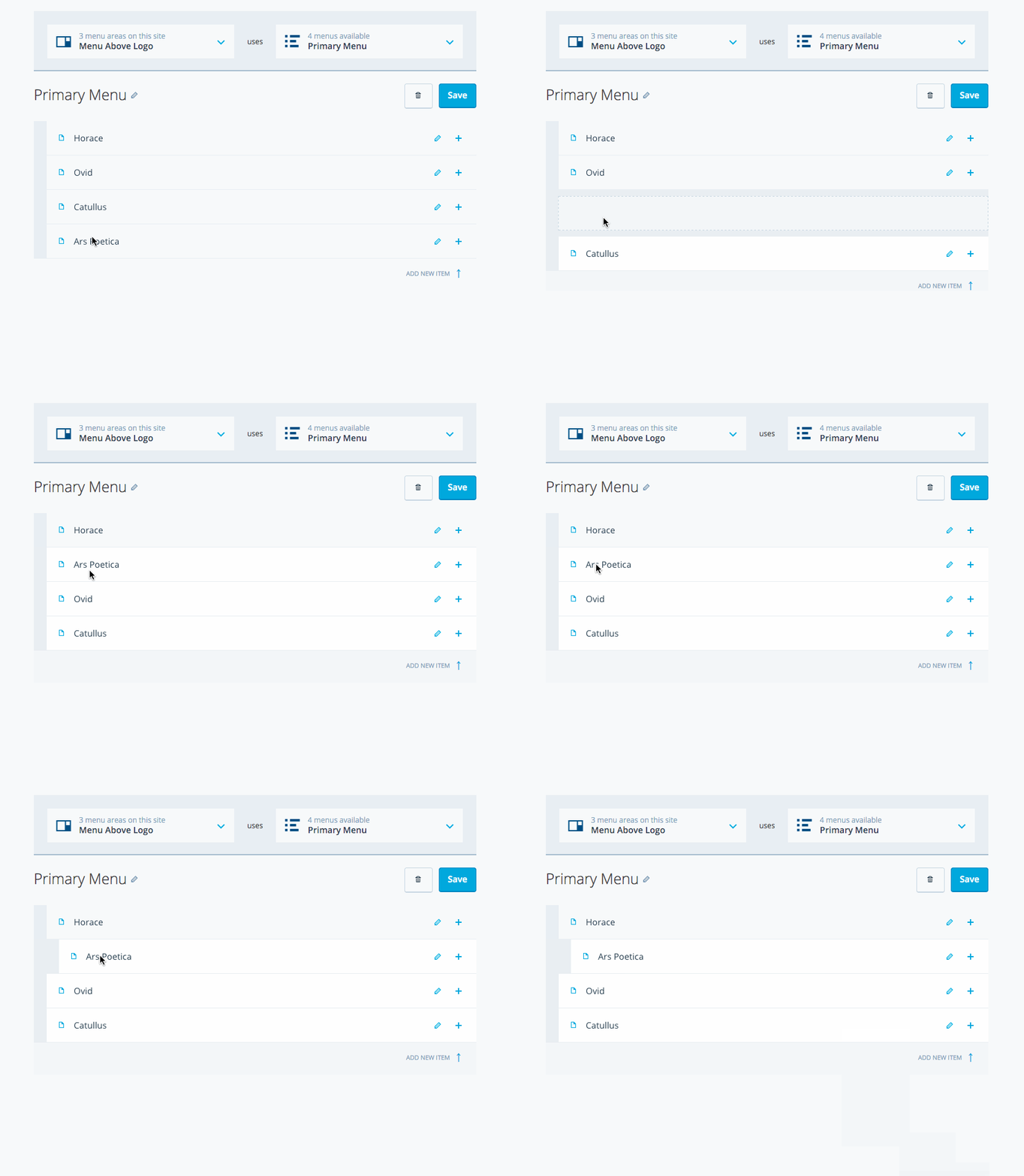
I am using The Afterlight Theme. I want to create a drop-down menu called ‘About Us’ which will feature both the ‘A Brief Introduction’ and ‘A Little About The Writers’ pages.
I am unable to understand how to create a drop-down menu.The blog I need help with is: (visible only to logged in users)
-
Hello
You can read all about custom menus at https://en.support.wordpress.com/menus/
At section entitled “2. Organize your menu”, there is instructions on how to make a drop-down menu (you’ll have to drag the sub items a little to the right), as you can see in this image from the page above: https://cldup.com/d_Oqo-X63f.gif
If you need more assistance on that, please feel free to reach me again
cheers
-
Thank you very much! I’ll look through the article as soon as possible. Meanwhile, I tried experimenting on my own and for now the result is satisfactory. Thank you once again! :)


- The topic ‘Help for creating drop-down menus’ is closed to new replies.
 WordPress.com Forums