

Help – trying to set up free site
-
Trying to set up free site but it keeps saying something is wrong. help!
-
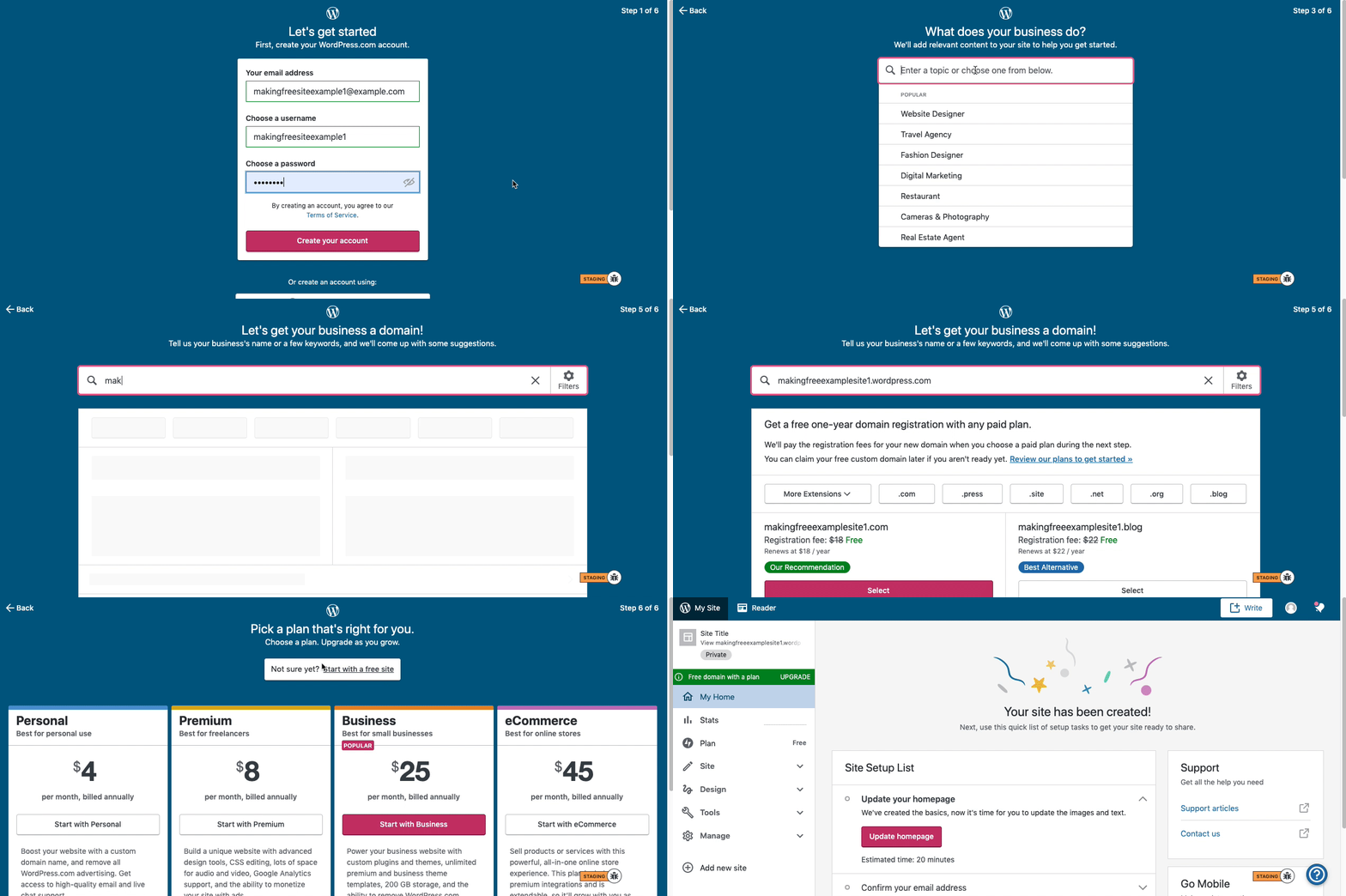
Here are visual instructions on how to create a free
.wordpress.comsite:Step 1: Select email, username, and password.
Step 2: select Blog for a.home.blogfree site or Business for a.wordpress.comsite.
Step 3: Select the Topic of your site.
Step 4: Type in the Title of site (optional).
Step 5: Type in the full, exact site address you want including the.wordpress.comor.home.blogsubdomain (ex:freeexamplesite.wordpress.com,freeexampleblog.home.blog). The first option should be the free site that you manually typed in. Click select next to that option.
Step 6: At the very top, click the link that says: start with a free site.Then, your free site should be created! Please follow those steps and if you have any questions, let us know.
-
Yes, I followed the instructions but was getting an error saying something is wrong and to try again. It appears to be fine now, so was there an outage?
-
No outage that we’re aware of. In some rare cases I’ve seen browsers struggle to keep up, and that can result in off-putting experiences like this.
We’re glad it’s working for you now. Thanks so much for taking time out of your day to bring this to our attention. All experiences are important to us. :)



- The topic ‘Help – trying to set up free site’ is closed to new replies.


 WordPress.com Forums