Highwind theme – centre galleries
-
Hi all,
I have tried and failed to figure out what the code is so that I can centre my media galleries in the highwind theme – at the moment they are aligned to the left of the page and I think this looks odd.
Thank you in advance for your help.
The blog I need help with is: (visible only to logged in users)
-
It helps to look at a specific example. I found this page on your blog that has a tiled gallery:
http://destinationlyon.com/category/things-to-do/To center the gallery on that page (which is a tiled gallery), add this to your Appearance > Customize > CSS editor:
.tiled-gallery .gallery-row {
	margin: 0 auto;
}
That will affect all tiled galleries but not other types of galleries.
-
Thank you so much Designsimply! I don’t know how you do it. I would love to learn more about coding.
I do have one more tiny question – is it also possible to centre the circle gallery as per: http://destinationlyon.com/2014/03/09/sunday-markets/
I tried to modify your code but I couldn’t find the right instructions to enter or what elements to apply them to. (I’m going to guess that it has something to do with “border”).
Thanks again
-
I would love to learn more about coding.
That’s awesome!
Here are a couple great CSS sites I point people to when they’re learning in case you’d like to check them out:
http://www.htmldog.com/guides/css/
http://css-tricks.com/There are probably other awesome ones. If anyone else perusing this has one to suggest, I’d love to hear them!
-
I tried to modify your code but I couldn’t find the right instructions to enter or what elements to apply them to. (I’m going to guess that it has something to do with “border”).
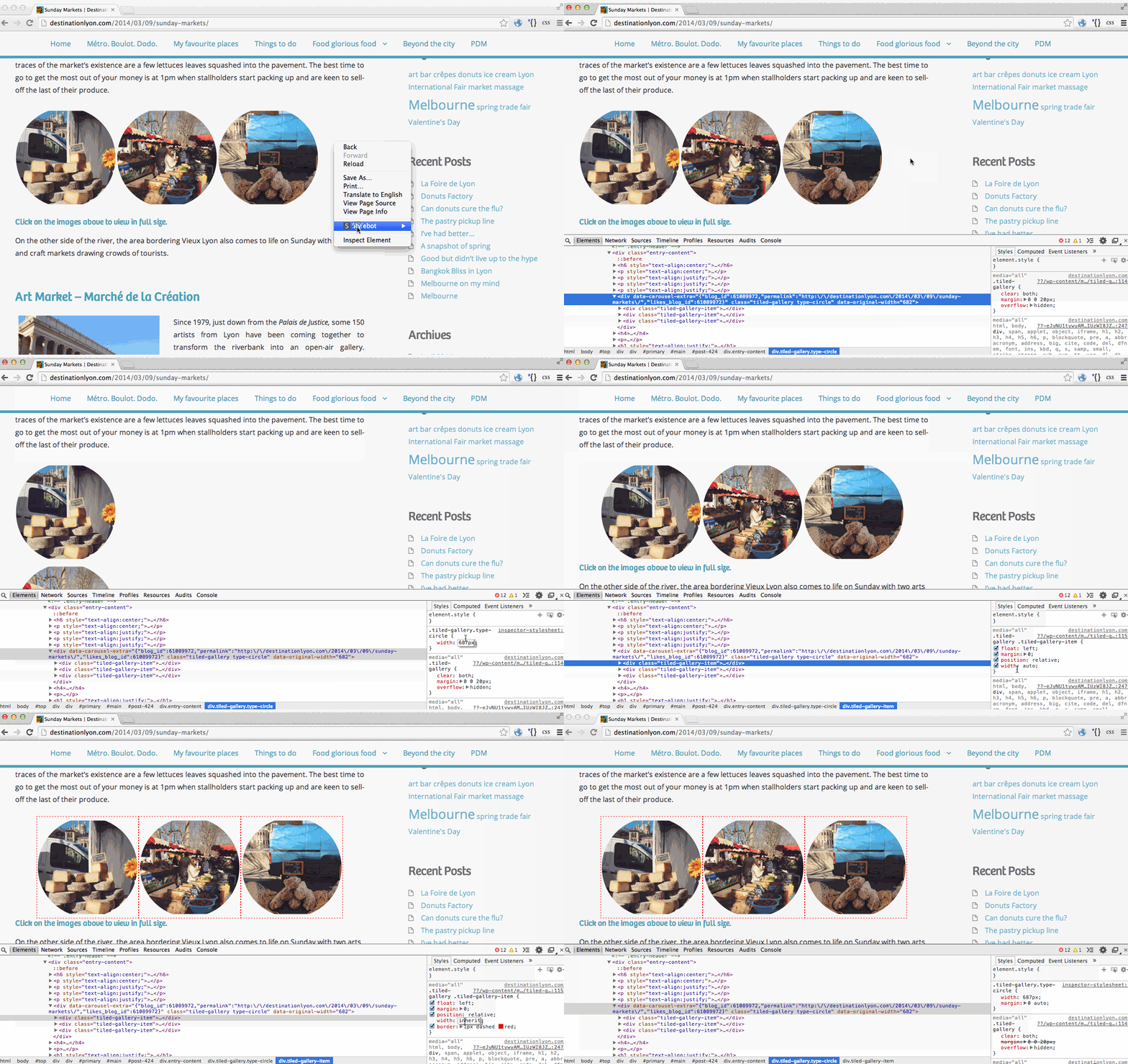
That one’s a bit different! I looked at the gallery on http://destinationlyon.com/2014/03/09/sunday-markets/ and it’s actually full width already but the circles inside are just small enough not to fill up all the space.
I tried coming up with an example, but I don’t really think it’s perfect because it might break circle galleries that have images other than multiples of 3. Watch the example and then try testing the code I came up with—I would recommend testing on a few other circle galleries with different numbers of images.
Example:
https://i.cloudup.com/pOETX5gcOt.gifChanged code from the example:
.tiled-gallery.type-circle .tiled-gallery-item { width: auto; } .tiled-gallery.type-circle { width: 687px; margin: 0 auto; } -
-


- The topic ‘Highwind theme – centre galleries’ is closed to new replies.
 WordPress.com Forums