

Hjælp til at ændre tekst på min side
-
Hej,
Jeg vil gerne have hjælp til at ændre i teksten på min hjemmeside. Jeg kan ikke finde menupunktet hvor jeg kan gå ind og ændre i teksten, som fx den der på min side hedder: Om bloggen
Min side mormedstil.wordpress.com
The blog I need help with is: (visible only to logged in users)
-
-
-
-
Hi there,
I used Google Translate to translate your original message:
I would like help to change the text of my website. I can not find the menu item where I can enter and change the text, such as the one on my page is: About the blog
Perhaps the best way to edit the page content is visit:
Then at the bottom click the “Edit” ( “Rediger” ) link to be taken to the editor. From there you can edit the content of the page.
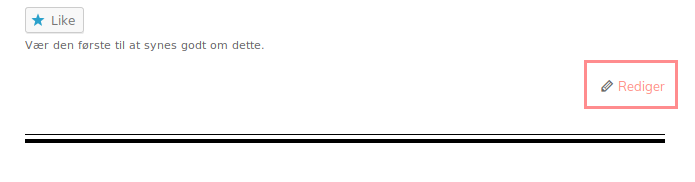
Let us know if you need anything else.
-
-
Hi there,
You cannot edit the about page because you’re an Author for that site. As an Author, you can only write, upload photos to, edit, and publish your own posts.
To edit that page you need to contact the site’s administrator.
-
that does not make sense to me Because I al The One who made the page and is the only one who have been using it, how can I change this?
-
Hi there, I looked at the About page, and evp3, is shown as the author of that page, and also shown as the Administrator and owner of that site. Are you also evp3? If not, you will need to contact them about having your role changed.
For reference, this support page shows the privileges for each of the User Roles.
-
Hello,
Thank you for the help,
No I am not evp3, but I do not know who this might be? Is there any way I can contact evp3?
It all seems very strange to me, because I am the only one who have been using the blog.
I have contacted the myextensions team, which I have been working with a few years back, but they claim that they are not administrators, and never was, so I do not understand why I am not the administrator then? :-) -
Is there any way I can contact evp3?
We cannot give you contact details of another account on WordPress.com, so if you don’t know who that person is or how to contact them, I’m afraid there’s not much more we can do.
It all seems very strange to me, because I am the only one who have been using the blog.
The site currently has three users. The only admin is evp3, who is also the owner. The logs show you were added as an author along with another author-user in August 2013, about a week after evp3 created the site. evp3 and the other user might not be active on the site any more, but they are still users on the site.
-
Okay, that is strange to me. I have emails from wordpress dated on the 12/8/2013 saying that I have created the log, and there is a link so that I can activate the log… So that is why I do not understand why I am not the (only) adminitrator on the blog..
So if I can not get reach of EVP3, it is not possible to me to be the administrator of the page, and edit it?
If it is not the case, then I would like for you to shut the page down, so that I can create it once again, and be able to use the name: mormedstil, and the become the administrator of the blog.
Do you think that this is possible?
-
Okay, that is strange to me. I have emails from wordpress dated on the 12/8/2013 saying that I have created the log, and there is a link so that I can activate the log…
You would have received an email from us to activate your account – we only send out that email when a new account is created, not a new site.
If you have an activation link you can try using it on our account recovery form, but if it’s the activation link for your account, it won’t give you access to the evp3 account.
So if I can not get reach of EVP3, it is not possible to me to be the administrator of the page, and edit it?
Correct. Only the owner of the site can invite new users, change the permissions of an existing user, or transfer ownership of the site to someone else. We cannot do this without their permission.
If it is not the case, then I would like for you to shut the page down, so that I can create it once again, and be able to use the name: mormedstil, and the become the administrator of the blog.
We cannot do that either. Only an admin on a site can delete it or set it to private so it’s no longer online, and deleting the address will just remove it from our system permanently – it is not possible to create a new site using the same address as a deleted site.
The only way for you to become an admin on mormedstil.wordpress.com is if the owner of the evp3 account makes you one, and the only way you can become the owner of that site is if they transfer ownership of the site to you.
-
-
We cannot give out personal information about our users so your best bet is to contact anyone involved in the creation of your site and ask them if they have a WordPress.com account and if your blog is appearing in their account.


- The topic ‘Hjælp til at ændre tekst på min side’ is closed to new replies.
 WordPress.com Forums