

Home page
-
When I set up a new wordpress site your homepage is always listed on the Pages you can edit.
I seem to have deleted mine meaning I can’t have a tab for it on the site.
Can someone please help me get it back.
I have three other tabs on the site so really need a Home tab.the site is http://www.alicemod.com.au
Thank you.
The blog I need help with is: (visible only to logged in users)
-
Hi there!
I see two ‘Home’ pages listed in your Pages. Is one of these the page that you’re looking for?
Both of the Pages are Drafts right now, which means your readers can’t see them on your site. You’ll need to Publish the changes on the page in order for viewers to be able to see them again.
Let me know if I can help further!
-
Hi Shawna,
Those are ones that I’ve created.
What I need is a home tab (next to about me) that links back to the homepage http://www.alicemod.com.au -
Okay! You can do this by adding a ‘Link’ menu item to a custom menu. You can do this through your dashboard at Appearance > Menus. You’ll need to create a new menu. And setup the Link menu item for your home page, and the Pages menu items for the rest of your pages.
Here’s some more information about setting up a custom menu:
Let me know if I can help you with that!
-
-
That’s not giving me the menu links across the top of my page as they are currently.
Would it be best for me to start again and import the data from this site?
-
Hi there!
I don’t see any menus created under Appearance > Menus, but it sounds like maybe the menu was set to the wrong location. You’ll need to make sure its set to ‘Primary Menu’ as you can see here:
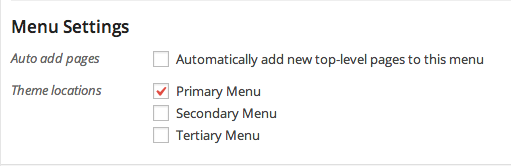
Can you try that again and leave your settings in place so that I can see what’s going wrong?
-
-
I’ve done it.
As you can see I’ve now lost the other links (about me., just a little modest., contact me.) -
I see now! With this new menu, you’ll need to add all of the menu items you want to appear. To add the rest of your pages, go to Appearance > Menus and open the Pages menu on the right. Check the boxes next to the Pages you want to add and click on ‘Add to Menu’:
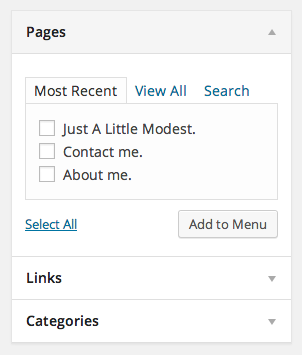
You can rearrange them by dragging up and down. And make sure you save your changes!
Let me know if I can help you get this set up!
-
-
Hi,
I could really do with some help setting these up. As my theme has a three menu limit I need the second menu (about me) to have a drop down to the just a little modest page. I then need a third menu for contact me.
I’d like them to be next to the menu for home.
Thank you.
-
Is there anyway to bypass the menu limits on my theme? As my theme has a three menu limit I need the second menu (about me) to have a drop down to the just a little modest page. I then need a third menu for contact me.
I’m not exactly sure what you mean. The only limit there is on menus is the depth that you can go in the drop down menus.
You do have three individual menus. The Primary menu is here:
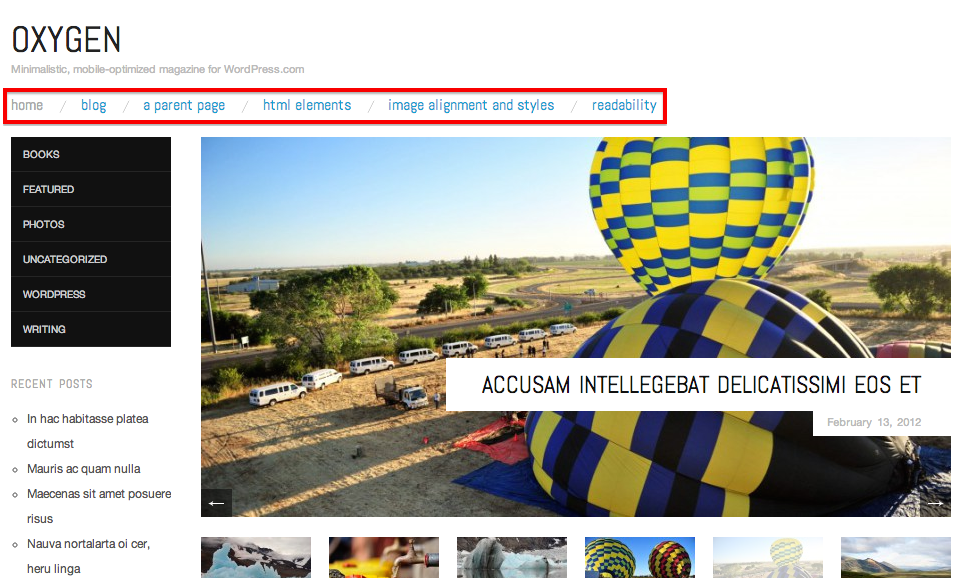
Secondary:
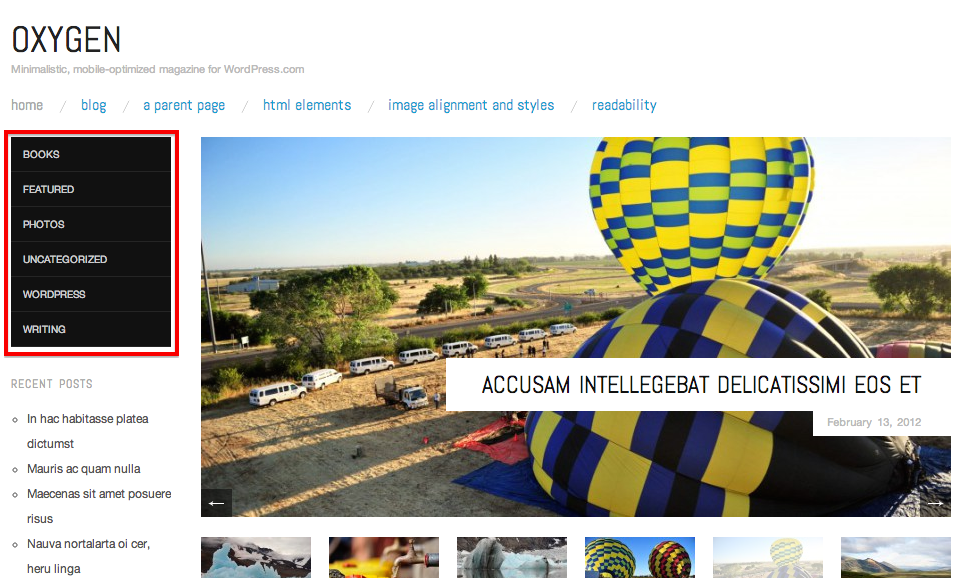
Tertiary:

Are these the three menus you mean? You can add all of the menu items you had before to the same menu following the directions I gave you above.
Let me know how I can help!
-
-
I’m so glad you got it sorted out! Let me know if there’s anything else I can help with! :)


- The topic ‘Home page’ is closed to new replies.
 WordPress.com Forums