

How can I change the layout of my comments section?
-
While I like the red-black design of the format of my blog, I don’t like the layout of the comments. You can see it yourself here: http://theluxurytravelexpert.com/2015/06/03/trip-report-swiss-airbus-a340-business-class-zurich-to-bangkok-not-impressed/. Unfortunately, trying to change that myself exceeds my knowledge of CSS. Therefore, I was wondering if somebody could help me to create a different and more simple layout. One layout that I like a lot is the one of this blog: http://www.headforpoints.com/2015/06/10/the-new-british-airways-on-business-scheme-is-now-live/ . How can I change my comments layout to a more simple layout like the one in the blog above ? What CSS code do I have to use for that? Your help is much appreciated!
The blog I need help with is: (visible only to logged in users)
-
Your comment form looks closer to the example you pointed out for folks who aren’t logged in to a WordPress.com account.
Logged-out users do see separate fields in which they can enter a name, email, and website:
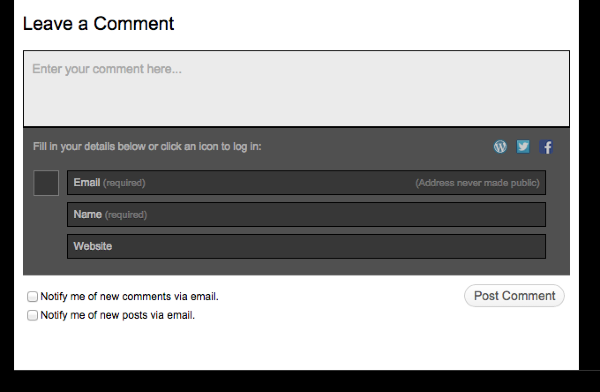
For logged-in WordPress.com users, those fields are not displayed, since that information is already known. It isn’t possible to change the way this works as it’s something built in across all of WordPress.com
On the other hand, it is possible to change visual aspects like colours in the comment form, so if there are any changes you’d like to make in that regard, just let me know.


- The topic ‘How can I change the layout of my comments section?’ is closed to new replies.


 WordPress.com Forums