

How can I have library images added to a post open in fullscreen?
-
As the title says. I have images added to my library which I have then added to a blog post. When added they can’t be clicked on to open. Is it possible for a reader click on an image to open in fullscreen?
The blog I need help with is: (visible only to logged in users)
-
Howdy –
Yes, you can do this in the image settings. Take a look: https://en.support.wordpress.com/images/image-settings/#attachment-details
Write back if you need more help.
-
Thanks for your response. Unfortunately, it isn’t an answer to my question though.
I have added images to my library which I have then added to a blog post. When the reader hovers over the image it doesn’t change to a hand icon that denotes user interaction is available. The image cannot be clicked on and opened in a new window.
How can this be done?
-
Hi @thefatherbrownblog, I think I get what you’re after. When editing gallery, be sure to check the “Link to” option on the right:
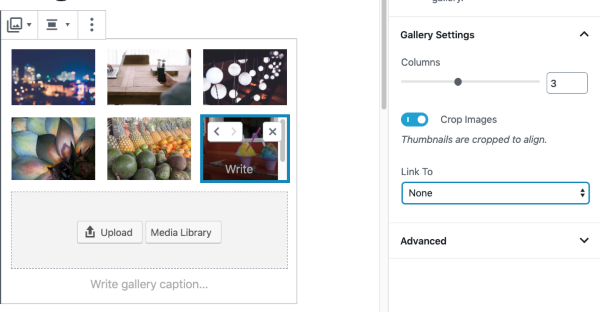
You can choose to open an attachment page or link to the file. You can experiment with those options to see which you prefer.
For an individual image, click on it, and click the “link” icon. You can pick Media File or Attachment page there, too.


- The topic ‘How can I have library images added to a post open in fullscreen?’ is closed to new replies.
 WordPress.com Forums