

How can I link images in my gallery to the original post that they camera from
-
I want to create a three column grid of images each of which is linked to a specific page. I want a page of a category of recipes, Salsas for example. I would like to display an image from each post in that category and have it link back to the original post. That way, a visitor can go to a page of a type of dish they want to cook, Entree, Starter, Soup, etc., and see a grid of pictures of previous recipes a thumbnail picture and link back to the original recipe. I can create the grid gallery but cannot link each individual image to its post, only to the media file. There is no place to create a custom image. I am running the Expound theme. Thanks.
The blog I need help with is: (visible only to logged in users)
-
Hi there,
You can link an image to any custom URL by editing the image and linking to the URL as seen here:
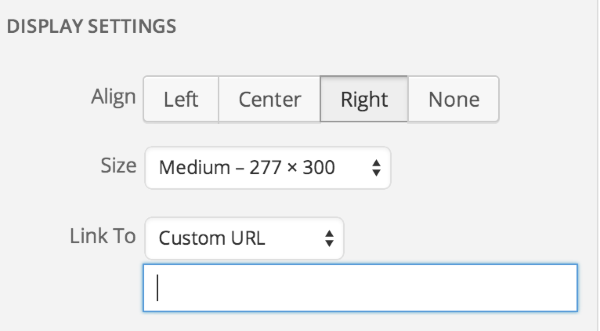
There you can add the link to the page you want to link too.
Also, I’m not sure if this is what you want, but have you looked into Category Pages? This allows you to have pages dedicated to certain categories. So only posts within that category will show up on that page. You can then add these category pages to a Custom Menu.
Take a look at the links for further instructions.
Let me know if you have any questions with this!


- The topic ‘How can I link images in my gallery to the original post that they camera from’ is closed to new replies.
 WordPress.com Forums