

How can I map to a domain that I own without getting an error message?
-
I’m trying to map to a domain that I own (nokidding.guru) and I’m getting the error message “The domain name you entered does not appear to be valid.”
The blog I need help with is: (visible only to logged in users)
-
Hi there,
I have added a new Zone Record for you. This change may take a little while to be fully effective. Can you now update your nameservers:
- NS1.WORDPRESS.COM
- NS2.WORDPRESS.COM
- NS3.WORDPRESS.COM
Then, please add the Domain Mapping upgrade to your account.
Here is the support article for your reference:
Feel free to reach out if you have any questions!
-
-
Hi there,
I see that you have not added the domain mapping upgrade to site. Please add that your site (since you have WordPress.com Premium) you will not have to pay extra for it.
Once it is added, it should work! Make sure you set that custom domain as your Primary Domain on your Store > My Domains page.
Cheers!
-
I’m sorry, but it’s still not working. I’m obviously missing a step somewhere. These are the steps I’ve followed:
1. Click on Store –> My Domains.
2. Click on “Map a Domain Name You Already Own.”
3. In the “What domain name would you like to use for your blog?” field, enter nokidding.guru then click Go.I still get the following error message: “The domain name you entered does not appear to be valid.”
How do I add the domain mapping upgrade to the site?
-
Hi there,
I’m so sorry about this! I have brought this back to our team, and we will try to get this settled shortly.
Thank you for all your patience :)
-
Hi there!
I was able to add the domain mapping and it is currently up and running!
I have provided you a screenshot of what I see when I go to your site:

Cheers!
-
Thank you thank you thank you! That’s amazing.
I’m having the same domain mapping problem with my other blog, which I set up at the same time. I’m trying to map imnotarunnerblog.wordpress.com to imnotarunner.guru and I’m getting the exact same error message. Can you fix that one, too?
-
Hi there,
I have added that domain mapping as well! It is currently up and running as seen here:
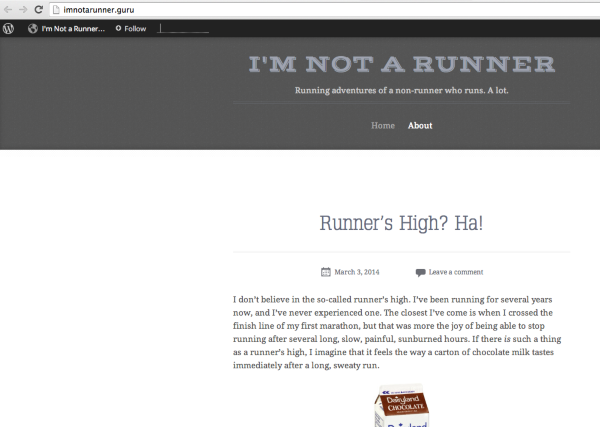
Happy Blogging!
-
-


- The topic ‘How can I map to a domain that I own without getting an error message?’ is closed to new replies.


 WordPress.com Forums