

How do I find other specific WordPress bloggers? Where do I search?
-
There are at least two other bloggers I follow on other formats via the web that I cannot find on wordpress. These bloggers actually have their blogs on wordpress. They are Emily Clarke and Brittany Makes. It says enter URL but I don’t know what their URL is.
The blog I need help with is: (visible only to logged in users)
-
Hi there!
If I understand your question, you’re looking to follow two blogs through the WordPress.com Reader. However, you do not know the web address to enter into the field in order to follow those blogs. Is that correct?
Can you tell me a little more about the blogs you’re looking for (topics, etc)? Also, have you tried Google searching their names alongside keywords like “WordPress”? That can help to find their blogs and site URLs.
-
I think I have figured out that the only way to find a blog on WordPress is by knowing the exact name of it to search and find. But, is there a way to find a blog when you are not positive of exact name? In other words in there a place I can go to insert possible names of a blog that will then bring up blog choices for me to see in order to find the one I want?
Also, how do I learn how to customize my page better? For instance, I don’t think I have a Facebook widget showing, or a place where readers can sign up for my posts to be emailed to them as I place them. And, I would like to get better at including a credit under each photo to the source I got it from. Like a picture from Better Homes & Garden. How do I state “BH&G” under the photo? There is so much to learn about your software. I love the site, just want to get better at using it. Thank you for your help!
-
In other words in there a place I can go to insert possible names of a blog that will then bring up blog choices for me to see in order to find the one I want?
Currently, there is not. The only way to follow a blog would be by knowing the blog address (blogaddress.wordpress.com). If you do not know the blog address, the best solution would be to use a search engine like Google to help locate it.
For instance, I don’t think I have a Facebook widget showing
There are several methods to integrate your Facebook page with your blog as explained here:
http://en.support.wordpress.com/facebook-integration/
Please note, the current theme you are using (ryu) does not support sidebar widgets. Widgets will appear in the top panel as shown here:
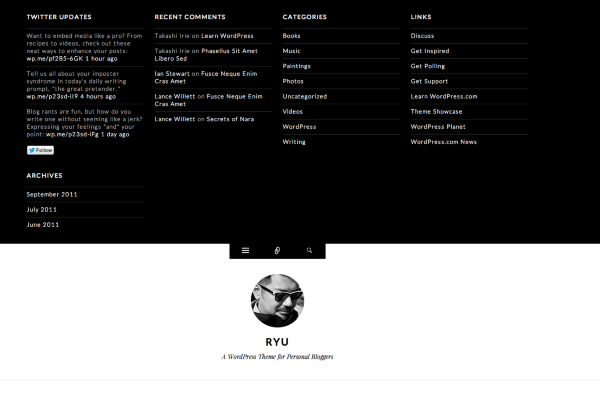
You can view your current widgets by clicking on the top icon with the three horizontal bars.
If you would like, you can edit and add widgets from your Widgets page here:
https://modernhenhome.wordpress.com/wp-admin/widgets.php
a place where readers can sign up for my posts to be emailed to them as I place them.
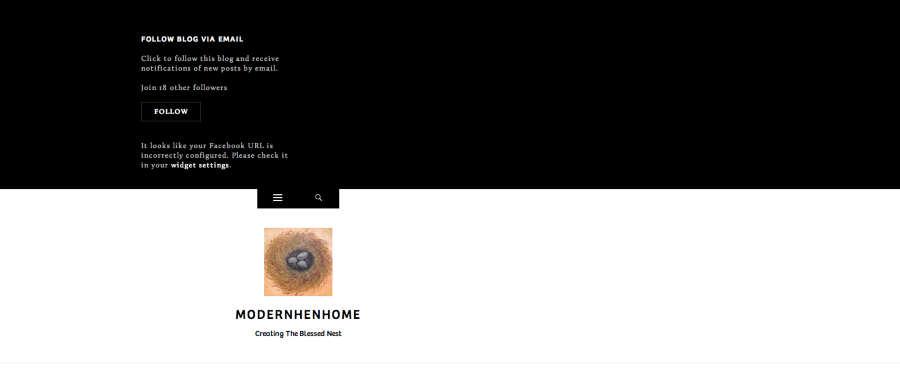
You actually do have a subscribe widget active already! It’s just hidden under the icon as described above. Here’s the widget in action:
And, I would like to get better at including a credit under each photo to the source I got it from
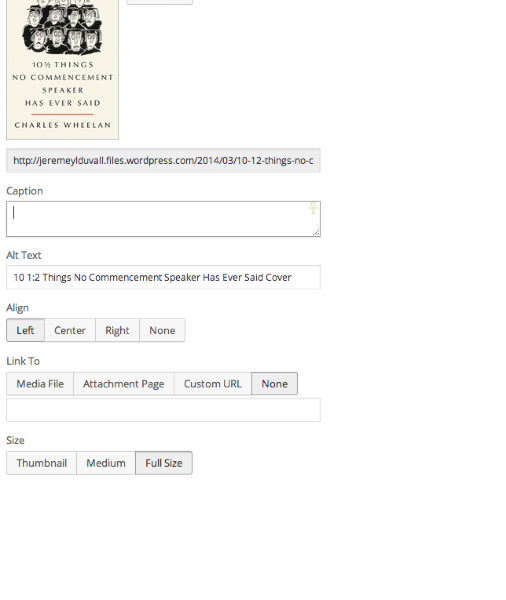
The best way to do this would be to add a caption under the photo. The process to add a caption is explained here:
http://en.support.wordpress.com/images/image-settings/
Here’s a screenshot of where the caption would go:
Does that help to answer your question?
Also, I wanted to point out learn.wordpress.com. That’s a fantastic resource for learning all of the features at WordPress.com. There are definitely quite a few of them!
-
I apologize for the oversight. The following search tool may be exactly what you’re looking for:
That searches all blogs on WordPress.com including authors and topics. Can you give that a try and let me know if it works for what you’re looking to do?
-
You are very good at helping me! I can’t wait to research all you have given me and get better at this! Thank you so much! I may have more questions in the near future. Kindest regards!
-
-
Not a problem! I’m happy to help. Please let me know if you have more questions along the way!
-
What does it mean to Press This? And how do I share a link on a post without giving the whole link address? I see bloggers use the phrase, “… find the recipe here…” and when reader clicks on here, it takes them to the recipe site. Thank you again!
-
Howdy!
Press This is a cool addition to your browser that allows you to share posts and pages that you come across while browsing the internet. The feature is explained here:
For example, if you came across a blog article that you wanted to share on your blog, you could click “Press This” and a pop-up publishing window would appear that would allow you to post straight to your blog.
Regarding the links, you can create a hyperlink from within your post following the instructions here:
http://en.support.wordpress.com/links/
Is that what you’re referring to? If I’ve misunderstood, could you let me know a bit more about what you mean by “without giving the whole link address”?
-
Sounds easy! I will try these tricks out and let you know if I have any questions. Thank you.
-
-
Hi, I have entered a new post today on WordPress and published it to share on my page on facebook called Modern Hen Home. When I go to the page and click the link on fb the recipe shows. But, when I try to share it on my personal timeline page so that more of my friends can see it, it shows “This is embarrassing but we can seem to find the post you are looking for” when the link is clicked on from my personal fb timeline.
Also, I noticed I can no longer go to the bottom of a post on my blog on WP and go to the “more” line and click on it to find the Pinterest share button. So confusing. Have I done something to mess this up? -
Hi!
When I try to share it on my personal timeline page so that more of my friends can see it, it shows “This is embarrassing but we can seem to find the post you are looking for” when the link is clicked on from my personal fb timeline.
Can you confirm that you didn’t miss a character when posting the link to your personal page? Currently, I’m able to post the following link to my personal page without an error:
Typically, the error message you received occurs when you misplace a character in the URL.
Also, I noticed I can no longer go to the bottom of a post on my blog on WP and go to the “more” line and click on it to find the Pinterest share button.
It looks like this is a small issue with the theme. The sharing buttons hidden behind the “More” link aren’t appearing when you hover over the “More” button. I’ve reported this to our theme developers and will let you know as soon as a fix is in place!
-
Ok, I deleted the share on fb several times and reposted it. Ugh. That was confusing acting as my self and as moderator for my page. Also, can you look on my WP blog and click on the FB like and see if it takes you to my Modern Hen page or to my personal Lisa Laney Jordan page? I can’t see this well as moderator.
Ok, I will wait to hear back on the Pinterest button missing. Thanks for all your help! -
Ok, I deleted the share on fb several times and reposted it. Ugh. That was confusing acting as my self and as moderator for my page.
In order for the link to display correctly, just make sure you’re pulling the full URL like this:
If you miss a character and try to post something like this, you will receive an error:
http://modernhenhome.com/2014/03/28/asian-red-pepper-beef-mushroo/
(Notice the missing “ms” on the end of mushrooms)
Also, can you look on my WP blog and click on the FB like and see if it takes you to my Modern Hen page or to my personal Lisa Laney Jordan page?
Are you referring to the “Like” box shown here?
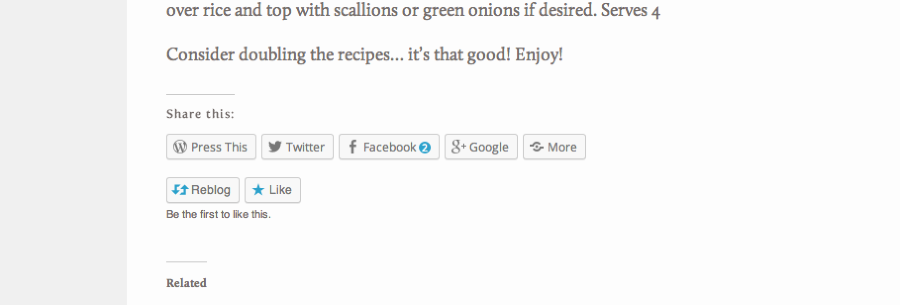
If so, that is a WordPress.com Like Button, not a Facebook Like. That button is explained a bit more here:
Basically, other WordPress.com users can click “Like” and register a like through WordPress.com.
Please let me know if you’re referring to another “Like” button!
-
I am referring to a box where readers who stumble on my posts can like the F symbol for facebook and then receive my blog updates in their FB feed.
-
Hi Lisa,
I apologize – I completely missed that on your sidebar. It looks like the widget isn’t filled out correctly judging by the error message here:
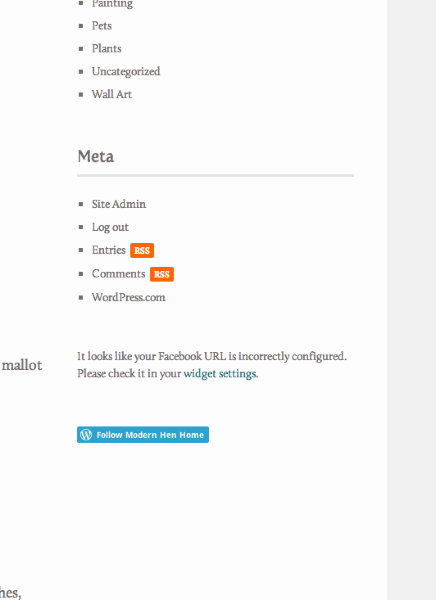
When I visit your Widgets page, I don’t see a Facebook URL within the widget. Can you try pasting the Facebook URL within the widget as explained here?
http://en.support.wordpress.com/facebook-integration/#facebook-like-button
That should display the Like box appropriately.
Give that a try and let me know what you think!
-
Ok. But my personal fb page is the only URL I see. Fb doesn’t give me a URL for my blog page. Just lists the name of my page in my settings and only URL for my personal page. So I hope wp readers get directed to blog, not personal. I will try it in a few minutes. Thanks.
-
Hi Lisa!
Your Facebook Page and profile should have two different URLs. On your Facebook admin screen, you should be able to toggle between the two as shown here:

For example, I believe this is your Facebook page:
https://www.facebook.com/pages/Modern-Hen-Home
In that case, that’s the URL that would go in the widget. Can you give that a try and let me know if it works?


- The topic ‘How do I find other specific WordPress bloggers? Where do I search?’ is closed to new replies.


 WordPress.com Forums