

How do I find other specific WordPress bloggers? Where do I search?
-
Hi Lisa!
Yep – you have a widget setup in your sidebar for users to receive your posts through email. It’s titled “Follow” currently as you mentioned. To WordPress.com users when logged in, it will be displayed as a “Follow” button. Those users can click “Follow” and manage their subscription through the WordPress.com interface.
Logged-out users or non-WordPress.com users will see a form like this:
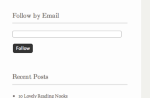
That has a place for them to fill out their email address.
If you would like, you can change the title of the widget through the settings here:
https://modernhenhome.wordpress.com/wp-admin/widgets.php
There, you can change how the widget title appears to both followers and non-followers.
Let me know if you need anything else!
-
-
-
Hi Jeremy! I have hit 1,000 likes on Facebook, which was my goal before I checked into switching my page over for advertising. I still don’t have tons of followers through the wp yet, but hope to find a way to get more follower there from Facebook. Can you tell me what I need to do next in order to change my current blog to one that can accept ads? Any other suggestions I should consider before doing this? Thank you,Lisa
-
Hi Lisa!
First, congrats on the 1,000 likes on Facebook! That’s awesome!
Regarding advertising, there are two options (I think we had discussed them before):
- You could apply for our WordAds program here:
If approved, that will allow you to run banner advertisements (normals ads) on your site. You can read payout details and other FAQs concerning WordAds on the site above. Also at WordPress.com, you can already use affiliate links within the body of your articles. So, you could signup for something like Amazon’s affiliate program and link to products with your blog posts.
- You can opt to move to a self-hosted site using WordPress.org software. The major benefit here would be that you get to use other advertising platforms like Google AdSense to monetize your blog. The downside would be that you would need to setup your self-hosted site, which isn’t too difficult. Instructions can be found here:
http://en.support.wordpress.com/moving-a-blog/#moving-to-wordpress-org
Let me know what option you’re considering, and I’ll be able to let you know more going forward!
- You could apply for our WordAds program here:
-
Hi Jeremy, I am still thinking on the going solo thing for starting up my blog to receive ads. I’m nervous and yet that is one of my goals. Not sure if I would need someone to help me set up the self host?
Anywhoo… a few more questions. When I type a post sometimes the lines are close together with no space in between top line and second line, but if I add a space or something and go back, it well separate the line. This happens often when I type ingredients in a column then go away and come back to continue with an ingredient, it skips a line and goes to double space. How do I keep the line from double spacing like that?
Onions
tomatoescelery…. this is an example
2nd question: I asked this before, but lost my old emails due to changing addresses. How do I use the recipe widget or plug-in so that readers can print just the recipe and not all my before and after blog comments. On the yumblog example, it shows a rounded recipe card I believe with the word print. I don’t have that with my yumblog but would like too. Your thoughts? Thanks.
-
Hey Lisa,
Please see my responses below:
Not sure if I would need someone to help me set up the self host?
We can definitely help you out with that through the Guided Transfer:
http://en.support.wordpress.com/guided-transfer/
However, many of our hosting recommendations offer one-click setups to make the hosting setup as easy as possible:
You could always give it a try and let me know if you have any questions along the way!
When I type a post sometimes the lines are close together with no space in between top line and second line, but if I add a space or something and go back, it well separate the line. This happens often when I type ingredients in a column then go away and come back to continue with an ingredient, it skips a line and goes to double space. How do I keep the line from double spacing like that?
If you’re typing in the Visual Editor, the text should automatically be double-spaced like this:
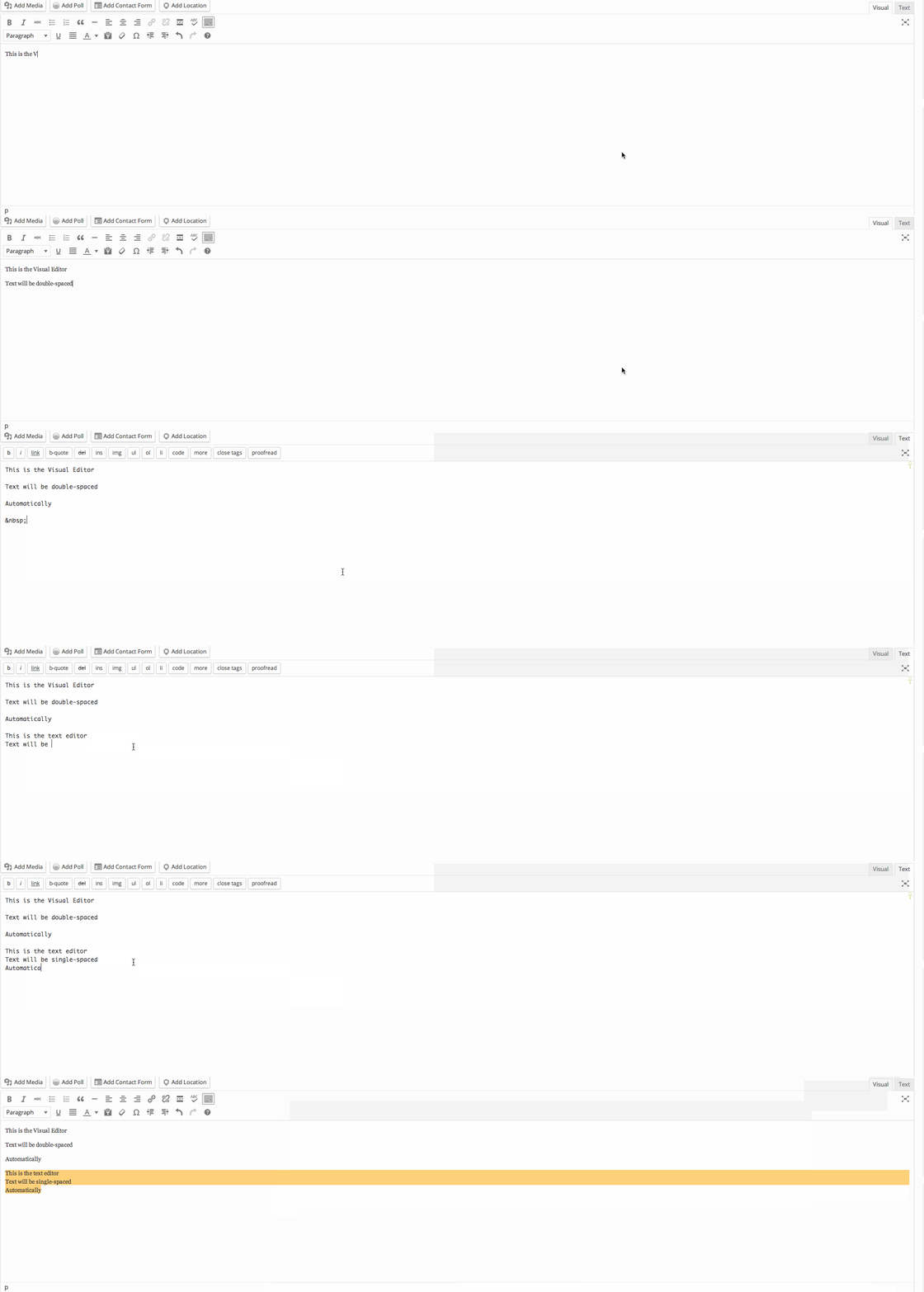
Can you let me know if you’re using the Text Editor by chance?
I asked this before, but lost my old emails due to changing addresses. How do I use the recipe widget or plug-in so that readers can print just the recipe and not all my before and after blog comments. On the yumblog example, it shows a rounded recipe card I believe with the word print. I don’t have that with my yumblog but would like too. Your thoughts?
I believe you’re referring to the Recipe Shortcode shown here:
http://en.support.wordpress.com/shortcodes/recipes/
Clicking “Print” from the top right of that recipe card should only result in printing out the recipe, nothing else from the blog post. Can you give that a try?
-
Oh my gosh, I think my heads going to explode with all these things I can do when I ask! I will go back and see if I can do them all and let you know. Thanks!
-
Ok, I am investigating a lot today and ran across a blogger who commented on badges for facebook and their blog?? Also, how can I post a recipe and then set it to auto repost say once a month after that so I don’t have to go in and repost older posts? I am trying to reuse my former recipes on a regular basis and not just for one post. Thank you!
-
Hey Lisa!
Answers below:
I am investigating a lot today and ran across a blogger who commented on badges for facebook and their blog?
You can add a Facebook badge to your blog following the instructions here:
http://en.support.wordpress.com/facebook-integration/facebook-badge/
Also, how can I post a recipe and then set it to auto repost say once a month after that so I don’t have to go in and repost older posts?
Let me clarify just so that I know what you’re looking for. You would like to post a recipe on your blog. Then, every month or so, you would like that article to be re-posted at the top of your blog and re-shared out amongst your social media channels. Is that correct?
That exact scenario isn’t possible at WordPress.com. As of right now, there isn’t a way to set a post to re-post on your blog. The only way to do this would be to manually go in, unpublish the post, and re-publish it to your blog. You could unpublish the post and then schedule it again for later on down the road following the instructions here:
http://en.support.wordpress.com/posts/schedule-a-post/
However, that would make the post unavailable between the time you unpublish it and the time it is re-published. Does that make sense?
The other not-so-great solution would be to duplicate your posts and schedule them out in advance so you would have multiples of the same post. That’s not a great solution because search engines often penalize your blog for having duplicate content.
So, I don’t think there’s a great solution in place right now. If you’re just looking for the post to get re-published out to your social media channels, you could use a service like Buffer:
In that instance, you would just copy the URL and the content you want to share on your social media channels and schedule it out far in advance. However, nothing would happen on your blog (the blog post wouldn’t be moved to the top). Does that make sense?
-
Hi Jeremy,
I checked out the self-hosting suggestions WP offers and it looks like HostGator offers 24/7 support, which I like. I’m still investigating self-hosting as I don’t want to make the wrong choice.
I checked into the buffer app and may begin to use their service since I just want to promo my former blog posts periodically and don’t want to actually reblog from WP.
I solved the type line issues by using text as you suggested. Thank you!
Love the “recipe” code for separating out recipes on a post. Very cool! Do you have any other codes I should know about to enhance my blog?
Also, I got your link to set up a badge, but what is a badge and how would I use it with Facebook? Thank you! -
Hey Lisa!
See below:
Love the “recipe” code for separating out recipes on a post. Very cool! Do you have any other codes I should know about to enhance my blog?
That’s one of the best ones we offer! It really does make recipes look great. You can see a full list here:
http://en.support.wordpress.com/shortcodes/
The main ones would be Twitter and Facebook embeds, which are pretty nifty as well.
Also, I got your link to set up a badge, but what is a badge and how would I use it with Facebook?
You would basically use the badge as a link to your Facebook page. I only provided that link in regards to your comment here:
I am investigating a lot today and ran across a blogger who commented on badges for facebook and their blog?
Since you’re already using the Facebook widget to display your Facebook page on your sidebar, there isn’t really a need for the badge as well. However, it’s an option if you wanted to include both!
-
Hey Jeremy, I love the recipe code to outline my recipes but it’s still not easy to print just the recipe like I would like. On the yumblog sample it shows the word print above the yellow outline recipe in the sample post. Wondering how I can add a widget or something so that my readers can easily see it, click on it and print asap?? Go to my blog and look at it to see what I mean and compare to yumblog example. Thank you so much!
-
Hi Lisa,
The Yumblog theme is actually using the recipe shortcode to create that print button similar to how you are on your site. The recipes look similar with the “Print” link towards the top of the recipe as shown here:
Demo: https://cloudup.com/ca_fnp0vFD8
Your site: https://cloudup.com/cNUtJtoHEgQIt looks like the two match up pretty closely. Can you let me know if I’ve misunderstood your question or if you’re referring to a different “Print” button?
-
-
Hi Jeremy, I received this comment today on my blog from a follower:
Hey, I think your blog might be having browsr compatibility issues.
When I look at your blog in Opera, it looks fine but when opening
in Internet Explorer, it has some overlapping.
I just wanted to give you a quick heads up!Other then that, great blog!
Jeremy, just wondering what she means as I look at my blog through Safari and have never used Opera. I work on a MAC computer. Thanks.
-
Hey Lisa,
Can you ask her what version of Internet Explorer she’s using to view your blog? Opera is just another browser like Google Chrome or Safari. Let me know what version of IE she’s using, and I’ll try to track down the error!
-
thanks Jeremy. I tried emailing this person but it came back to me. I don’t want to approve her comment as this will show up on my blog and don’t want to respond back to her thru my blog for the public to see. So… not sure where the problem is and not going to worry about it I guess.
-
Hey Lisa,
I tested your blog using Windows 7 with IE10 and received the following result:
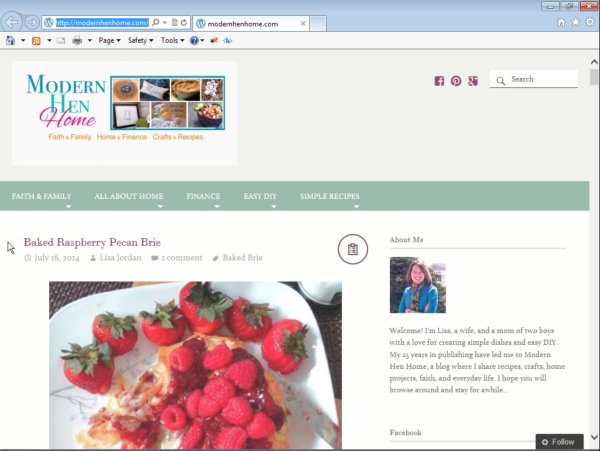
It looked pretty good on my side. If you hear back from the user with more specifics, please let me know. I’m happy to take a look!
-
Hi Jeremy, What happens when I “Reblog” a post that was once posted in the past? I noticed the “Reblog” link at the bottom of my post about toasted corn and avocado so I clicked on it but I don’t see where it came up on the blog. I am wondering if when I reblog, if it shows up as my latest post or does it show up in the WP Reader? I can’t find it so I have no idea what happened. But it does say at the bottom of the Toasted Corn recipe that it’s been “Reblogged”. Thank you!


- The topic ‘How do I find other specific WordPress bloggers? Where do I search?’ is closed to new replies.


 WordPress.com Forums