

How do I get the last second of my video to play?
-
The WordPress Video player is cutting off the last second of my videos while in Chrome. The frame freezes and goes back to the beginning and shows the replay button. Some of my videos are only five seconds long, so this is a problem. I tried all sorts of css and html codes to no avail. (I would also prefer to have the replay button at the end of the video.) Is there a way my videos would not be cut off at the end? Thank you for your time.
PS- the videos work fine in mobile and on Internet Explorer, except for the replay button issue.The blog I need help with is: (visible only to logged in users)
-
Hi there,
When I play the videos within your posts and the uploaded media library file, they both end on the same frame. For example:
http://andrasteverve.com/2014/07/13/large-rainbow-with-brilliant-sunset/
And the media file here:
https://andrasteverve.wordpress.com/wp-admin/post.php?post=39&action=edit
End at the same time.
I’ve also compared shorter videos like the following:
http://andrasteverve.com/2014/07/13/the-green/
https://andrasteverve.wordpress.com/wp-admin/post.php?post=90&action=edit
If you’re still having trouble, can you point me to a specific instance where the videos don’t match up?
I would also prefer to have the replay button at the end of the video
The replay button should be appearing at the end of the video as shown here:
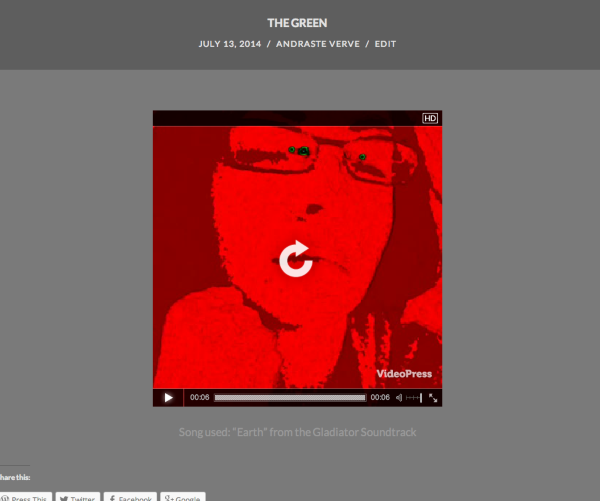
Can you let me know if this is not happening on your side?
-
The second links show the films in their entirety. The first links do not. (This problem only happens in chrome) The videos play just fine on the blog on other Internet programs like Internet Explorer and Safari. Could this be a theme problem with Chrome? Or perhaps Chrome and my theme?
The replay button appears, that is not the problem. It was late when I wrote the question and I was not clear, I apologize. I do not want the video to go back to the thumbnail when it is finished, like it does now. I would like the replay button to appear on the last frame of the video when the video ends. I could change the thumbnail to the last scene on the video, but I think that would takeaway from the experience. (Give away the ending, as such)
Thank you for your time. -
Hi there,
I recorded a screencast of the first two videos playing side by side and uploaded the screencast to your Media Library. You can check it out here:
https://andrasteverve.wordpress.com/wp-admin/post.php?post=119&action=edit
From my perspective, the videos are ending at the exact same moment. Can you let me know if I’m missing something?
The replay button appears, that is not the problem. It was late when I wrote the question and I was not clear, I apologize. I do not want the video to go back to the thumbnail when it is finished, like it does now. I would like the replay button to appear on the last frame of the video when the video ends. I could change the thumbnail to the last scene on the video, but I think that would takeaway from the experience. (Give away the ending, as such)
Unfortunately, the “Replay” button will automatically display on top of the video thumbnail, which is the first image from your videos by default. The only way to change this would be to change the image thumbnail as you mentioned. There isn’t a way to force the replay button to appear on the last frame instead without changing the thumbnail.


- The topic ‘How do I get the last second of my video to play?’ is closed to new replies.
 WordPress.com Forums