

How do I get the text to move up next to an image, as if in two columns?
-
When I inserted an image the first time, I managed to pull the text up next to it using the backspace key, rather than keeping it below. But now that I’ve changed the image, using the backspace key only deletes the image, rather than pulling the text up next to it. What I need is the image on the left, and text on the right, and I don’t know why I was able to do it with the last image, since both images are the same size, etc.
The blog I need help with is: (visible only to logged in users)
-
Hi there!
You can change the way the text wraps around your image through the image settings here:
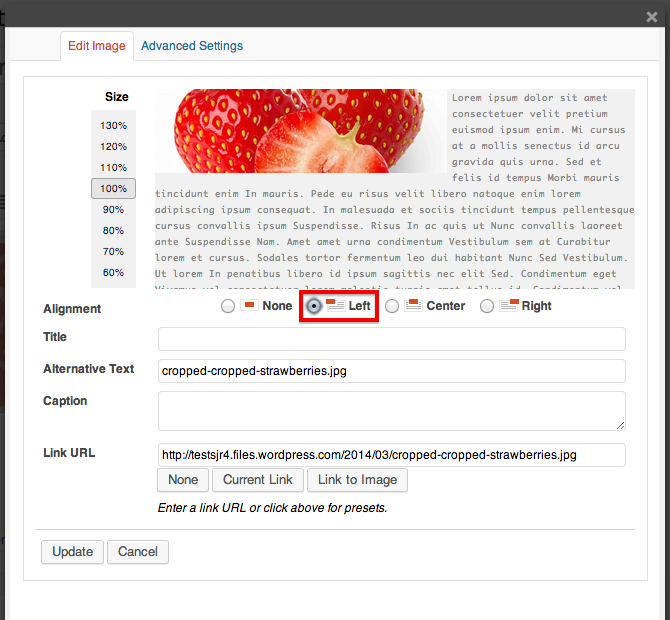
This will only work if your image is skinny enough for there to be text along the side of it in the content area. Let me know if I can help further!


- The topic ‘How do I get the text to move up next to an image, as if in two columns?’ is closed to new replies.
 WordPress.com Forums