

How do I get widgets to appear in my menu in the Writers theme?
-
I’m using the Writers theme for my blog, and I’m having difficulty displaying the widgets I want to use in the sidebar menu. Is this a function of the theme itself?
The blog I need help with is: (visible only to logged in users)
-
Hi there!
The sidebar widgets are hidden by default on The Writer theme. However, you can toggle them using the icon shown here:
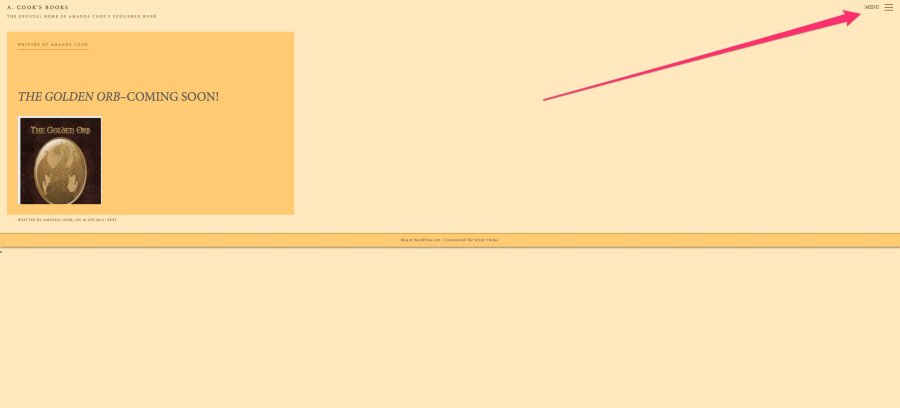
With this theme, it isn’t possible to have the sidebar widgets display by default (not hidden). Can you give that a try and let me know if your widgets are displaying correctly?
-
Jeremy,
I see a few of my widgets in the sidebar when I hit the Menu icon at the top right. However, if I want to add more widgets, they don’t display, and I don’t seem to get a scroll bar to make them display. Does this mean I can only have a few widgets in this theme at a time? I’d like to have a Facebook like button, a button for people to follow my blog, a place for archives, etc., but I can’t seem to display more than a few things under the menu icon. Am I doing something wrong in setup? Did I choose the wrong theme to begin with?
Thanks
Amanda -
Hey Amanda!
You should be able to have unlimited widgets in your sidebar. While a scroll bar will not display, if you scroll up or down, the extra widgets will display as shown here:
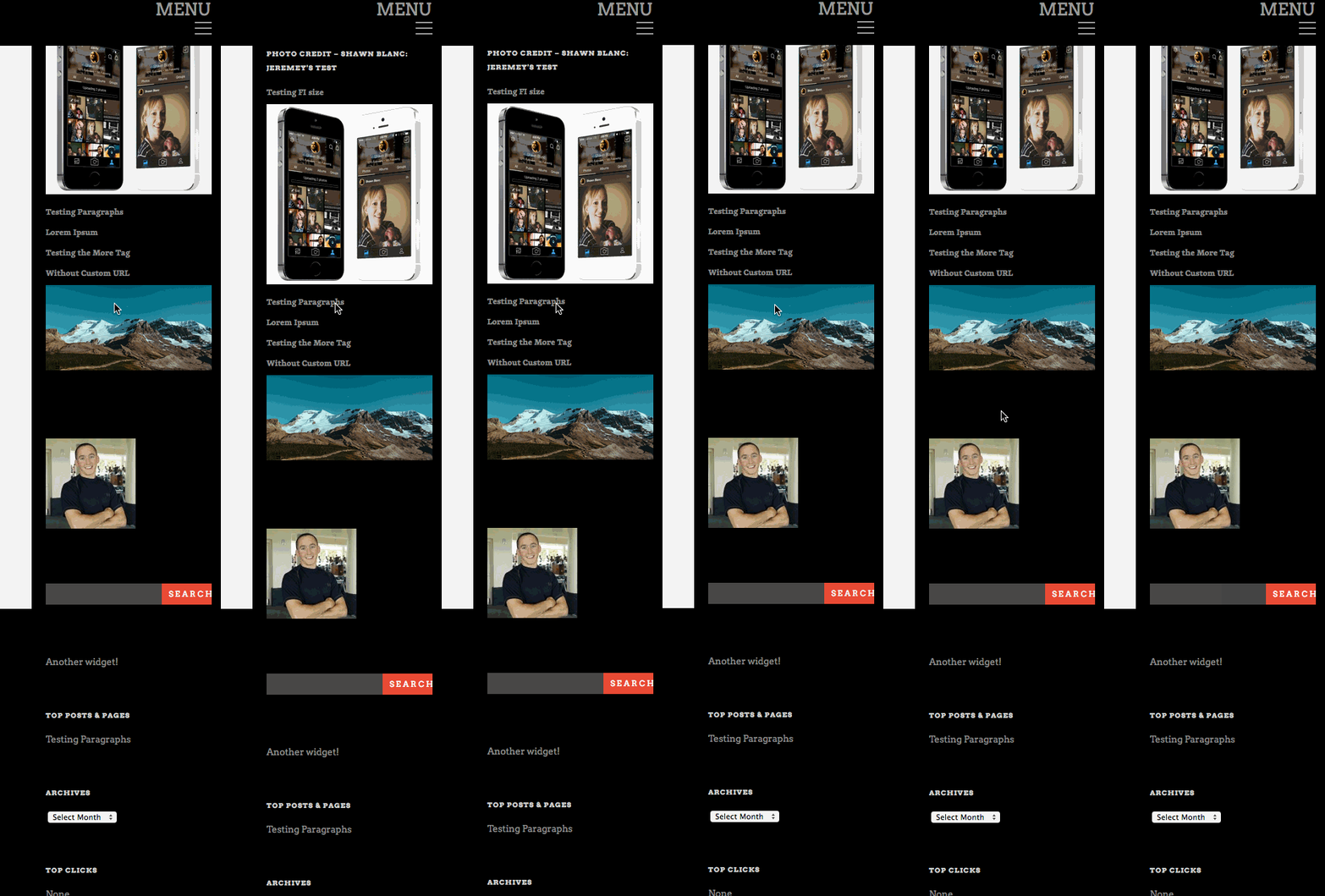
Can you try setting up multiple widgets on your sidebar, and we’ll take a look to make sure everything is working properly?
-
I added more widgets, then went back and checked the appearance. When I open the “Menu” sidebar, it’s still only displaying about two widgets at the bottom (and not even the entire widget at the very bottom). I can scroll down to view the rest of the main page, but the sidebar remains static when I scroll, so I can’t even see the rest of the widgets I’ve added.
-
Hi!
The widget sidebar and the main content should scroll separately. I’ve created a screenscast to demonstrate how this is working on my side:
Can you let me know if you’re able to create the same thing?
-
That worked! Thanks so much. Now to figure out how to make certain others who visit my site know how to do the same thing. I’m sure most people will figure out, but there may be some (like me) who have difficulty with maneuvering around the site.
Thanks again!
Amanda -
Not a problem! I’m glad you were able to get it to work on your side. With the way it’s currently laid out with the widgets cut off at the bottom, I think most users will figure out that they need to scroll down. However, if you have a few users complain that it isn’t working properly, definitely let me know, and I’ll investigate further!


- The topic ‘How do I get widgets to appear in my menu in the Writers theme?’ is closed to new replies.
 WordPress.com Forums