

How do I know if my latest edit is published?
-
This is my first day using WP and I’ve spent most of my time editing and re-editing the blog’s first post. I cannot seem to find any button that says “Publish” or any way to find out if it has been published or what version has been published. Can you help me out here?
The blog I need help with is: (visible only to logged in users)
-
Hi there,
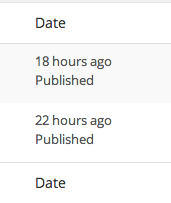
After looking into your account, I found that your posts were published. You can see that by going to Posts > All Posts in your Dashboard as seen here:
When you go to add a new post, you can publish your post in the Publish Module. It will look like this:
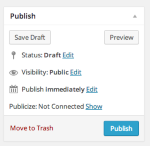
Once you click publish it will be viewable on your site.
If you’re just starting out with WordPress.com, I recommend you go through our new user’s guide:
In 10 quick steps, you’ll learn about all the best and most useful features of WordPress.com, with lots of screenshots and videos.
You can also browse our support documentation and check out the forums – you might find the answer you’re looking for.
Cheers!


- The topic ‘How do I know if my latest edit is published?’ is closed to new replies.
 WordPress.com Forums