

how do I maintain single line spacing in menu?
-
I’m having a problem with line spacing in my main menu at the top of my blog. Two of of the menu items have automatically generated a carriage return to continue the text one line lower, and the resulting appearance is aesthetically unpleasing and unbalanced looking.
Here’s what it looks like:
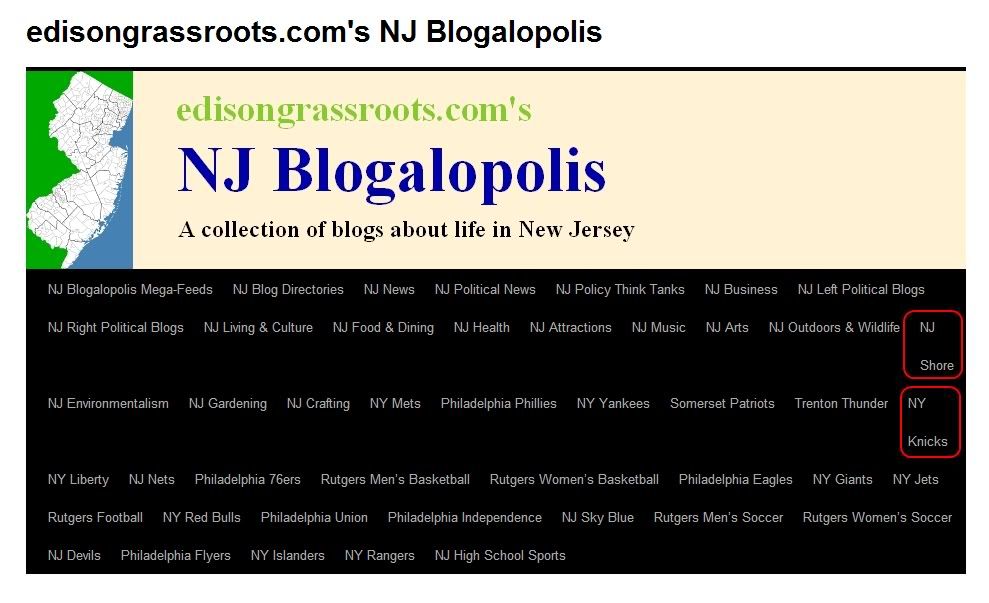
I’m using the 2010 theme.
How do I fix this?
Any help will be greatly appreciated.
The blog I need help with is: (visible only to logged in users)
-
This can be a problem when you have lots and lots of pages, as you do, and also because different browsers will render things slightly differently. In Safari and Firefox on Mac, I don’t see that issue.
If you are NOT using the custom menu feature, then open that page in the editor and delete the space between “NJ” and “Shore” and replace the space with this code
That is a non-breaking space and will keep the words on either side of it together.
If you are using the custom menu, go to the menu page, click on the edit icon for that menu tab and do the same thing. Replace the normal space between with the non-breaking space code.
-
If you can set up a custom menu so that most of those links are in some sort of drop-down category people would find it much easier to use your site. You could have “News”, “Culture”, “Sport”, etc.. and then when a user hovers over that word the relevant blog links will display, rather than being there permanently and taking up a lot of space.
-
Thanks for both of the responses.
I’m looking at how to set up dropdown categories for the custom menu, which does seem the most sensible solution. I’ll study the article referenced by halluke.
I’m still in the process of setting up all the Links, btw. Although I have created three categories for links, I don’t yet see a way for the user to access those categories…
Still just learning the ropes here.
-
User access to Links (blogroll) can be achieved by placing the Links widget in your sidebar. > http://en.support.wordpress.com/widgets/links-widget/
If you want a horizontal menu tab to be simply a link to another site on the internet you can do that by creating a custom menu.
-
Thanks timethief! That takes care of that issue.
Returning to the subject of creating dropdown (sub)menus within the main menu across the top of the page, I’m not finding a way to create custom Pages and Categories for the one menu that is supported by the 2010 theme. When I open Appearance > Menus and then either Pages or Categories, I’m not finding an option to create anything new. Here’s what I get:
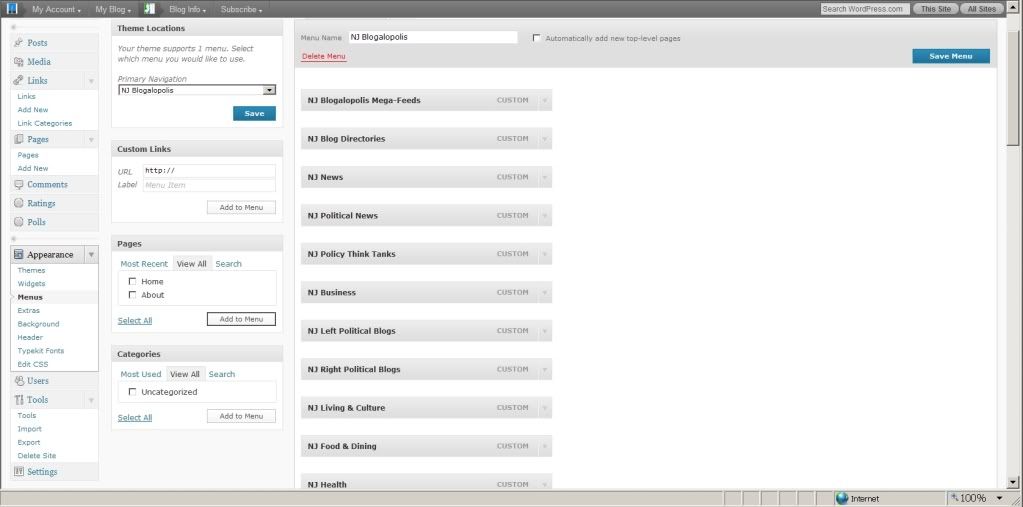
What am I missing here? Thanks to you all again for the assistance I’m receiving here.


- The topic ‘how do I maintain single line spacing in menu?’ is closed to new replies.
 WordPress.com Forums