

How do i see my whole blog post in the reader and not just a summary?
-
When i go into the reader to read a blog post the majority of them you are able to read in the pop up, no matter how long/short they are.
However when you go to read mine, you get this message:
Sorry, this blog only allows us to show the first section of a post. Read Full Post →How do i cange that?
The blog I need help with is: (visible only to logged in users)
-
It looks like you may have already figured this out. Currently, when I visit your blog in the Reader I can see your entire post as shown here:
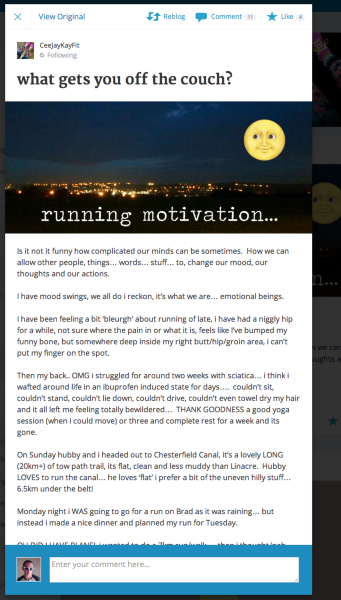
This is controlled by the setting “For each article in a feed, show” shown here:
https://ceejaykayfit.wordpress.com/wp-admin/options-reading.php
Please let me know if you need anything else!
-
ha haaa! thank you! I did ‘play’ about, but it is all ‘Greek’ to me… I thought some kind engineer had gone and sorted it for me.
Thank you for getting back to me x
CK -
-


- The topic ‘How do i see my whole blog post in the reader and not just a summary?’ is closed to new replies.
 WordPress.com Forums