How do you delete widgets?
-
How do you delete widgets? I can’t delete them. I dragged them back to their original box and nothing happens.
-
Carefully and slowly drag the widget to the bottom left hand corner of the “sidebar” box (the sweet spot) but do not lift your finger from the mouse and drop it. Instead, continue to drag the widget into the “available widgets” box but do not lift you finger and drop it yet. Wait until all the unused widgets shuffle around, move over and stop moving completely. Then slowly lift your finger off the mouse and drop the widget. Click “save changes”. :)
-
I still can’t do it. I forgot to mention that all my widgets are on the sidebar. I didn’t know what they were so I put them all on and previewed what they were… but now I can’t get rid of the ones that I don’t want.
-
You have said that you put “all” your widgets in your sidebar but I can see that all the widgets that are available to you are not there so I’m assuming you figured out how to remove them using the instructions above after you posted again. This will help you set up and configure your widgets. However if it should prove that you I’m guessing wrongly and you can’t remove them, then you have no other alternative but to send in a feedback (the button is on the top right hand corner of any blog page).
-
I had the same problem and found this solution:
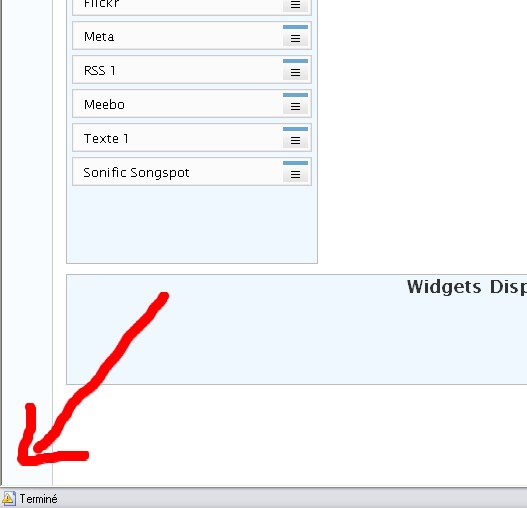
Drag the widget to be removed over to the bottom right side of the screen, (into the coloured section to the right of the Available Widgets section). The widgets should then ‘shuffle’ around and let the widget back into the group.
Hope this helps!
-
It’s a IE7 thing. I bet you upgraded to IE7. I have the same problem in IE7, but not in IE6 or Firefox.
-
When I’m flying along at warp speed I have the problem but when I go into slow motion I don’t.
For reference for others looking at this thread here’s the link to the official instructions. -
Make sure that the other widgets in the available widgets box actually move before you drop the one that you are moving. That was the only way I could get it to work in both IE6 and IE7.
-
I have the same probleme : it’s a “script error” on the page… So how to resolve that?
I’ve tryed with Internet Explorer, Firefox, and Maxthon and it’s already the same… :/ -
I’m now having the issue with IE7 as well but I don’t get a script error message. (At least I didn’t see one when I tried) When I try, the boxes don’t move or anything.
What’s the specific error that you are getting?
-
This one : http://shawimftp.free.fr/images/script-error.jpg
I think that my probleme is here!
-
-
Oh I didn’t know that I could click on it! lol
So 2 errors :Ligne:423
Caractère:5
Code:0
Erreur:’Draggables.drags[…].element.id’ a la valeur Null ou n’est pas un objet.
URL:http://shawim.wordpress.com/wp-admin/themes.php?page=widgets.phpLigne:1727
Caractère:5
Code:0
Erreur:’addEventListener’ a la valeur Null ou n’est pas un objet.
URL:http://shawim.wordpress.com/wp-admin/themes.php?page=widgets.php -
Thanks. Feedback sent with a note saying that I can’t do it either. Not sure why I’mm not getting the error though.
Thanks again,
-drmike -
-
-
Errr … I don’t have a clue what this means
I think that I will change of weblog… :/
I do know that staff can now duplicate the problem themselves and are trying to fix it.
-
wcdcxtest1 has inquired about a pending fix of this issue.
I’m sending in another feedback about it.
-drmike
-
I just tried in IE7.
I filled the sidebar and was able to remove them all.
It took some doing though and I was dragging widgets to the right and the bottom of the screen.It’s been noted though and will be worked on – sorry!
-
Perhaps, the person just dragged the widgets away but forgotten to hit the “save changes” afterwards? hehehe.


- The topic ‘How do you delete widgets?’ is closed to new replies.
 WordPress.com Forums