

How to change the link colour in a post
-
I know I found it once and now I am having a very hard time finding it again.
The blog I need help with is: (visible only to logged in users)
-
Hi there.
Please open your customizer by clicking the link below:
https://freakingonmakeup.wordpress.com/wp-admin/customize.php?return=%2Fwp-admin%2F
In the right hand menu, you’ll see a link for Colors. Click that.
When you do, your color customizer will open. Below your Background, you’ll see four black circles. Click the one on the left. This will open your link color customizer (see below):
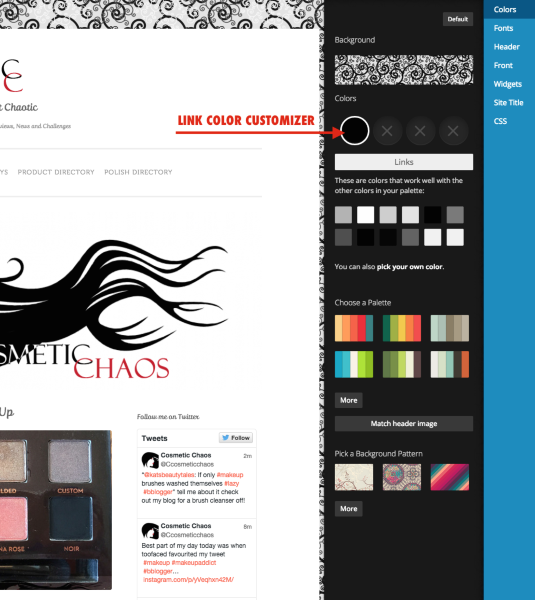
When you’re done, Save your changes.
That should do the trick! If I can help in any other way, please drop me a line. Cheers :)


- The topic ‘How to change the link colour in a post’ is closed to new replies.
 WordPress.com Forums